Projects & Tasks
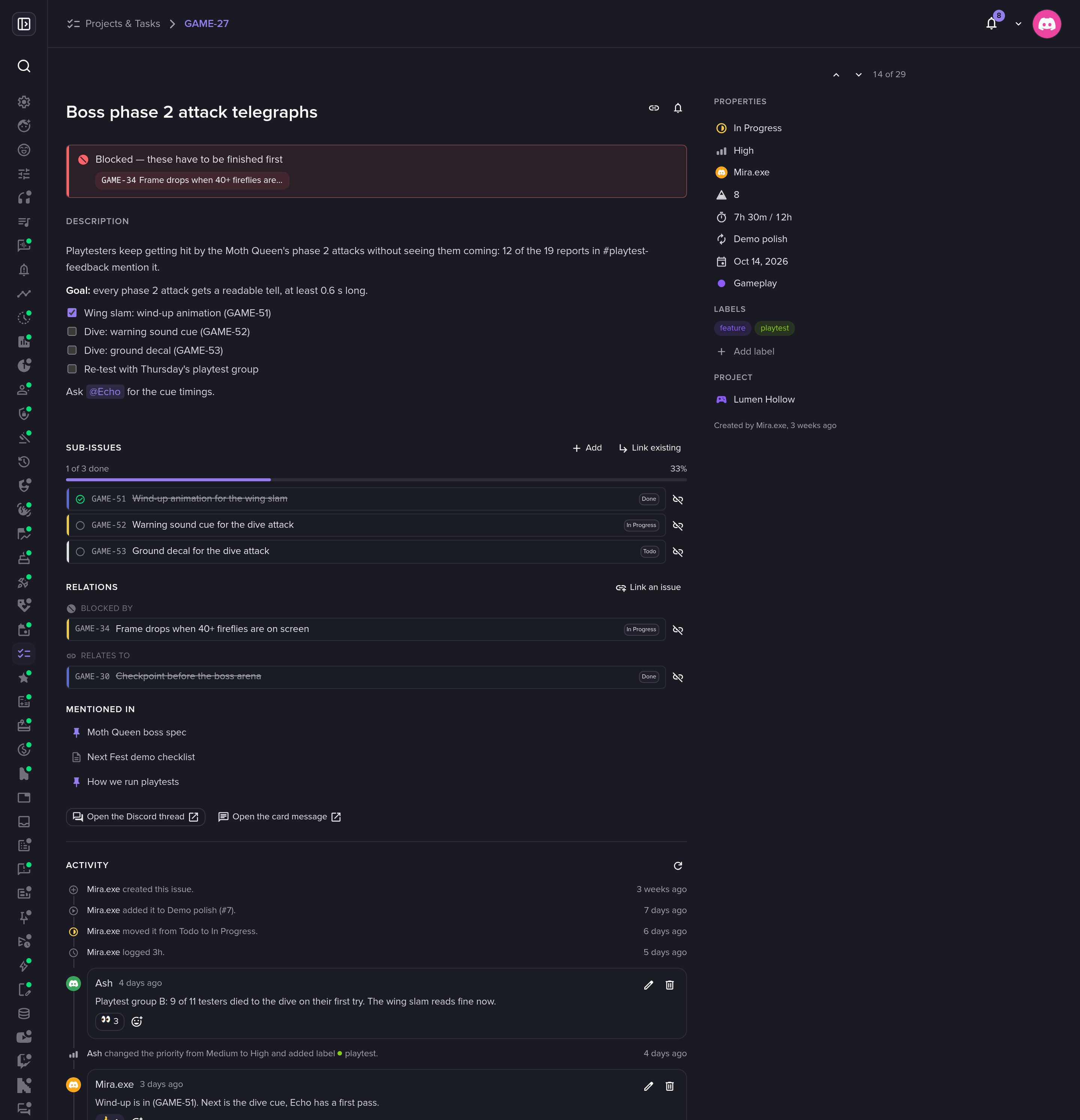
Projects & Tasks gives your server projects with a short key like GAME, and issues with an id like GAME-27 that anyone can type in chat. Plan on the board in the dashboard, file and move issues from Discord with /task, and both stay in sync on their own. Cycles, estimates, time tracking, doc pages and GitHub are there when your team needs them.
A board your team will open
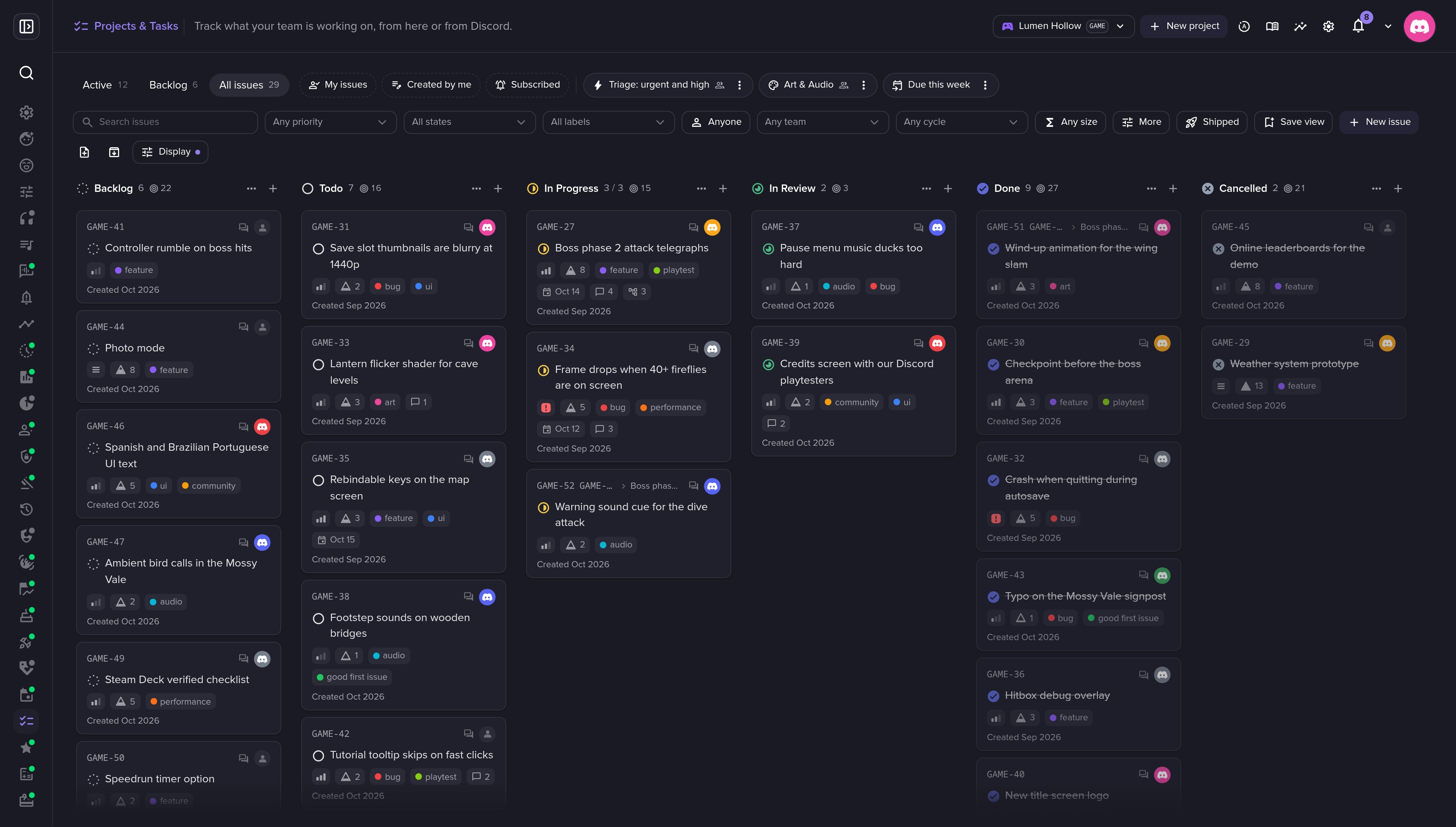
Drag a card to another column to move it. Group by state, assignee, priority or label, add swimlanes, save views, and act from the ⌘K palette or with single-key shortcuts.
Half of it lives in Discord
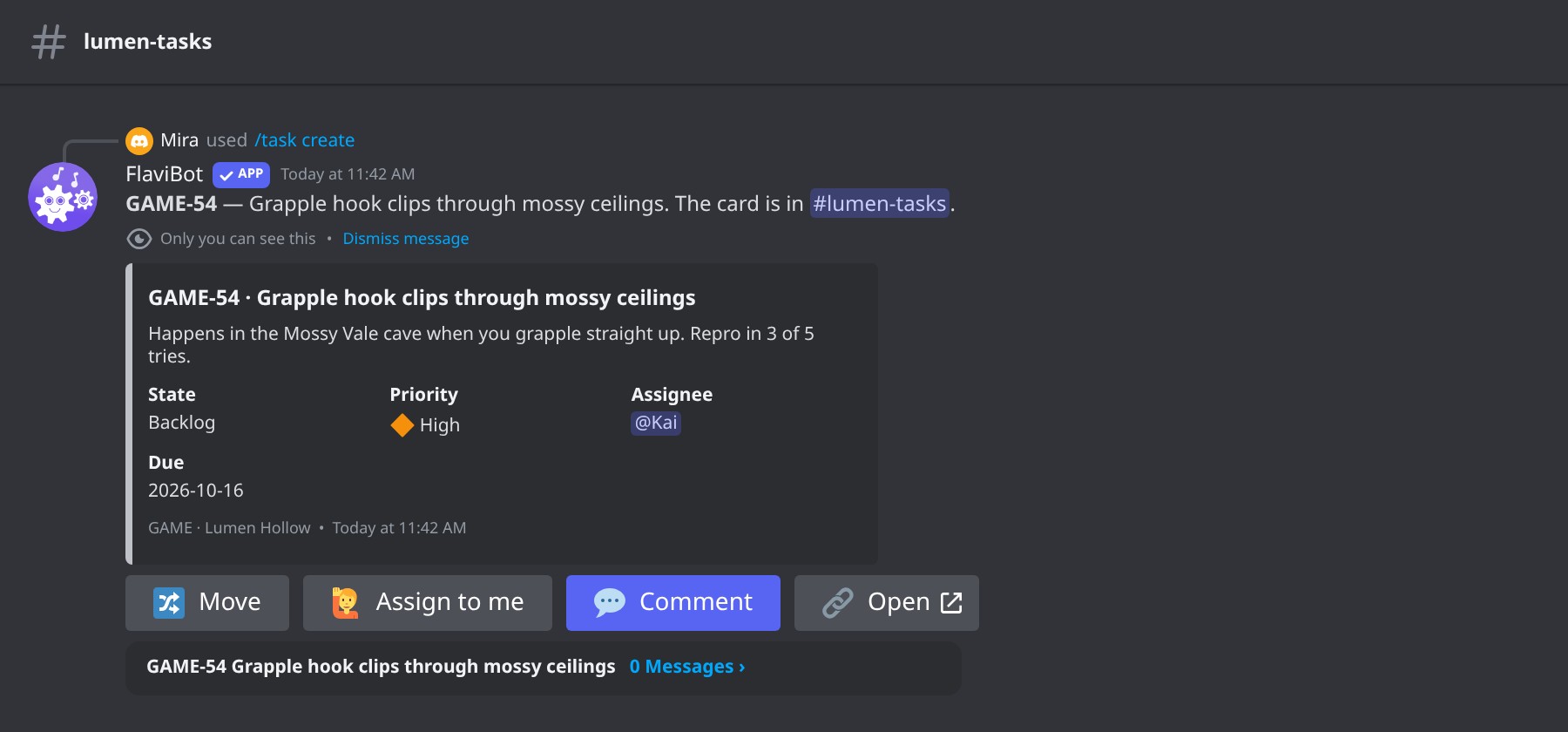
/task create posts a card with Move, Assign to me, Comment and Open buttons, and a thread per issue. Members get a DM about their own work, and /task mine lists what is theirs.
Cycles and patch notes
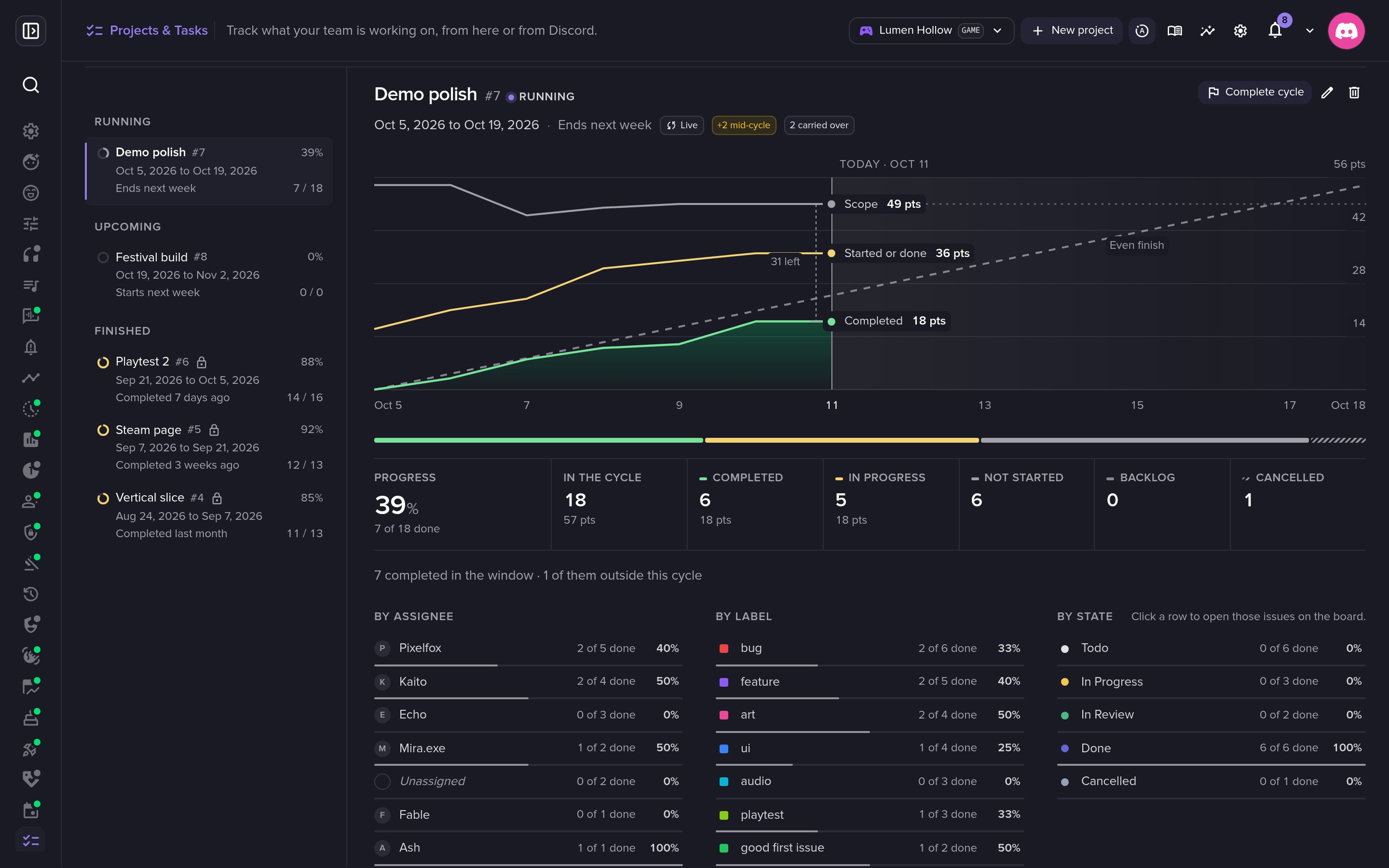
A cycle draws a burn-up chart of its scope and progress. Completing it moves unfinished issues on, and its Shipped tab turns finished issues into patch notes ready to paste in Discord.
Permissions for a community
Every member can file, comment and work on their own issues by default. Presets give a role or a member Reporter, Contributor, Manager or Admin rights, and closing an issue is a permission of its own.
Full documentation
Every setting explained, step by step.
Slash commands
The slash commands you'll use with this feature on Discord.
/task
Limits by plan
The numbers FlaviBot enforces. They follow the server's plan, except saved playlists and custom bots, which follow your account's plan.
| Limit | Free | Silver | Gold | Platinum |
|---|---|---|---|---|
| Projects | 1 | 10 | 25 | Unlimited |
| Issues per project | 100 | 2,000 | 10,000 | Unlimited |
Questions about Projects & Tasks
Is Projects & Tasks free?
Yes. Every server can use it. The plan sets how many projects a server keeps and how many issues each project holds, as the table above shows.
Does it connect to GitHub?
Yes, through FlaviBot's GitHub App. Write fixes GAME-34 in a pull request and it attaches itself to the issue. FlaviBot only listens and never writes to your repositories.
Can members use the tracker without Manage Server?
Yes. Give a role or a member access to the tracker, and they see it on the dashboard without any other page of your server.
Related features
- EventsFlaviBot schedules Discord events with RSVP buttons, a waitlist, DM reminders and repeating series.
- FormsFlaviBot hosts web forms for applications, feedback and ban appeals: members answer with their Discord account and staff review responses in Discord.
- TicketingFlaviBot's ticketing opens a private channel between a member and your support team from a panel button, with claiming, transcripts and ratings.
Ready to try it out?
Add FlaviBot to your server and start using this feature for free.
Add to Discord