Radio mode
Radio mode turns a FlaviBot into your server's radio station. It plays in a home channel you pick, runs a rotation from your server playlists, airs your jingles and station IDs between songs, and takes your members' requests. Your hosts run it from the Studio on the dashboard or from their phone, without joining voice.
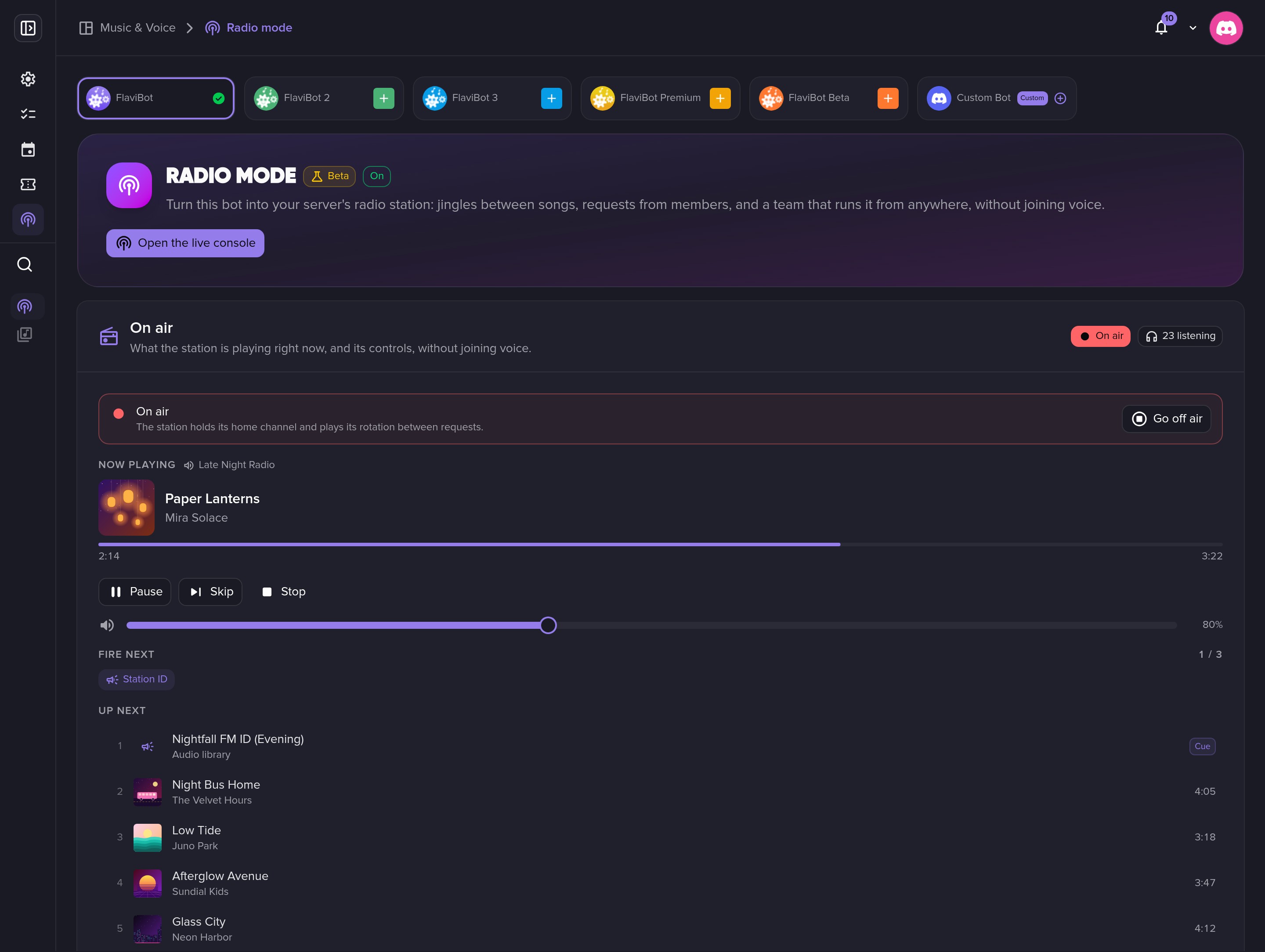
Go on air, stay on air
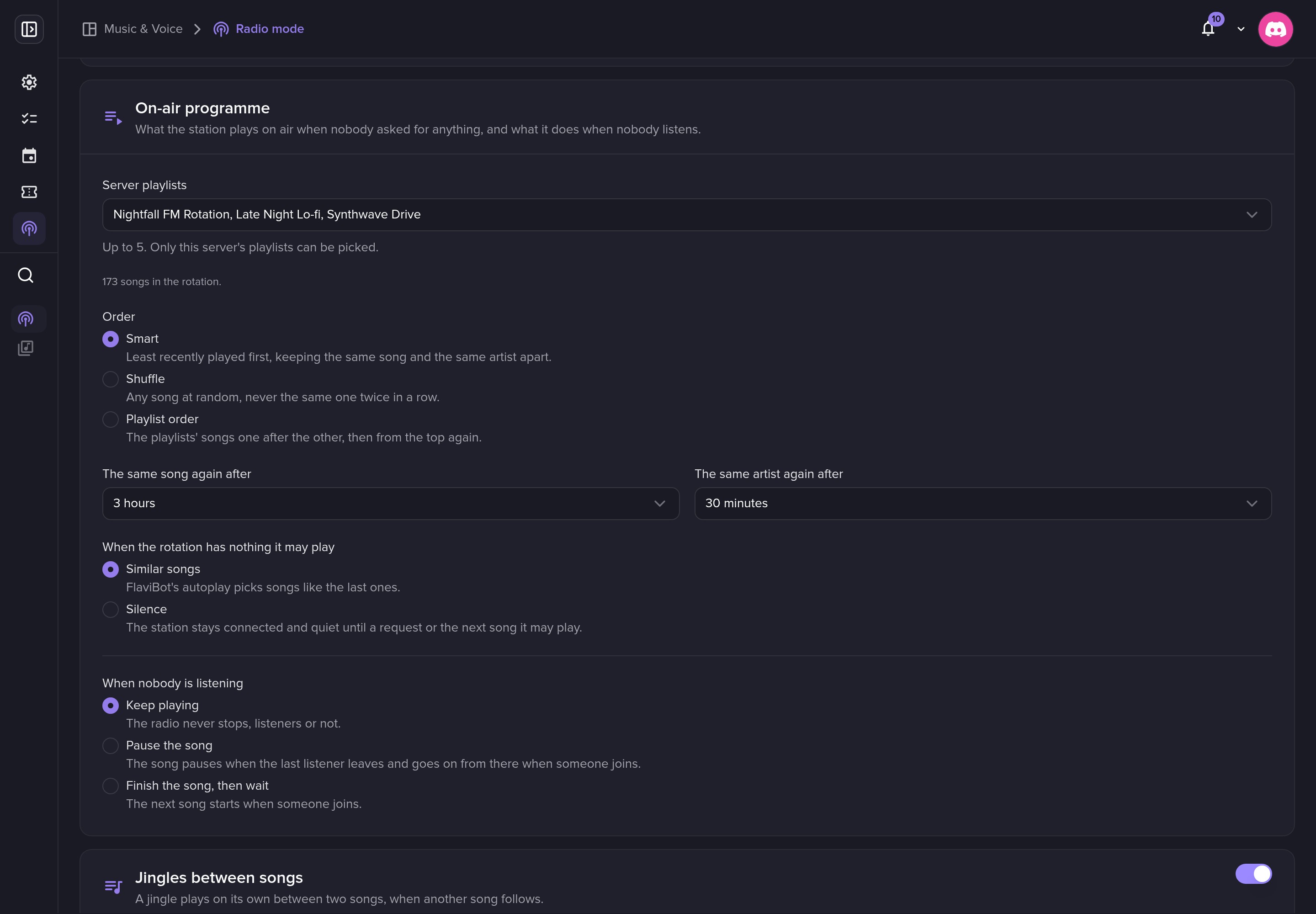
Press Go on air or run /station on-air. The rotation keeps the same song away for three hours and the same artist for thirty minutes, and you choose what happens when the room empties.
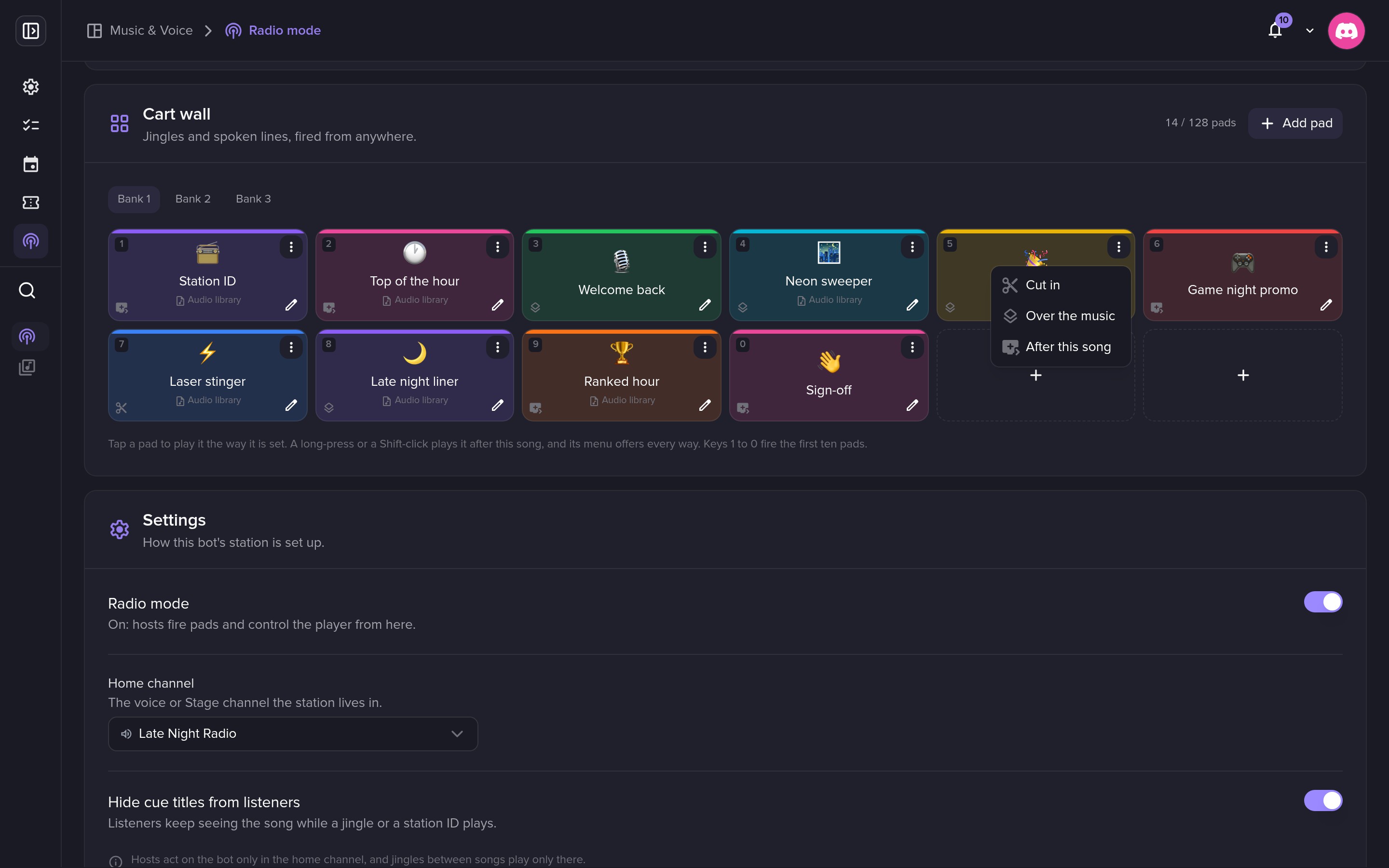
A cart wall for your jingles
Each pad plays a spoken line or a file from your Audio library. It can cut in, play over the music or wait for the end of the song, and keys 1 to 0 fire the first ten pads.
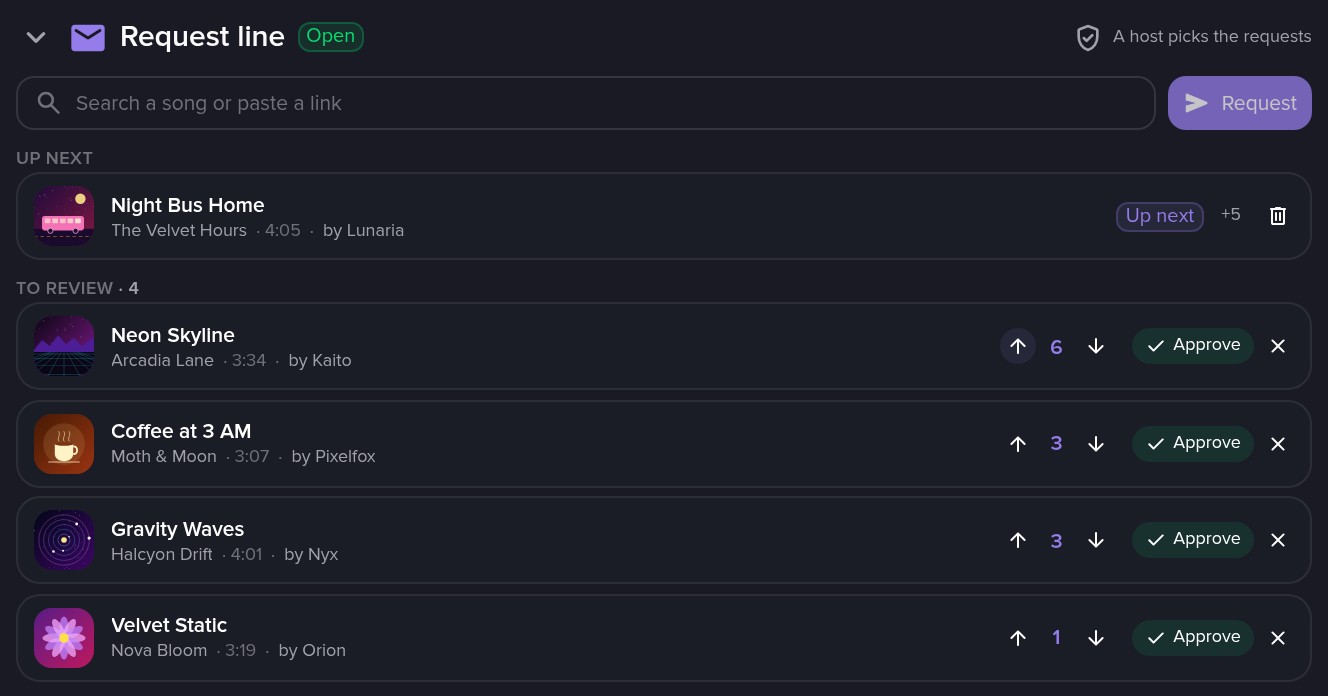
Song requests and votes
Members ask for songs from the music player, with /station request or from a message's Apps menu. You choose how a request gets on air: host review, listener votes or instantly.
A team of hosts
Hand the station to a role or a member as Host, Producer or Station manager. Hosts do not need Manage Server: they open the dashboard straight into the Studio.
Full documentation
Every setting explained, step by step.
Slash commands
The slash commands you'll use with this feature on Discord.
/station
Limits by plan
The numbers FlaviBot enforces. They follow the server's plan, except saved playlists and custom bots, which follow your account's plan.
| Limit | Free | Silver | Gold | Platinum |
|---|---|---|---|---|
| Cart pads per station | 8 | 32 | 64 | 128 |
| Station team entries | 3 | 20 | 50 | 100 |
Questions about Radio mode
Is Radio mode free?
Yes. Every server can set up its station and go on air for free, with the rotation, the cart wall, jingles between songs and requests. Without 24/7, the station goes off air once nobody has listened for 10 minutes. Server Premium Silver and up keeps it on air around the clock.
Does Radio mode work on a custom bot?
No. Radio mode runs on the official FlaviBot bots only.
Do hosts need to join the voice channel?
No. Hosts run the station from the Studio on the dashboard, and the live console puts the On air card, the cart wall and the request line on one page made for a phone.
Related features
- Music PlayerFlaviBot's music player supports Spotify, Apple Music, Deezer, Tidal, Amazon Music and radio stations, with a shared queue, saved playlists and audio filters.
- Web Music PlayerFlaviBot's web player controls your server's music from a browser: live queue, search, playlists, radios, filters and synced lyrics, all in real time.
- DJ ModeFlaviBot's DJ Mode decides who may play, skip, stop or change the volume, with Allow, Deny and Inherit set per member, per role and for everyone.
Ready to try it out?
Add FlaviBot to your server and start using this feature for free.
Add to Discord