Channel Stats
Channel Stats turns a channel name into a live counter. Write a name with a variable in it and FlaviBot replaces the variable with your server's member count, the number of members in voice, the number of channels or the number of roles, then renames the channel. Counters refresh every 20 minutes, and a channel is only renamed when its number changed. FlaviBot needs Manage Channels on the channel, plus Connect on a voice channel, and a counter that fails 10 checks in a row switches itself off. The feature is free.
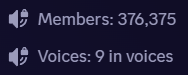
Four live numbers
Total members, members currently in voice, channels and roles, cut to Discord's 100-character limit for a channel name.
Refreshed every 20 minutes
Counters update on a 20-minute cycle, and a channel whose name is already correct is left untouched.
It tells you what broke
A missing Manage Channels permission, a missing Connect permission on a voice channel or a deleted channel is recorded on the counter, and 10 failures in a row switch it off.
Questions about Channel Stats
How often do the numbers update?
Every 20 minutes. FlaviBot only renames a channel when the number has changed since the last check.
Which permissions does FlaviBot need?
Manage Channels on the counter channel, and Connect as well when it is a voice channel. Without them the counter records the missing permission, and after 10 failed checks in a row it switches itself off.
Can one channel carry two counters?
No. Each channel holds one counter; adding a second counter to the same channel is refused.
Ready to try it out?
Add FlaviBot to your server and start using this feature for free.
Add to Discord