
FlaviBot Week: Projects & Tasks, a real issue tracker inside your server
Projects & Tasks: a real issue tracker, right inside your server
Every busy server keeps a to-do list somewhere: a pinned message nobody updates, a spreadsheet one moderator owns, a channel where requests disappear.
Day three of FlaviBot Week retires all of them. Meet Projects & Tasks: a complete issue tracker that lives inside your server. Plan on the dashboard, act from Discord, and both stay in sync on their own.
What it is
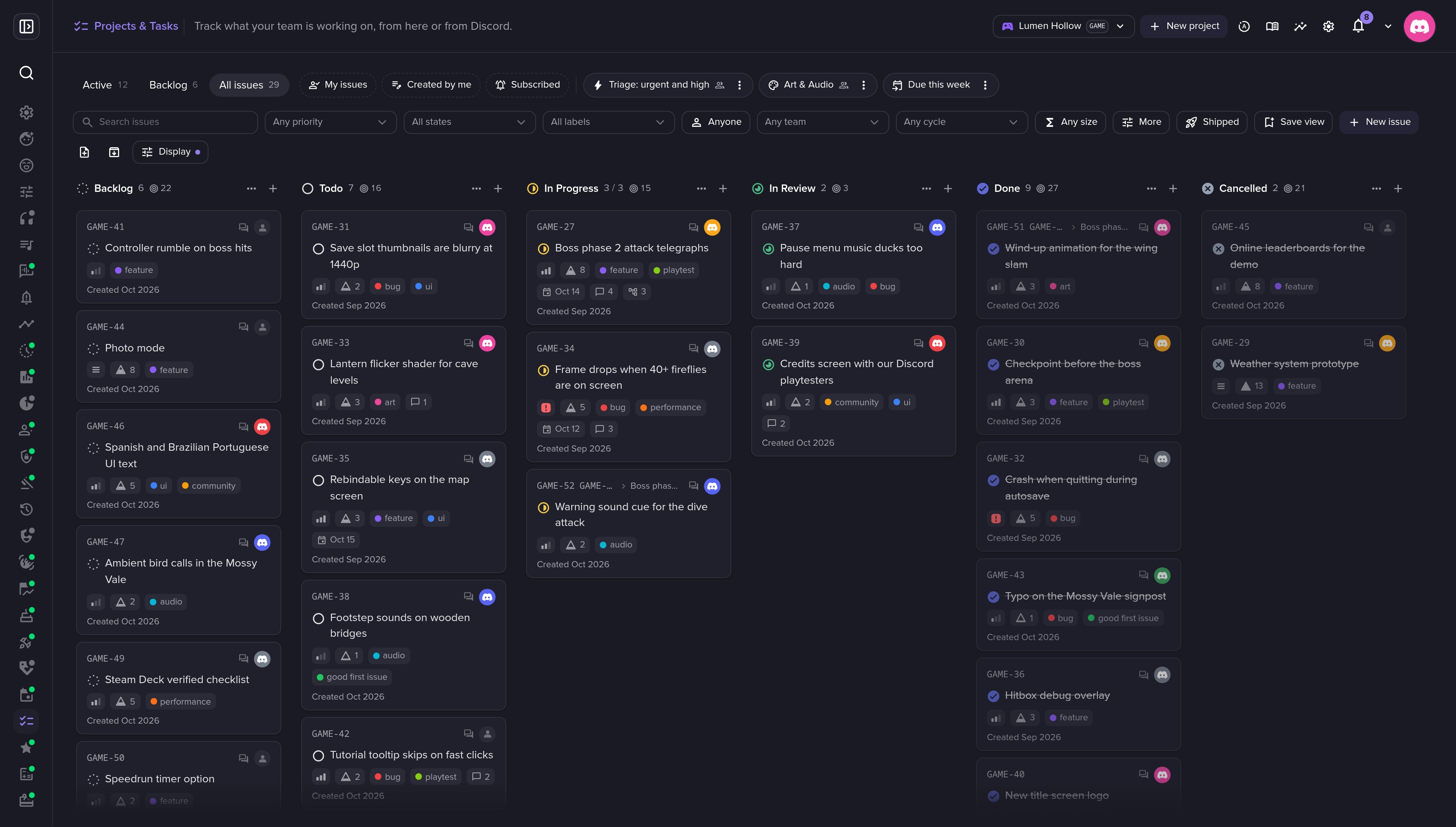
Your server gets projects, each with a short key like GAME. Every piece of work is an issue with an identifier, GAME-27, that people can say out loud and type anywhere. Issues sit on a board and move right as the work advances.
New projects start with six columns: Backlog, Todo, In Progress, In Review, Done and Cancelled. Rename them, recolour them, add your own.
📋 A board your team will actually open
Drag a card to another column and the issue moves. Drop it in Done and it closes. Prefer a table? Switch to the list and sort by any column.
- Group by state, assignee, priority, label, cycle, team or project.
- Swimlanes add a second dimension: columns by state, lanes by assignee, and you see who carries what.
- WIP limits warn when a column is over its limit. They never block a drop.
- Saved views keep a set of filters under a name, shared or personal. My issues, Created by me and Subscribed come built in.
- ⌘K / Ctrl+K opens a command palette that finds any issue and acts on it.
Ccreates,Smoves,Aassigns, and?lists every shortcut.
💬 Half of it lives in Discord
Anyone can file an issue without leaving the chat:
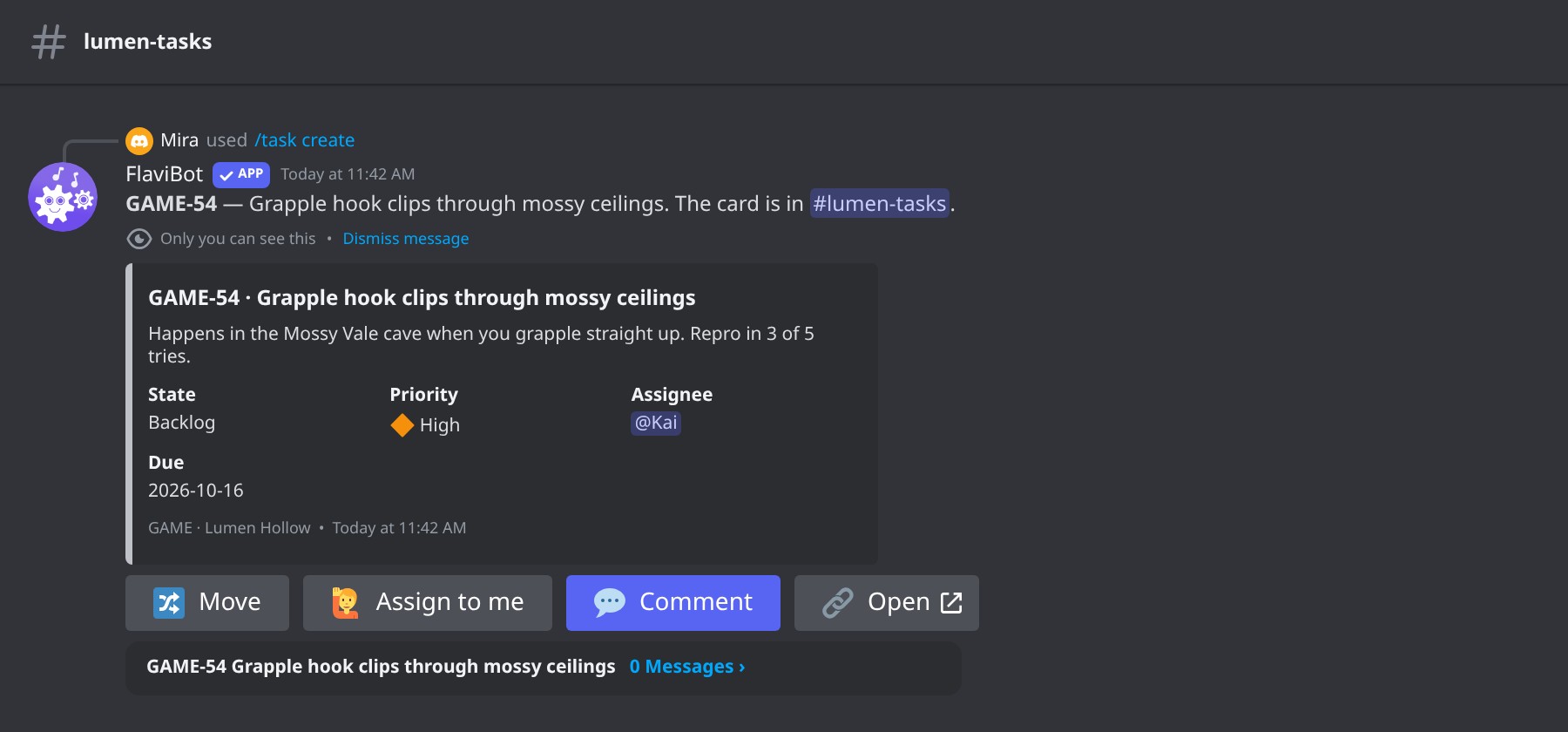
/task create project:GAME title:Grapple hook clips through mossy ceilings priority:High
FlaviBot posts a card in your tasks channel. Its colour stripe matches the issue's column, and four buttons cover the daily work: Move, Assign to me, Comment and Open. Turn threads on and every card gets one, with dashboard comments mirrored into it.
People hear about their own work by direct message: an assignment, a state change, a comment, a mention. Cards never ping anyone. /task mine lists your open issues, overdue first, and a pinned channel digest shows a project's open issues as the board moves.
Starting from zero? A member who manages projects can type a new name in the project box of /task create and pick ➕ Create project. The project and its columns appear on the spot.
🔍 Every issue has its own page
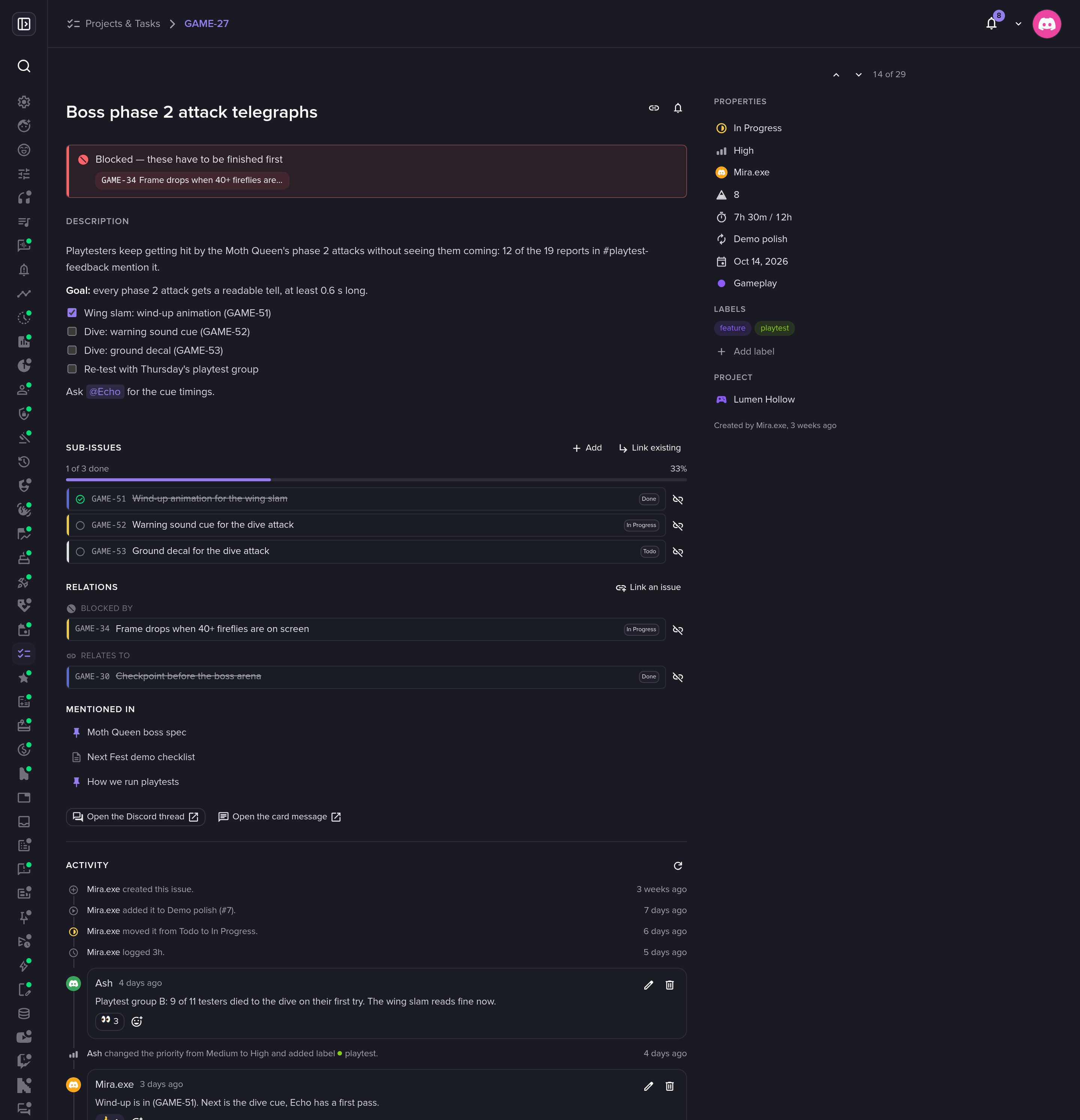
Open lands on the issue's own page, at an address you can link and bookmark. Every change saves as you make it.
- Sub-issues with a progress bar, so 1 of 3 tells you where a feature stands.
- Relations (blocks, blocked by, relates to, duplicates), written on both issues. A blocked issue says so above its description.
- A Markdown editor with clickable checklists and member mentions.
- Comments with reactions, woven into a trail of every change and who made it.
Beside the board, Docs gives each project its pages and your server a wiki. Write GAME-27 in a page and it links to the issue, which lists the page back.
🏃 Cycles, burn-ups and patch notes
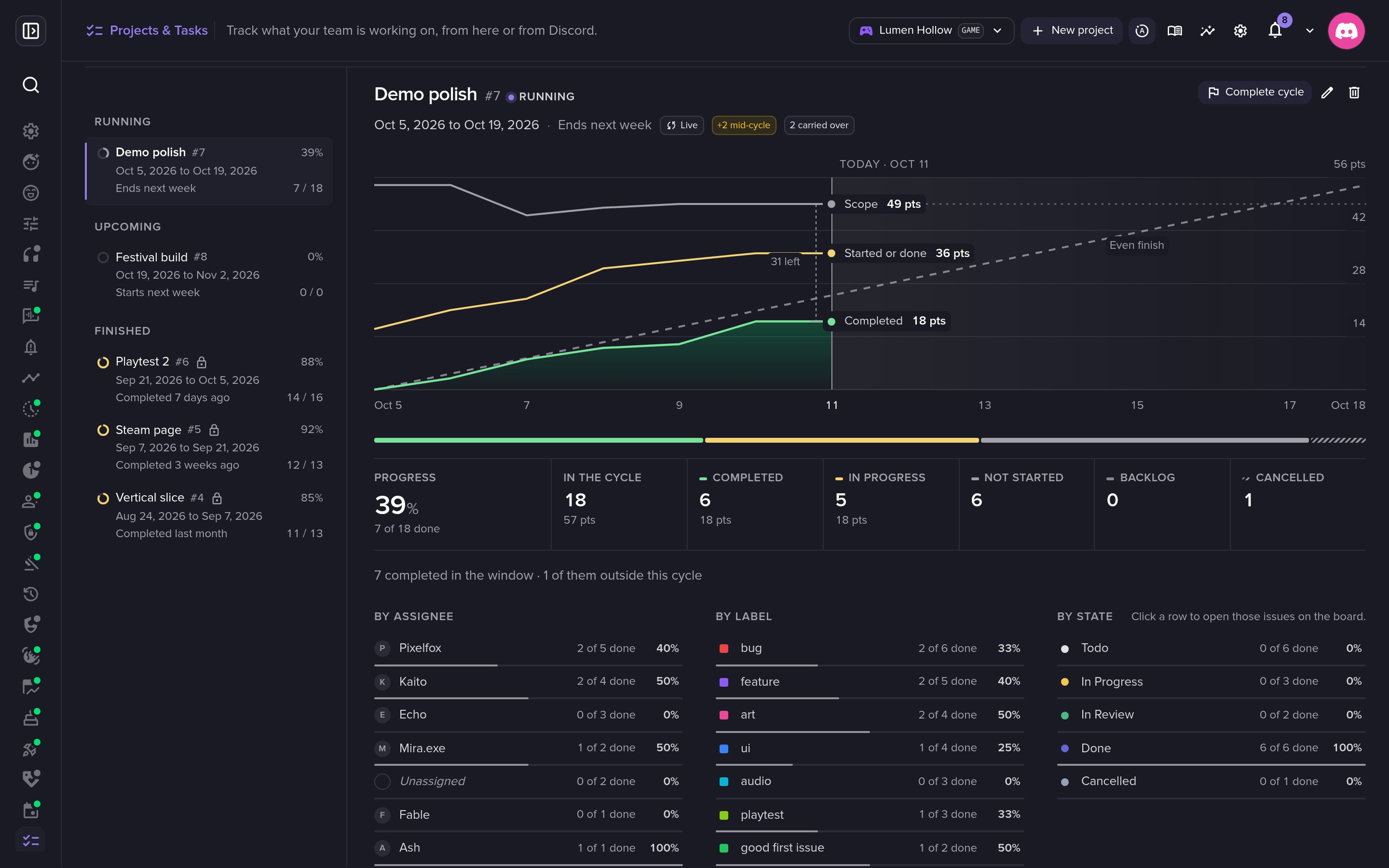
A cycle is a dated slice of work: these issues, these two weeks. Its page draws a burn-up chart of scope, work in flight and completed work against an even-finish line, with breakdowns by assignee, label and state.
Complete cycle freezes the numbers and offers to move unfinished issues into the next one. A velocity chart then compares what each cycle planned with what it finished.
The Shipped tab turns the cycle's completed issues into patch notes, grouped by label. Copy for Discord splits them under Discord's 2,000-character limit, ready to paste into your announcements.
📏 Sizes, time, teams and GitHub
Use what your team needs:
- Estimates in points, on a linear, fibonacci, exponential or t-shirt scale. Column headers add them up.
- Time tracking with a log per issue and a one-click timer.
- Teams, shared with the Events calendar.
- Insights: lead time, cycle time and a flow chart of what was filed and finished.
Teams that ship code can connect GitHub through FlaviBot's GitHub App. Write fixes GAME-34 in a pull request and it attaches itself to the issue. FlaviBot only listens and never writes to your repositories.
🔐 Permissions that fit a community
By default, every member can file an issue, comment, claim a free one and move their own work. Give a role or a member more with a preset: Reporter, Contributor, Manager or Admin, or a custom set. Closing is a permission of its own, so you can let your team file and work while only a lead marks things done.
A member whose only access is a tracker role sees the tracker on the dashboard, and no other page of your server.
🚀 Get started
- Open your server on the dashboard and go to Management > Projects & Tasks.
- Click Create your first project and pick a key, like
WEBorGAME. - Open Settings (the cog) and choose the channel for issue cards. A thread per issue is on by default.
- In Discord, run
/task create project:GAME title:Our first issue.
💬 In Discord
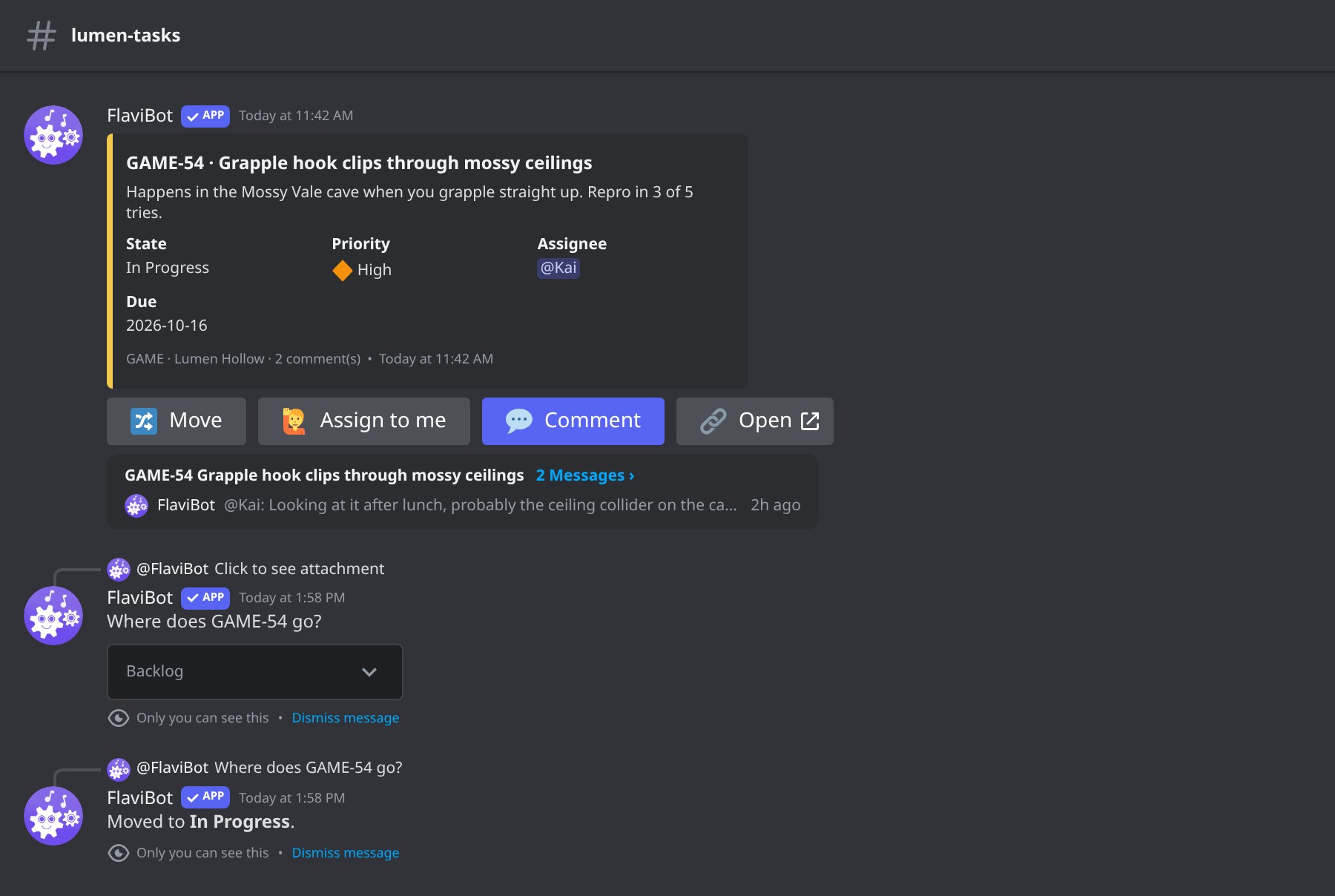 Move an issue straight from its card.
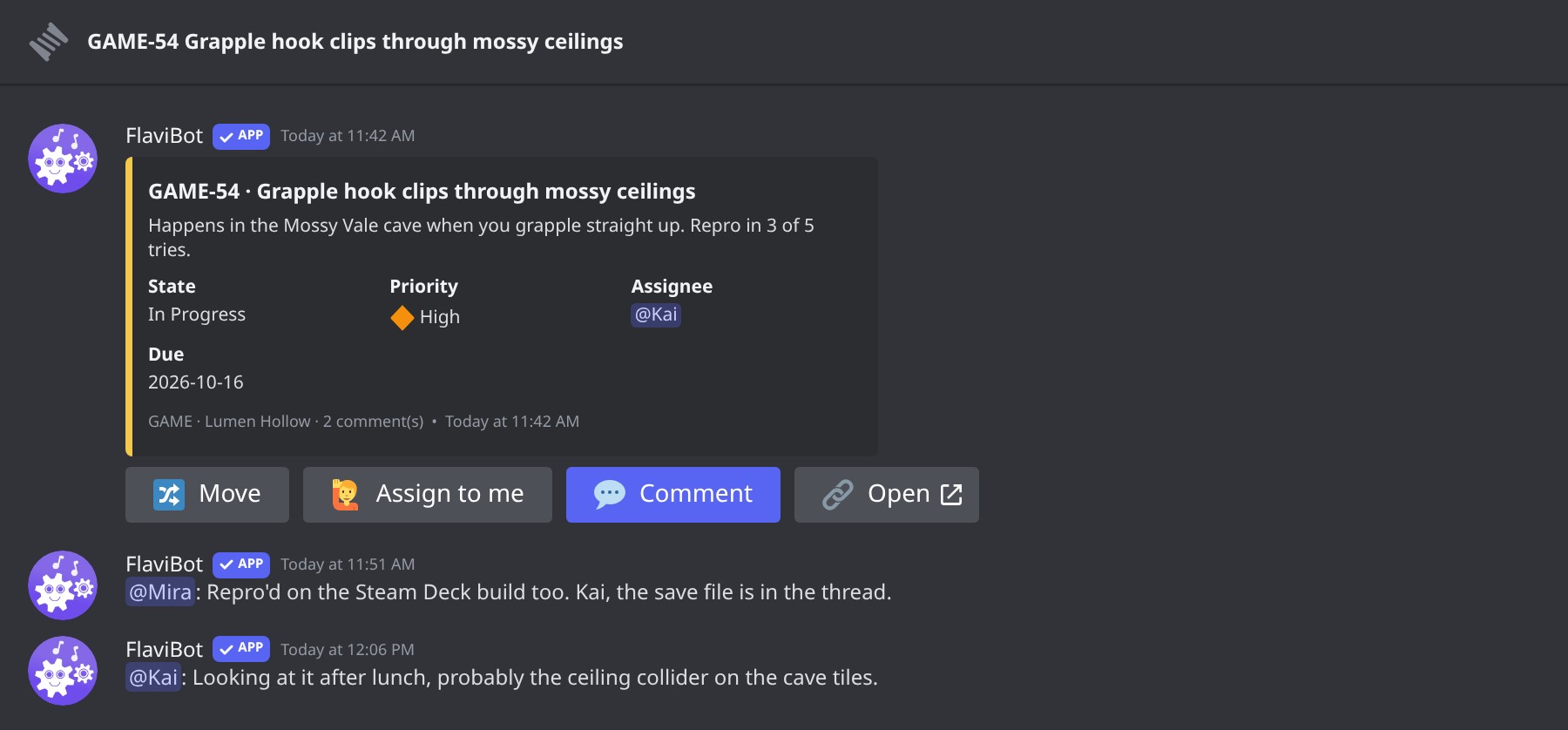 Every issue has a thread, and dashboard comments show up there too.
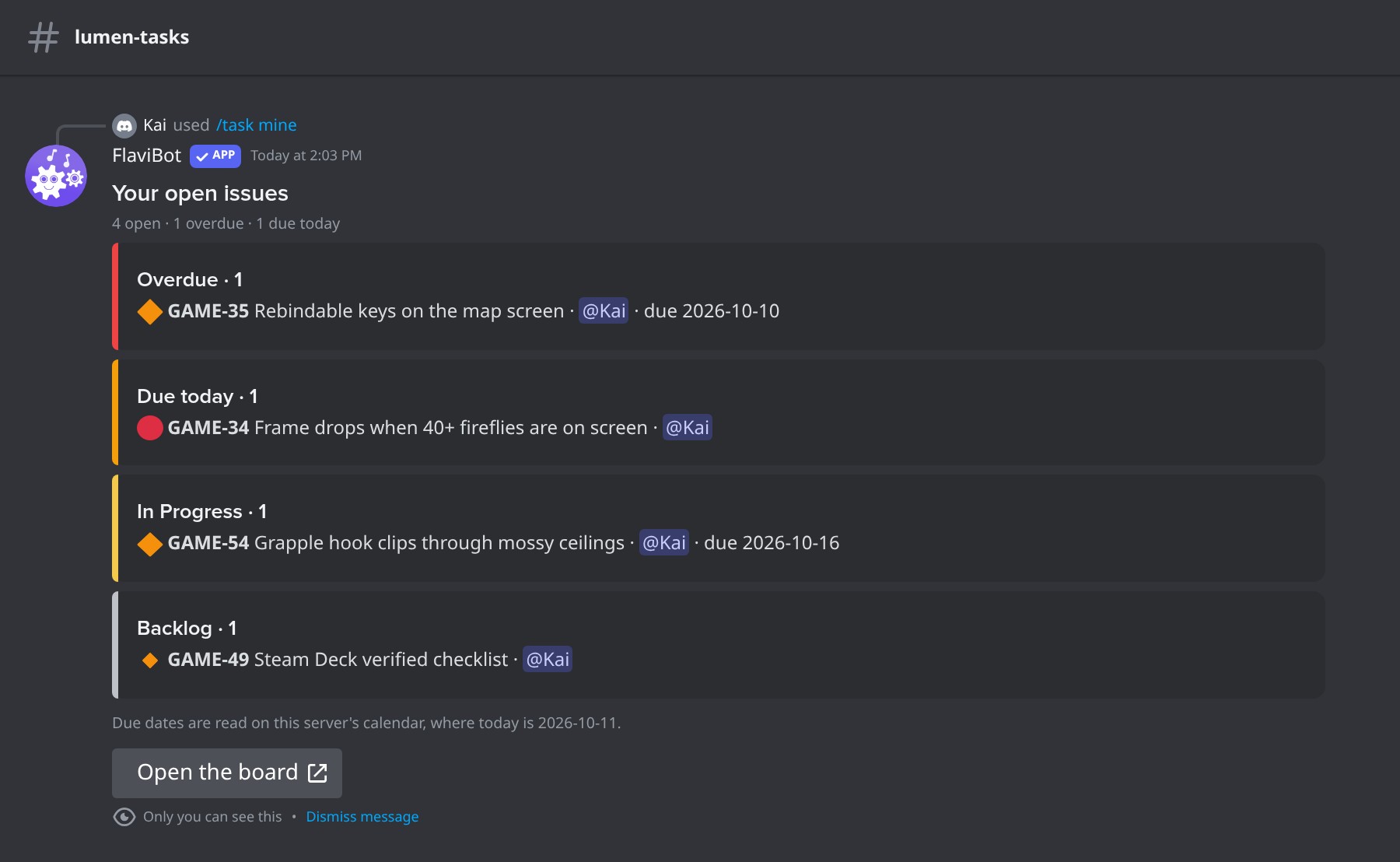 /task mine: your open issues.
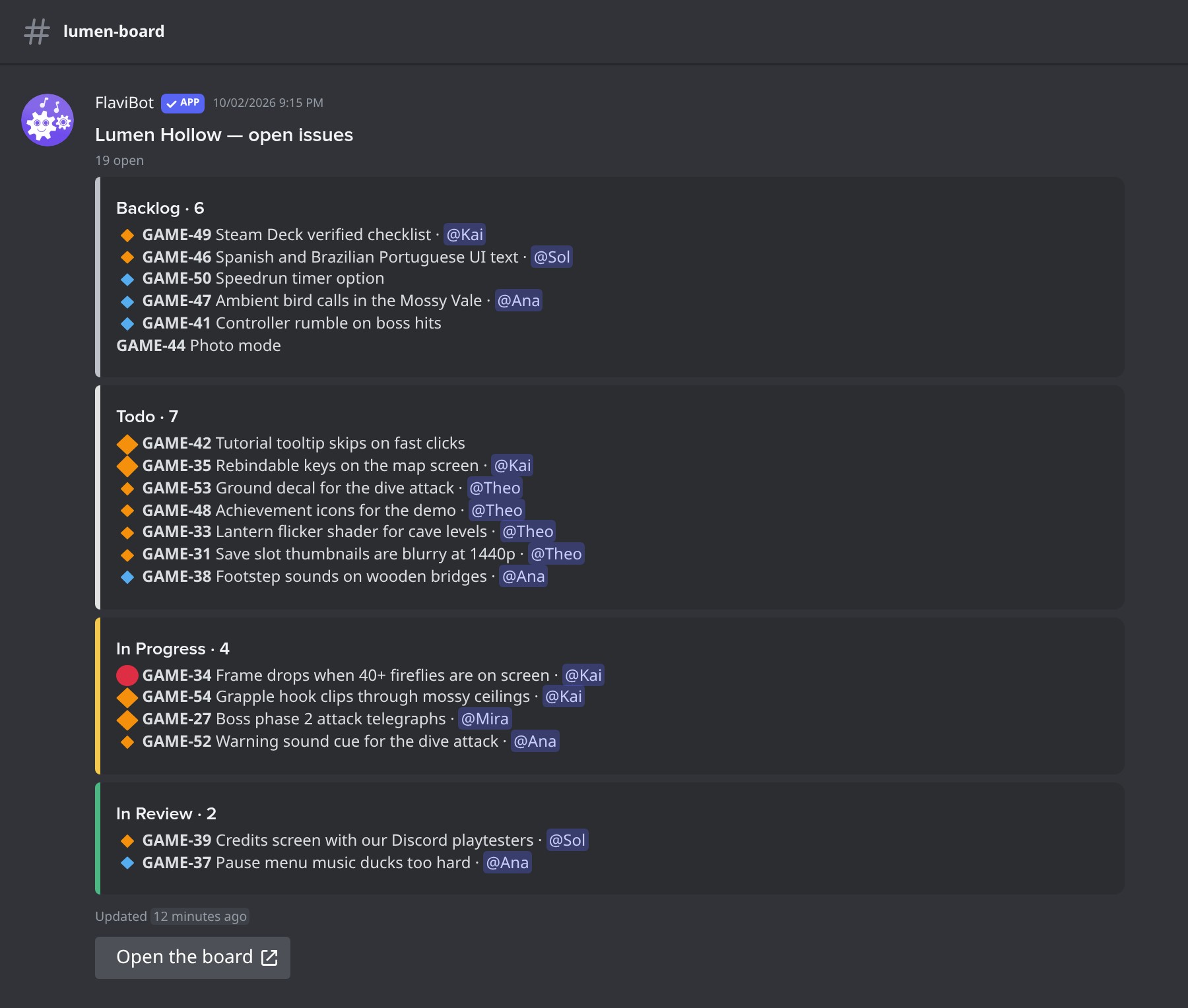 A digest of open issues, posted in your channel.
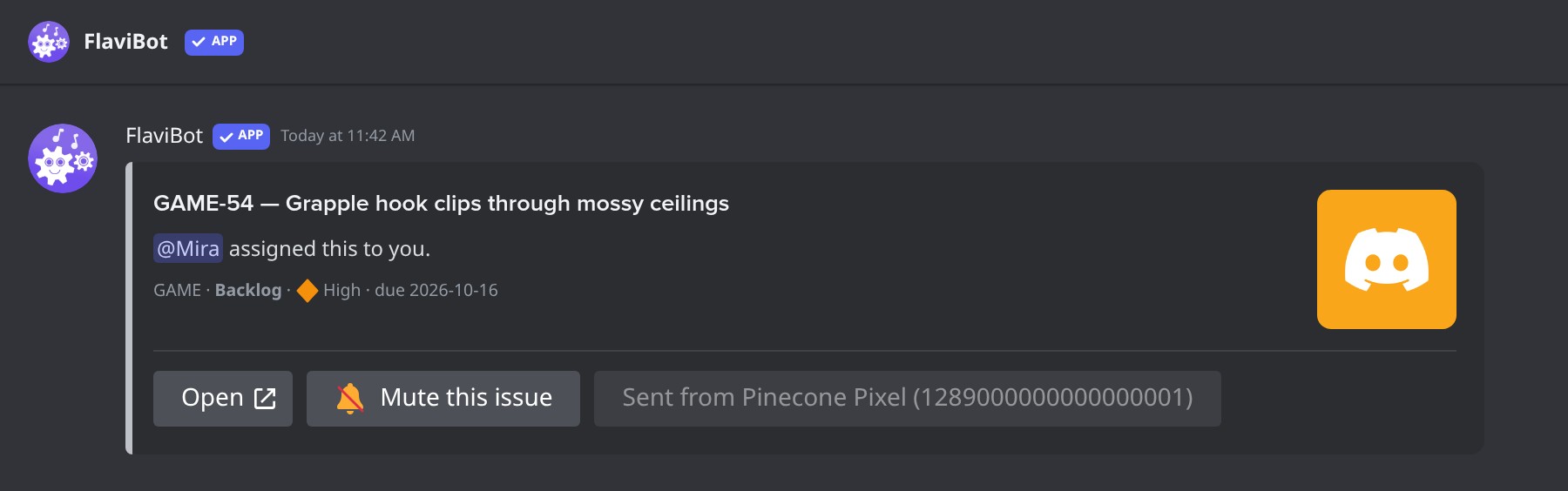 A DM when an issue is assigned to you.
📸 A closer look
Board views
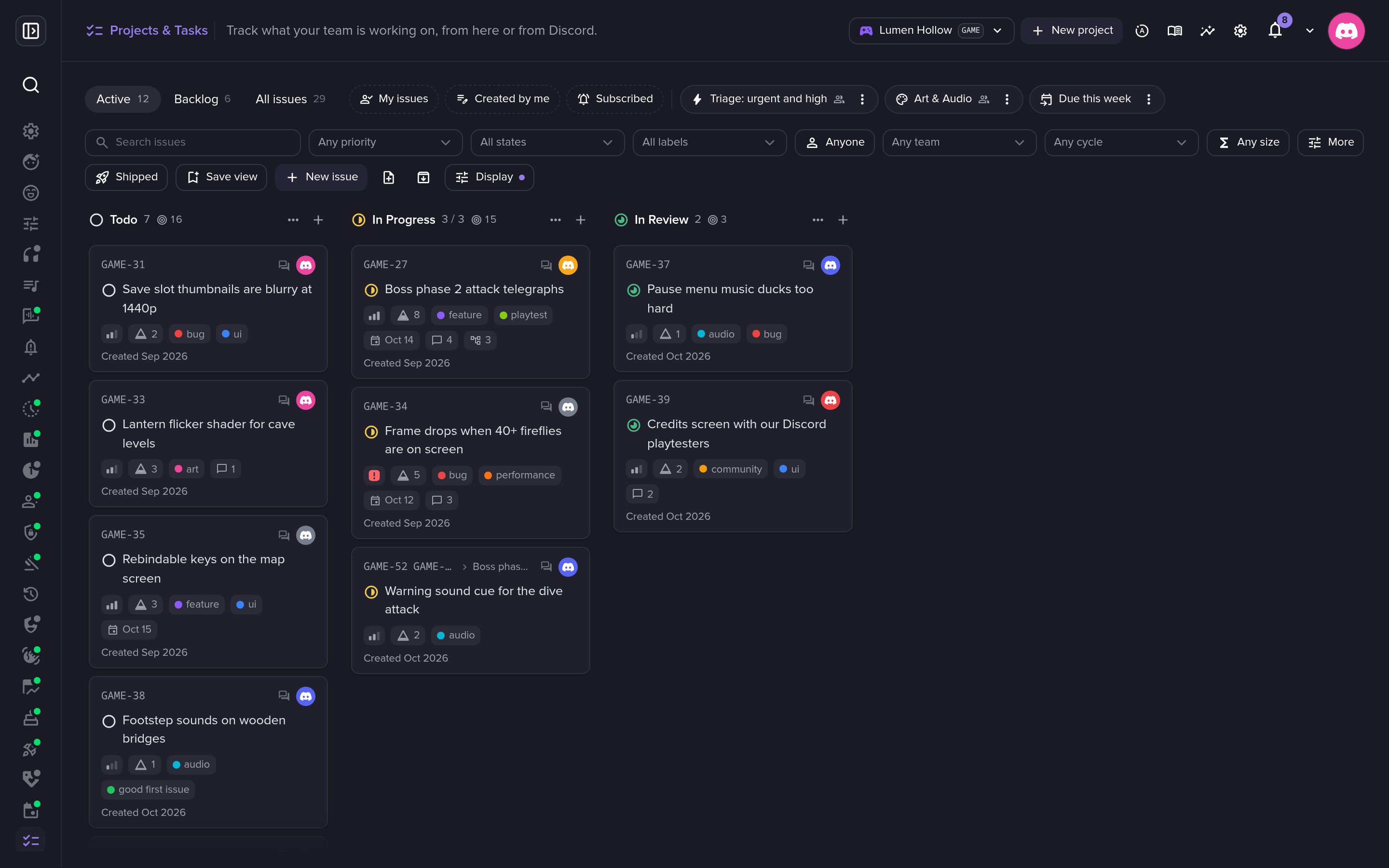 The default Active view: what is being worked on right now.
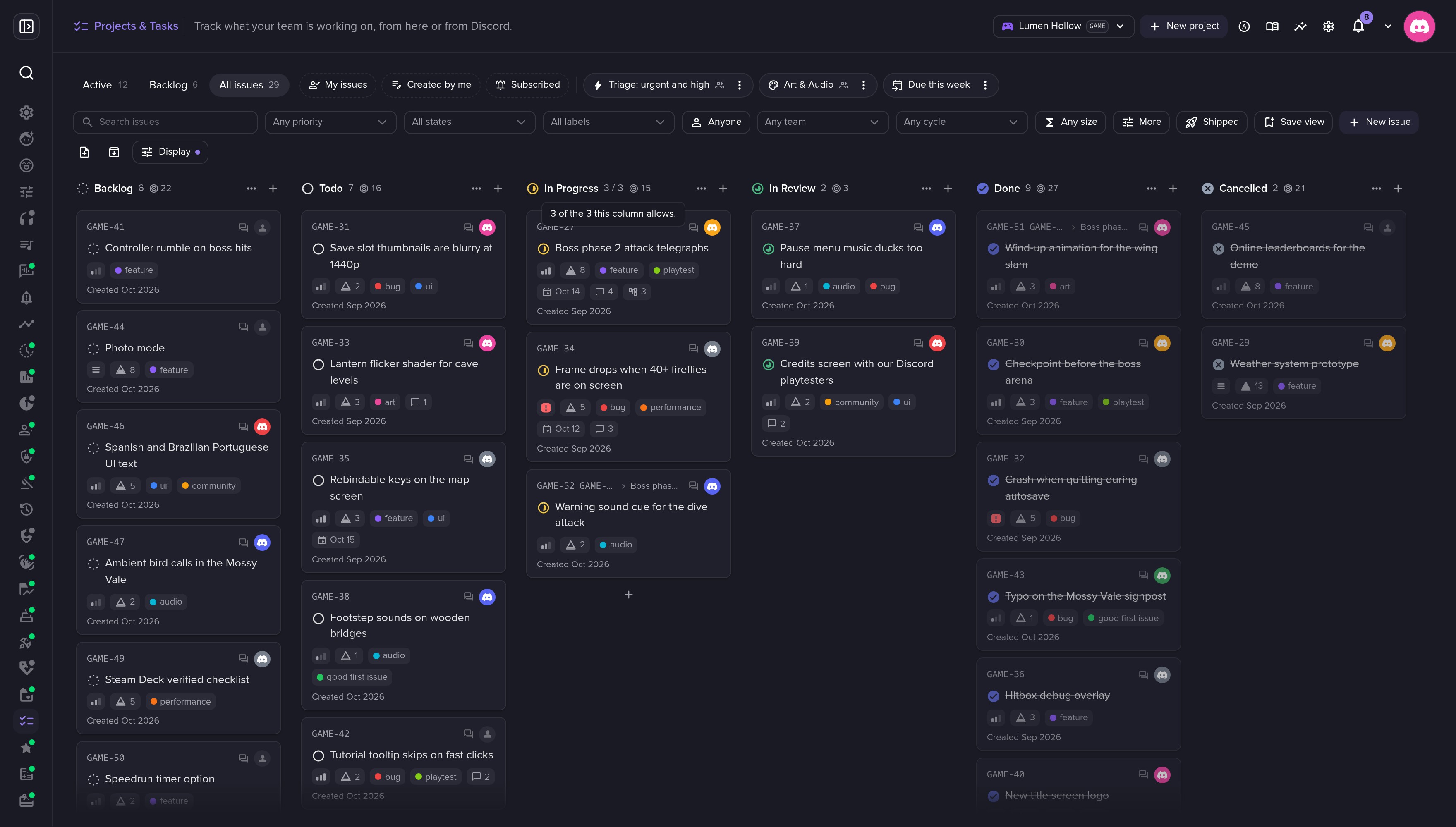 Work-in-progress limits warn, they never block.
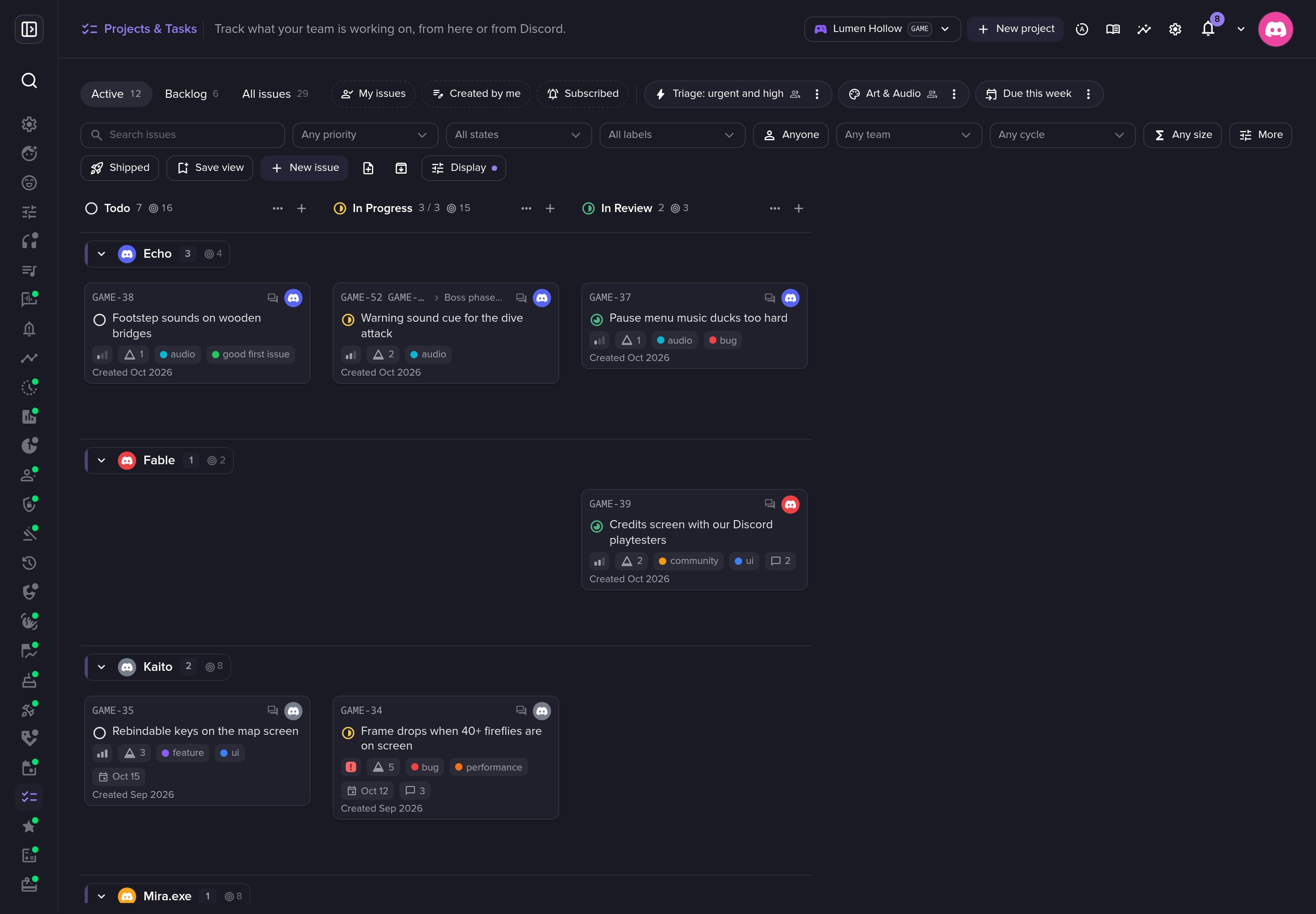 Swimlanes by assignee.
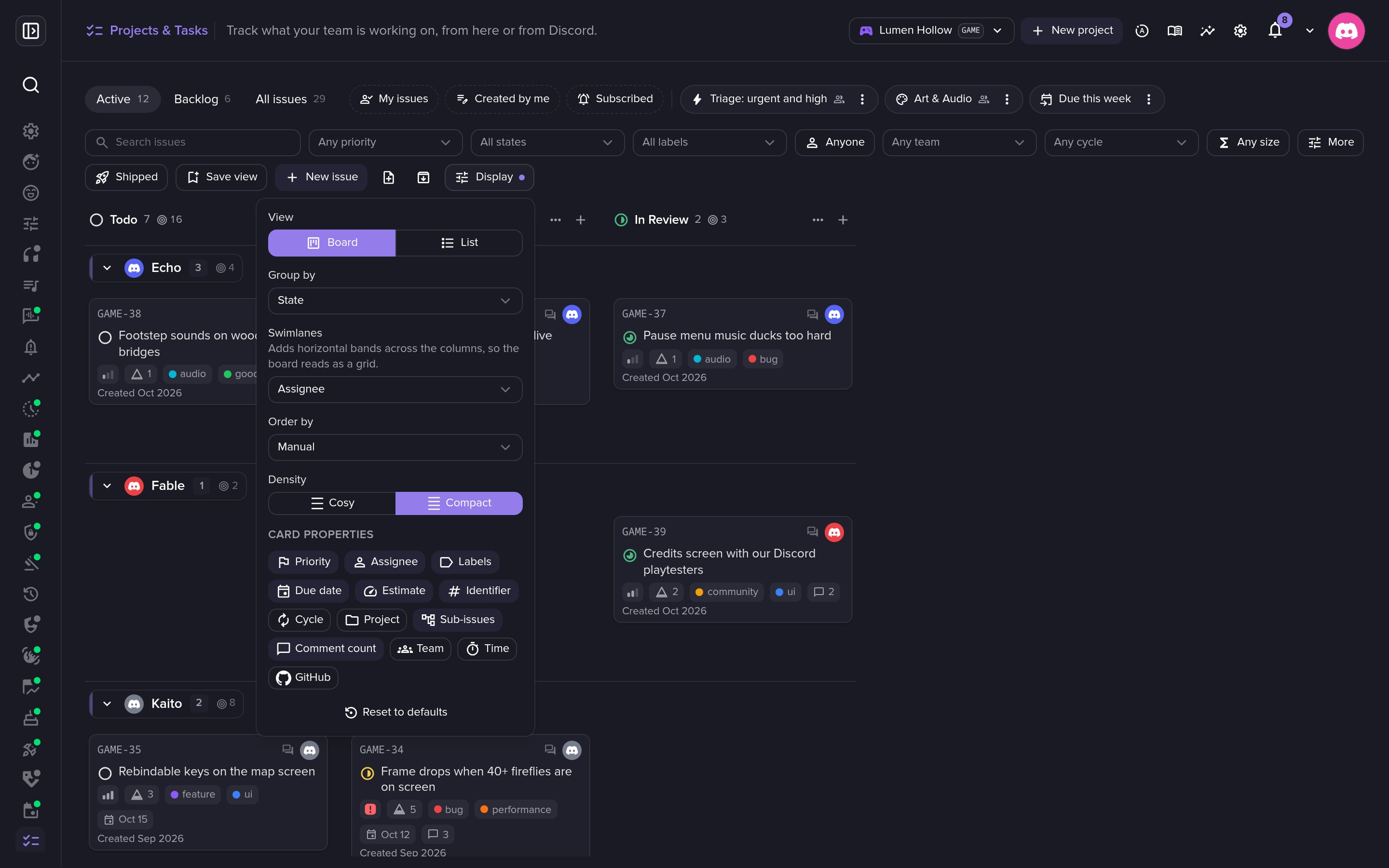 Choose how the board looks: grouping, swimlanes, order, density.
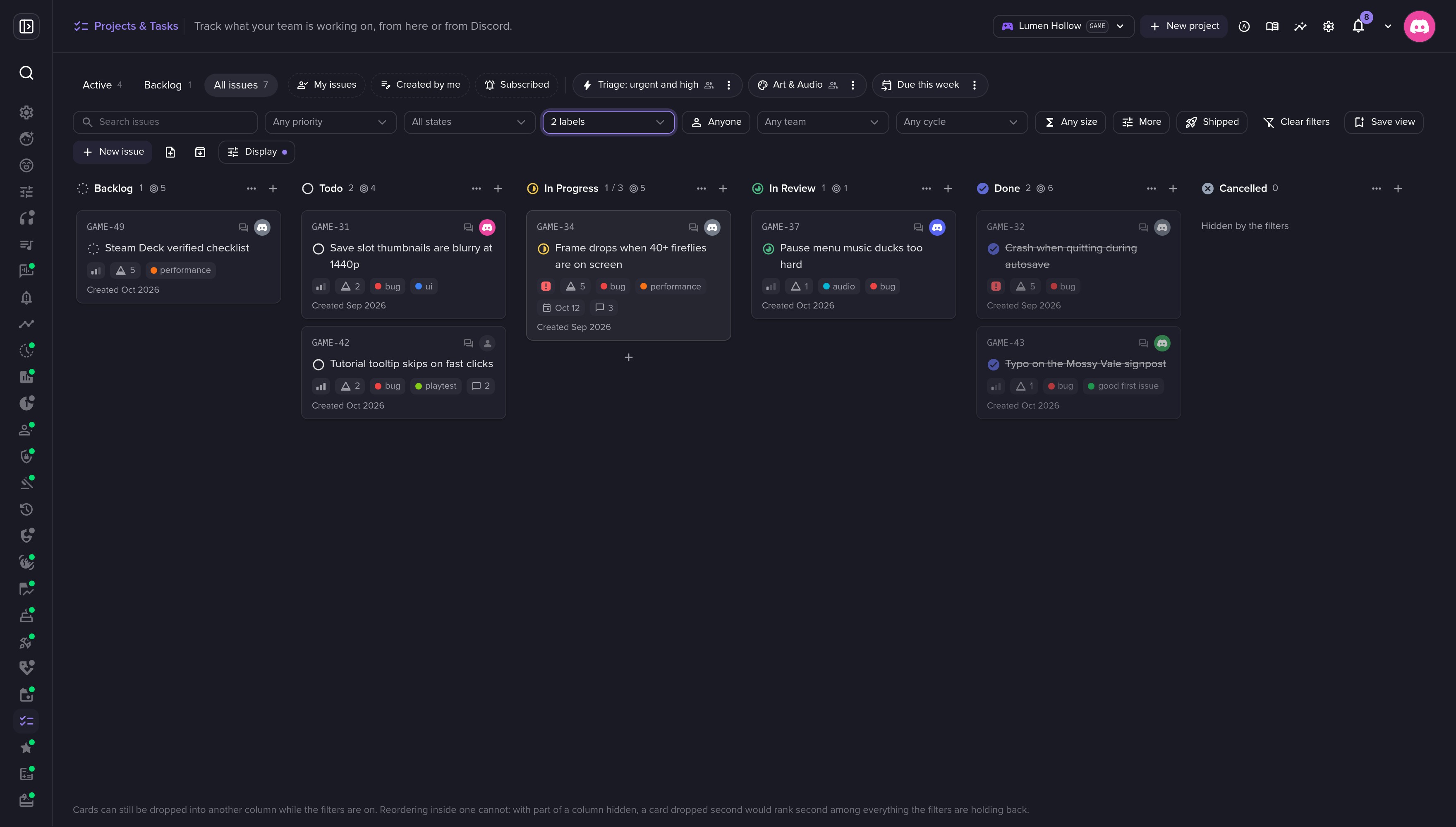 Filter by label, assignee, priority and more.
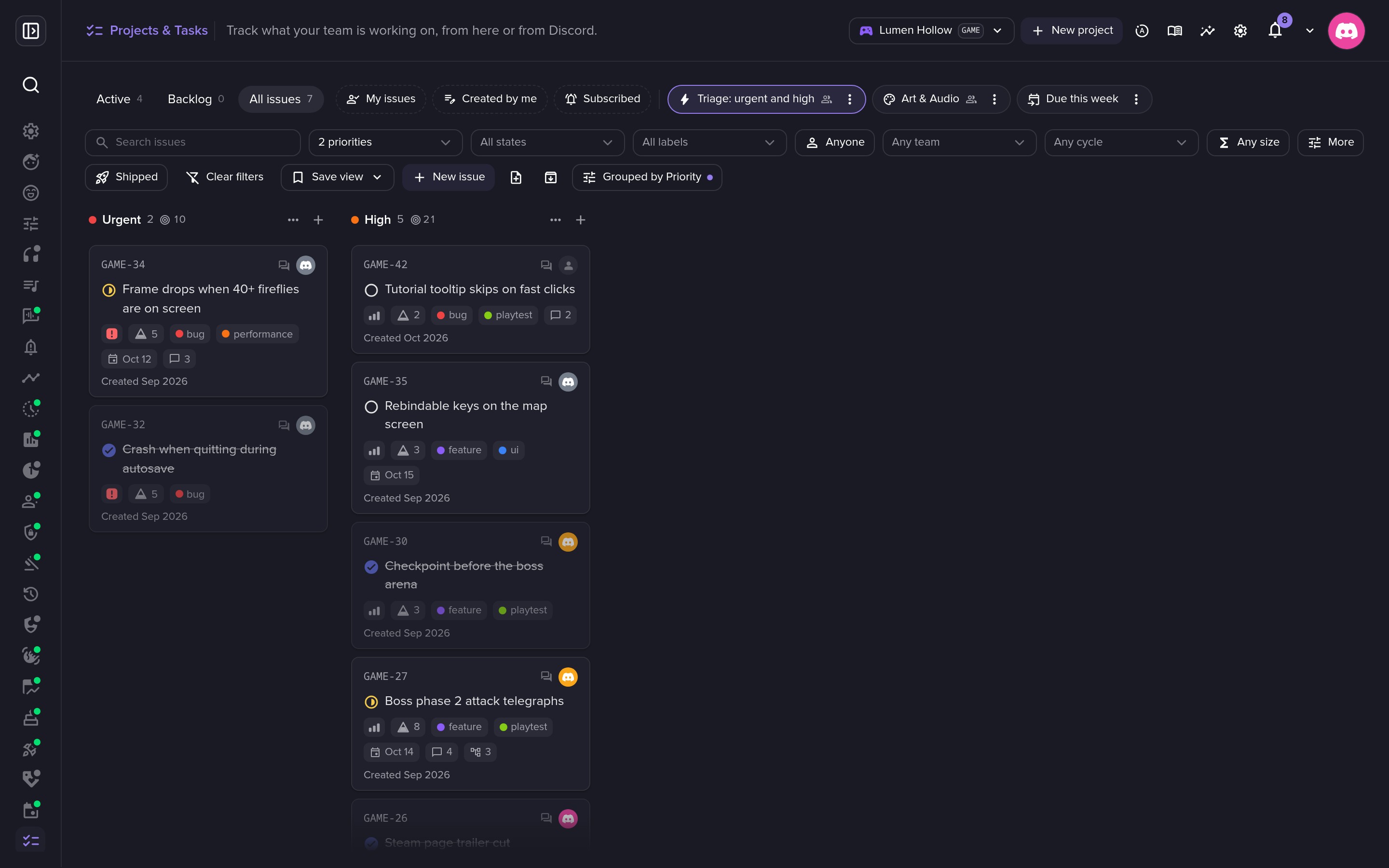 Saved views, like a triage of urgent and high-priority issues.
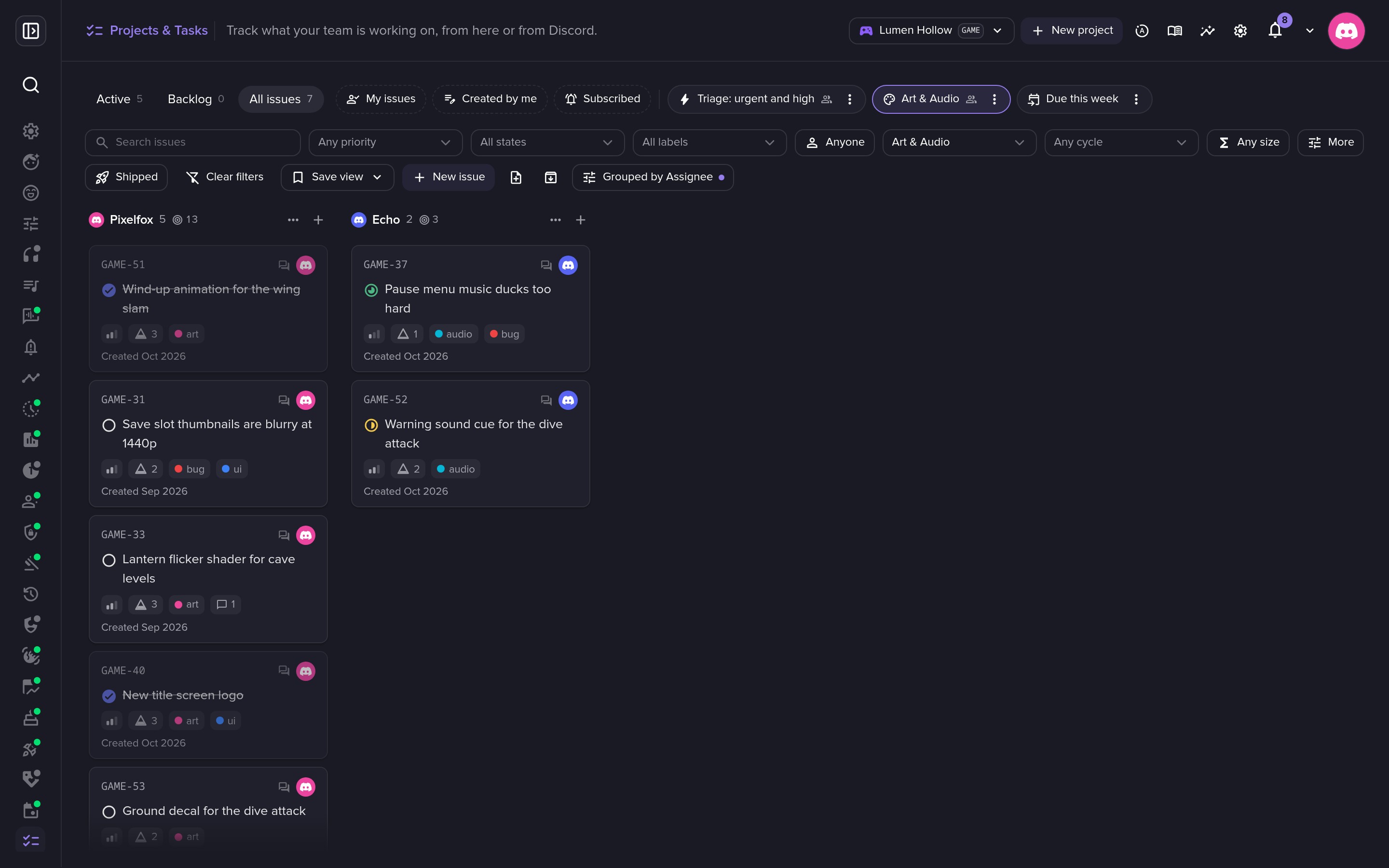 A view per team, grouped by assignee with their points.
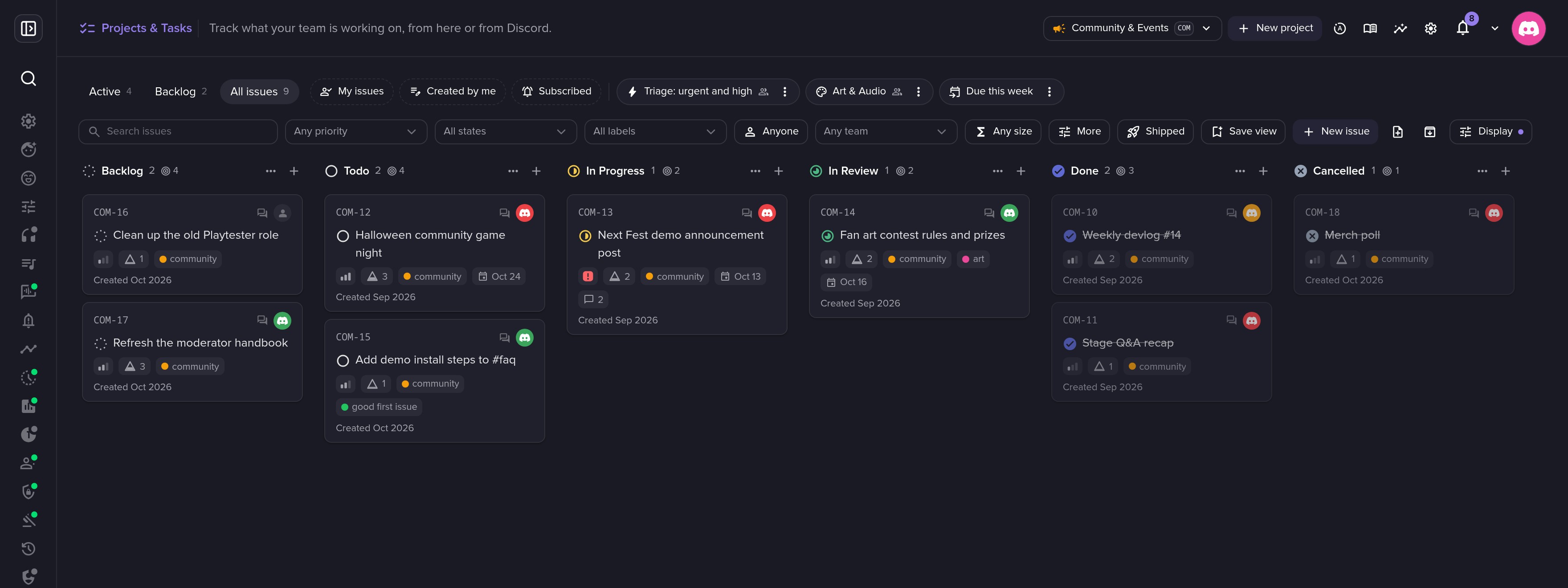 One server, several projects: here the community team's.
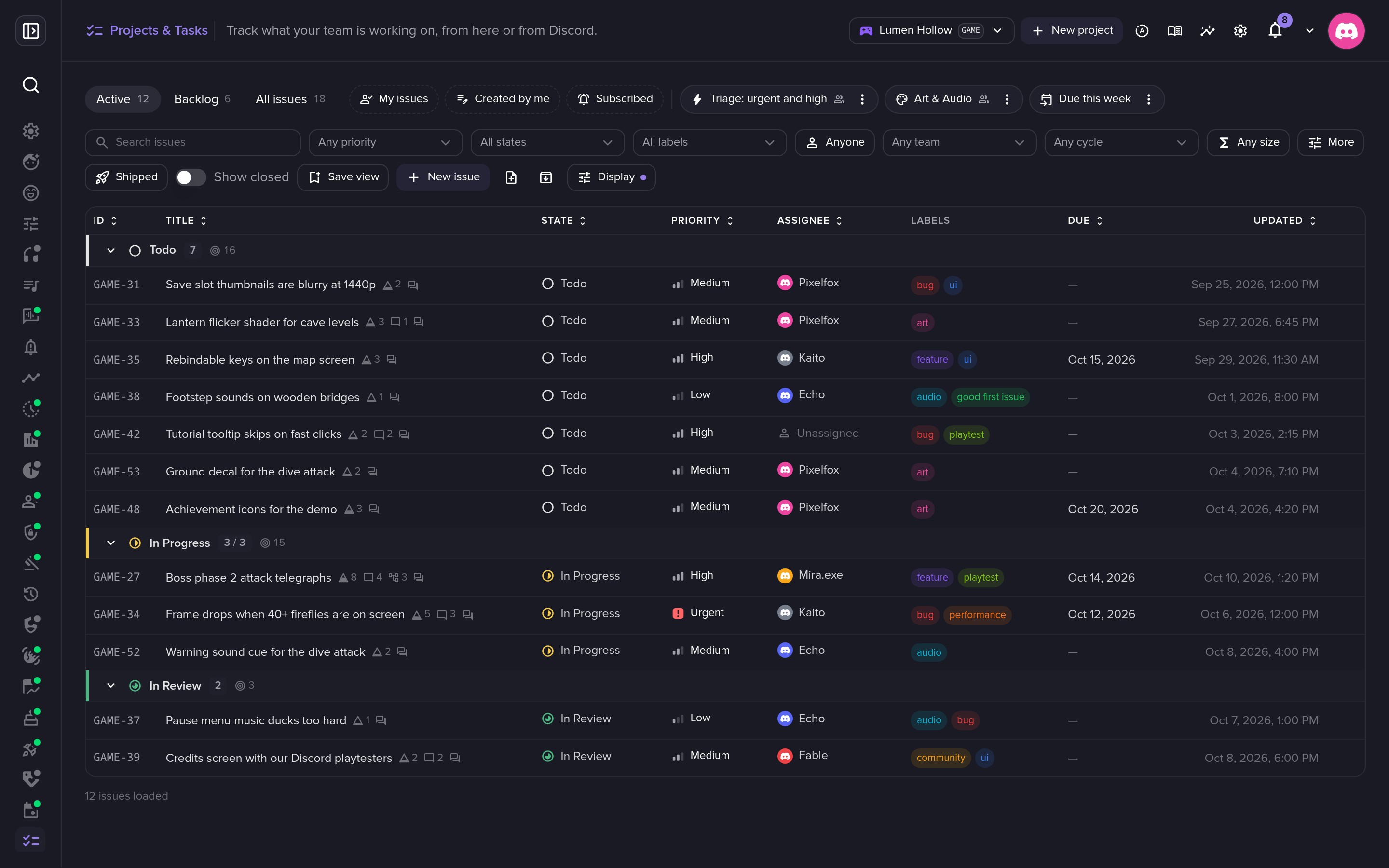 The list view, sortable and grouped by state.
Command palette and new issues
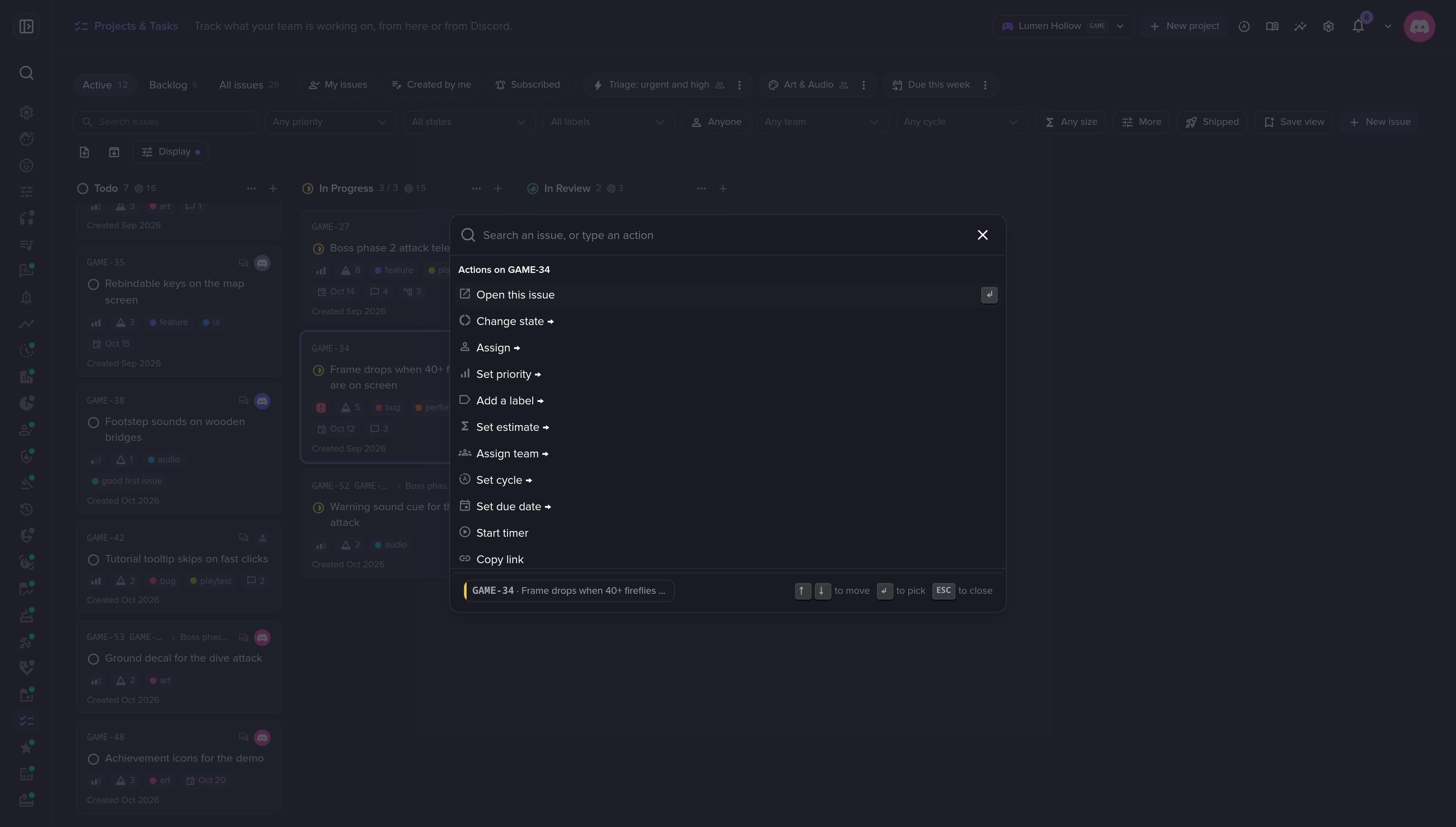 ⌘K: every action on the selected issue.
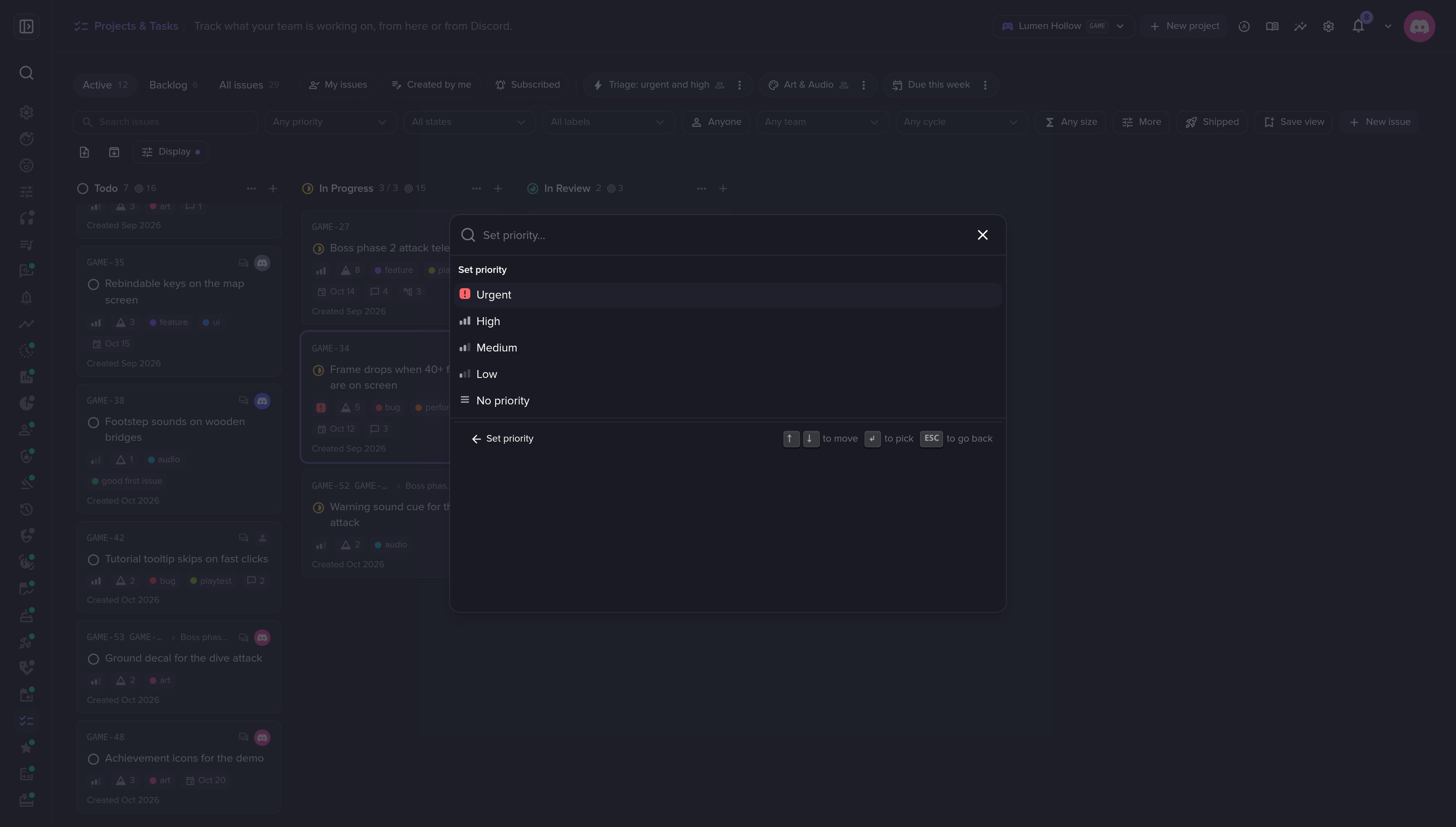 Single-key shortcuts, like P for priority.
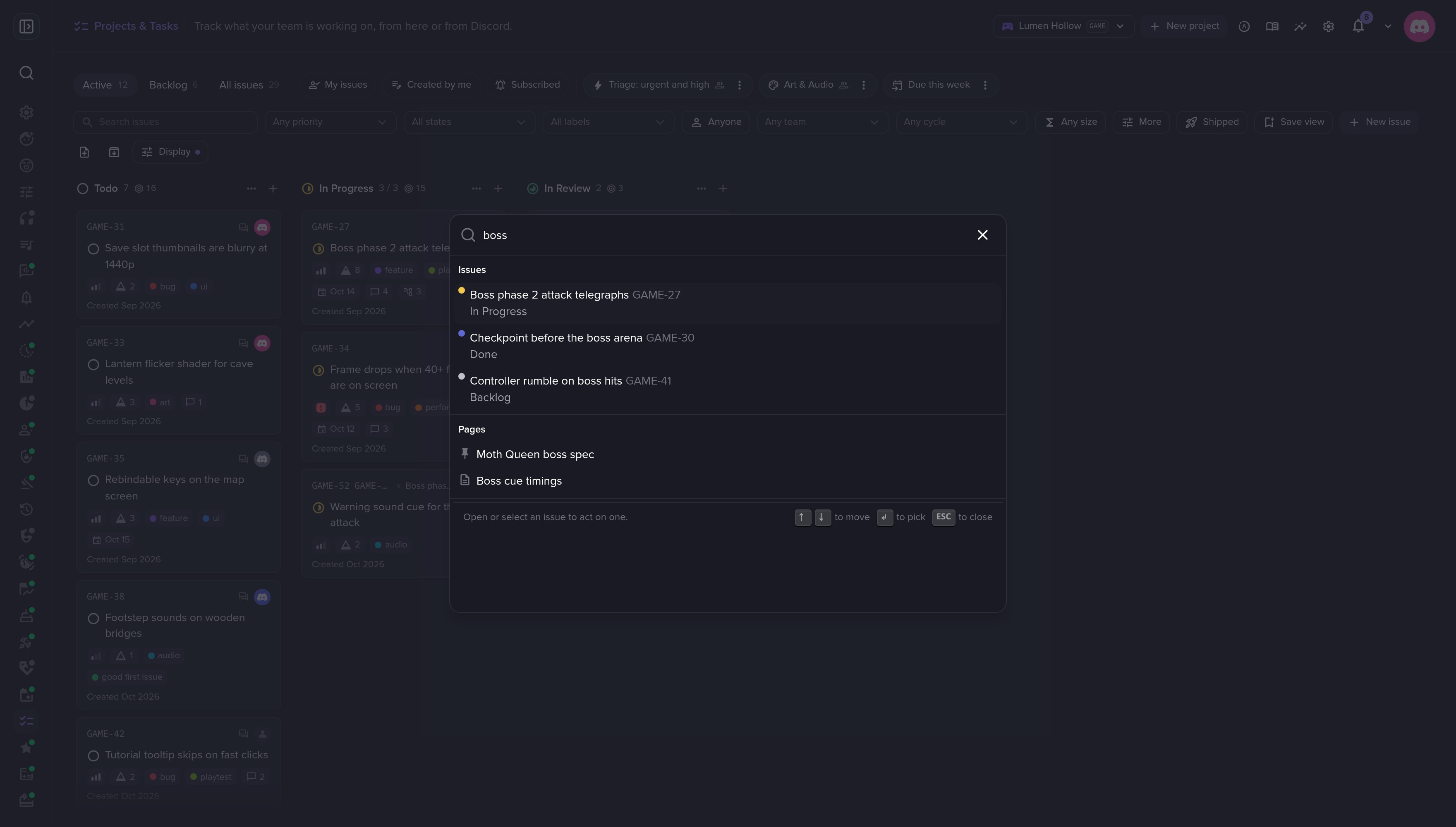 Search issues and doc pages from anywhere.
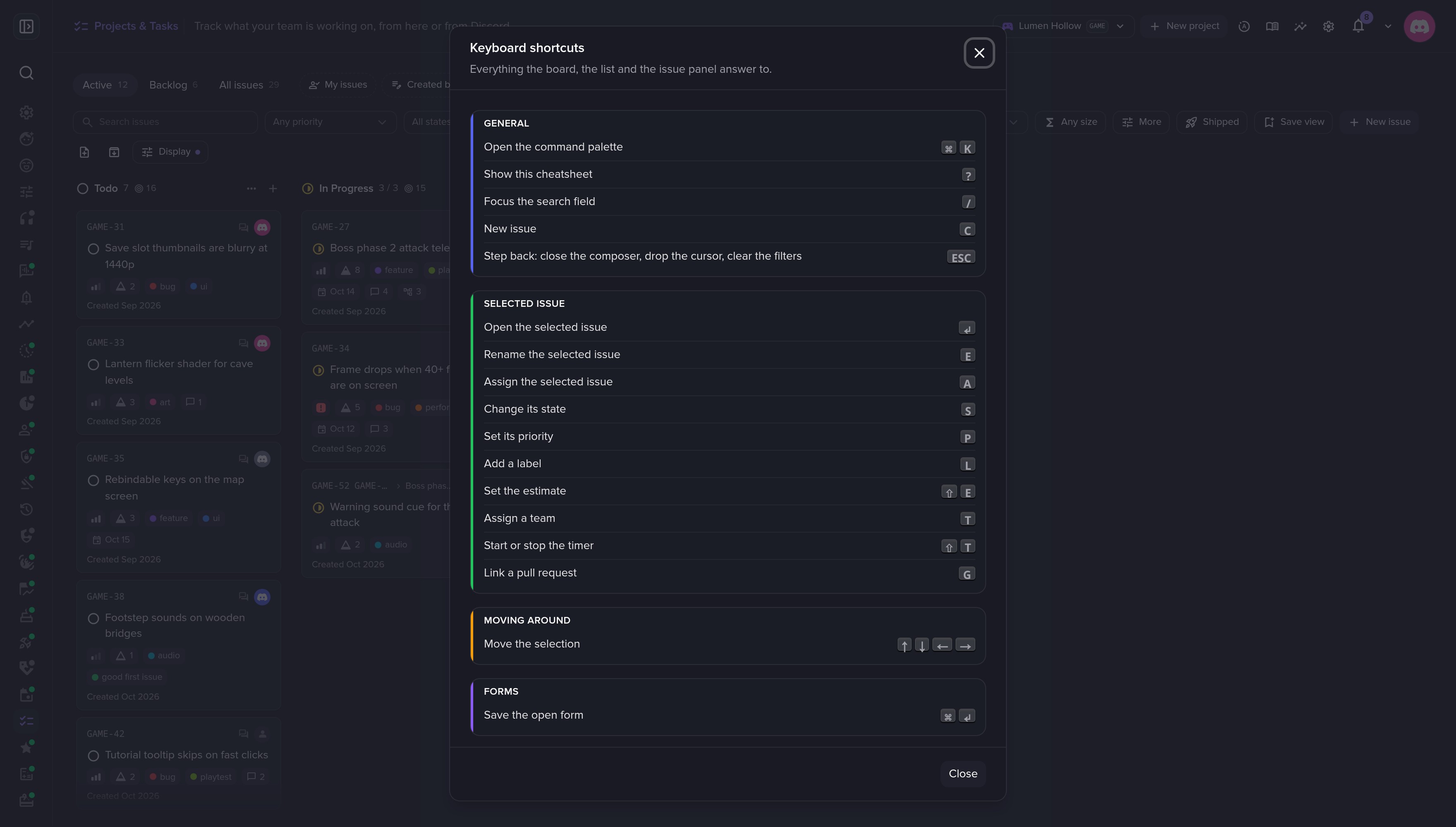 Press ? to see every shortcut.
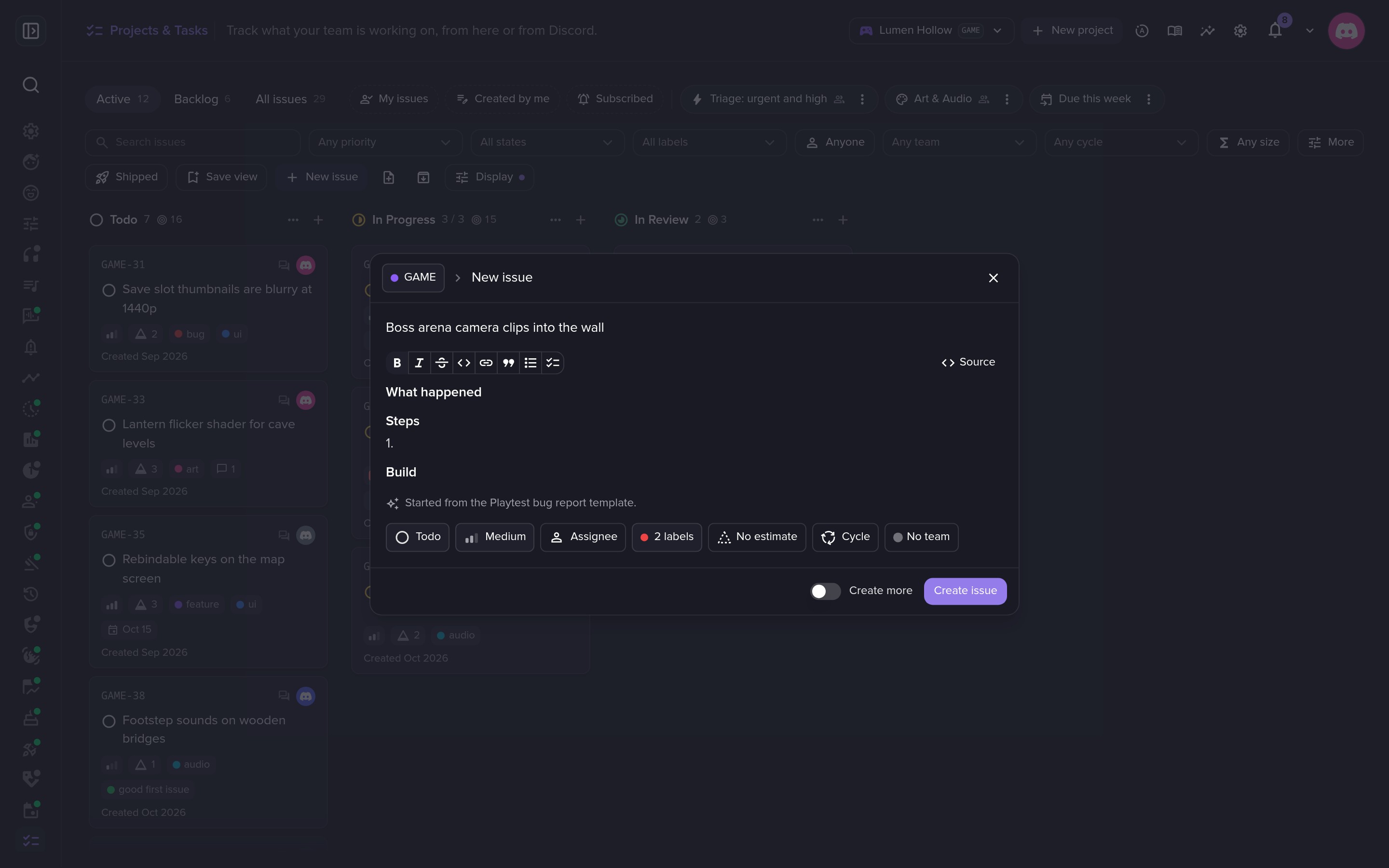 Start an issue from a template.
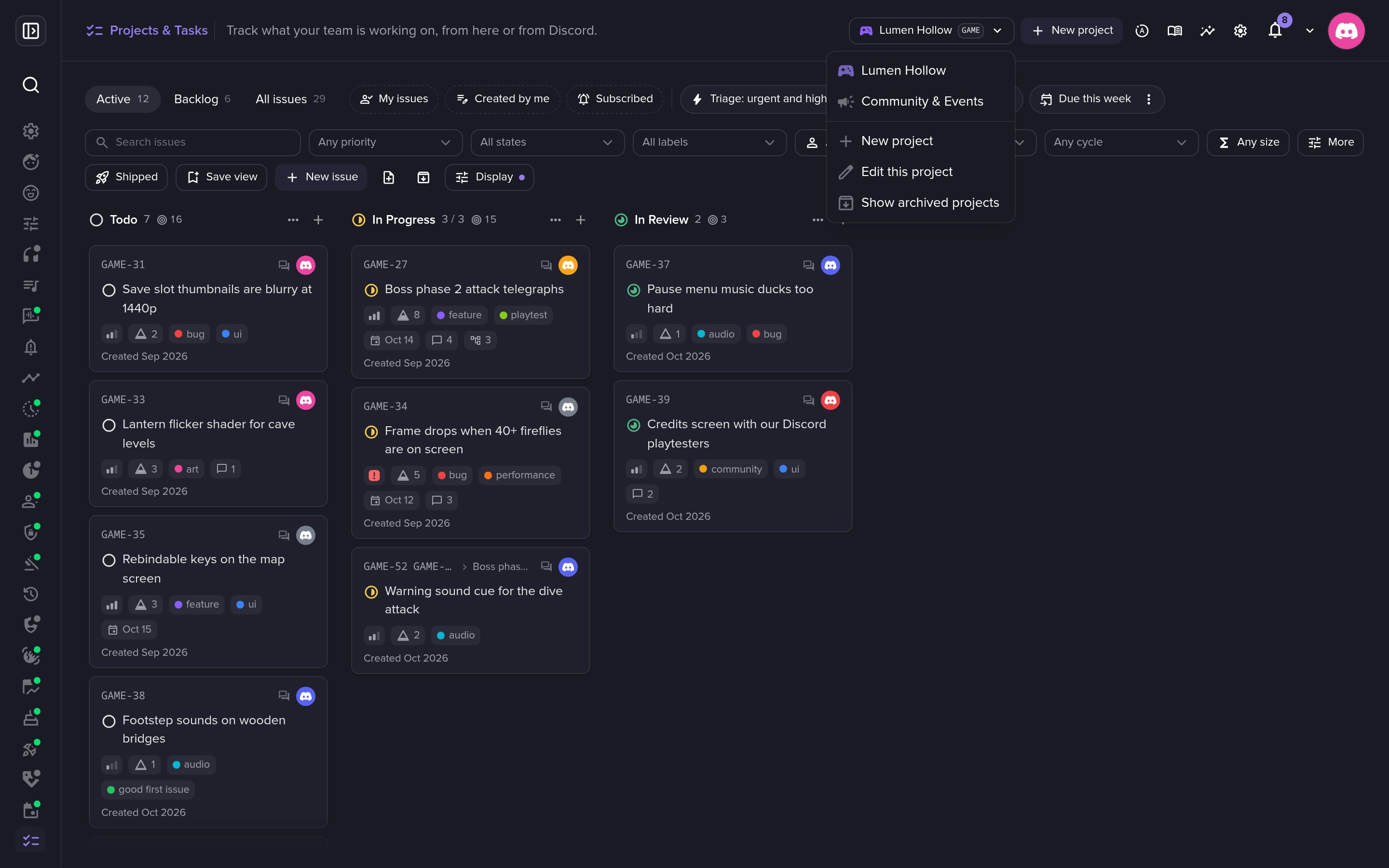 Switch between projects.
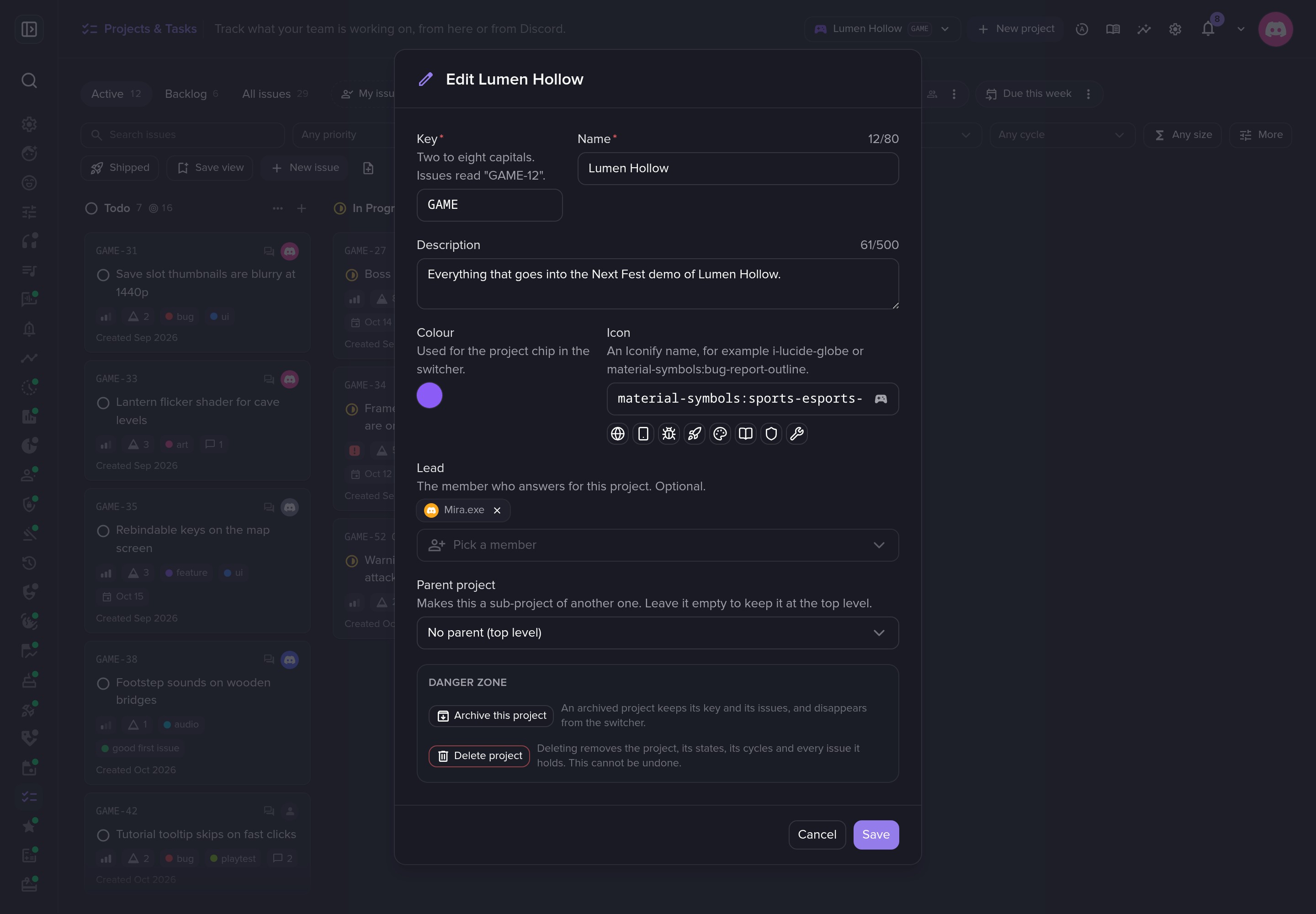 Each project has its own key, lead and colour.
Issue page
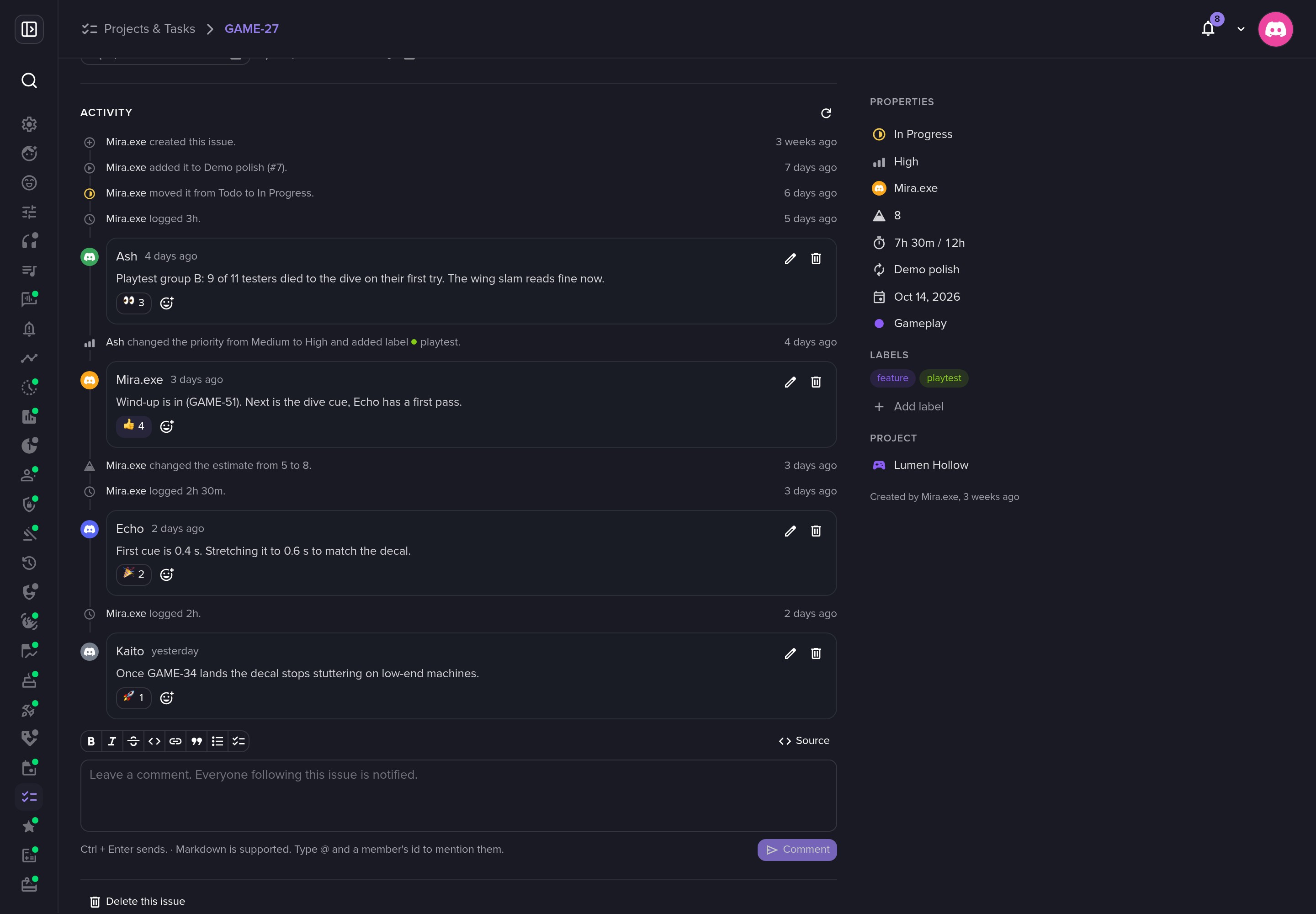 Every change lands on the issue's trail.
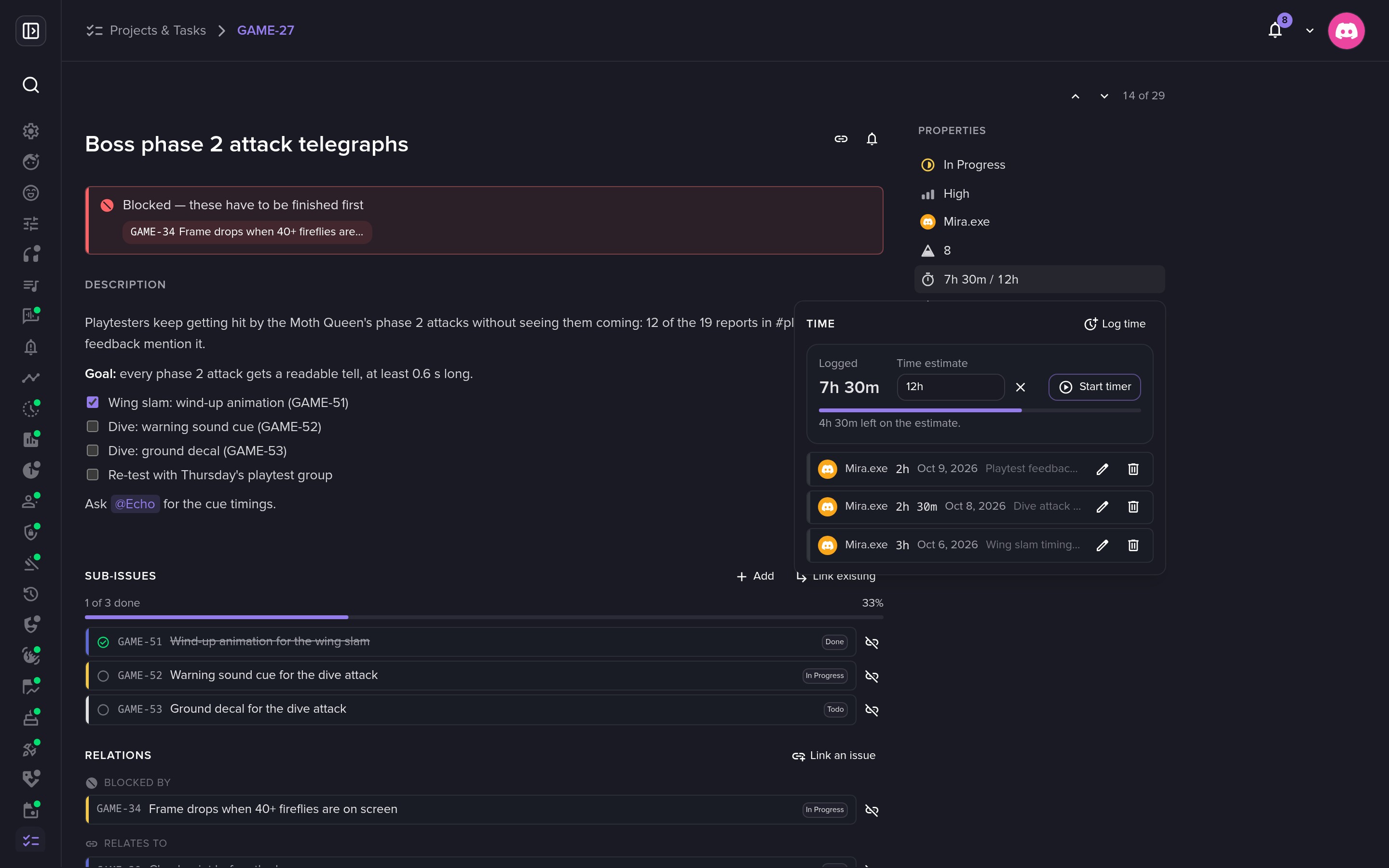 Log time against the estimate.
Cycles
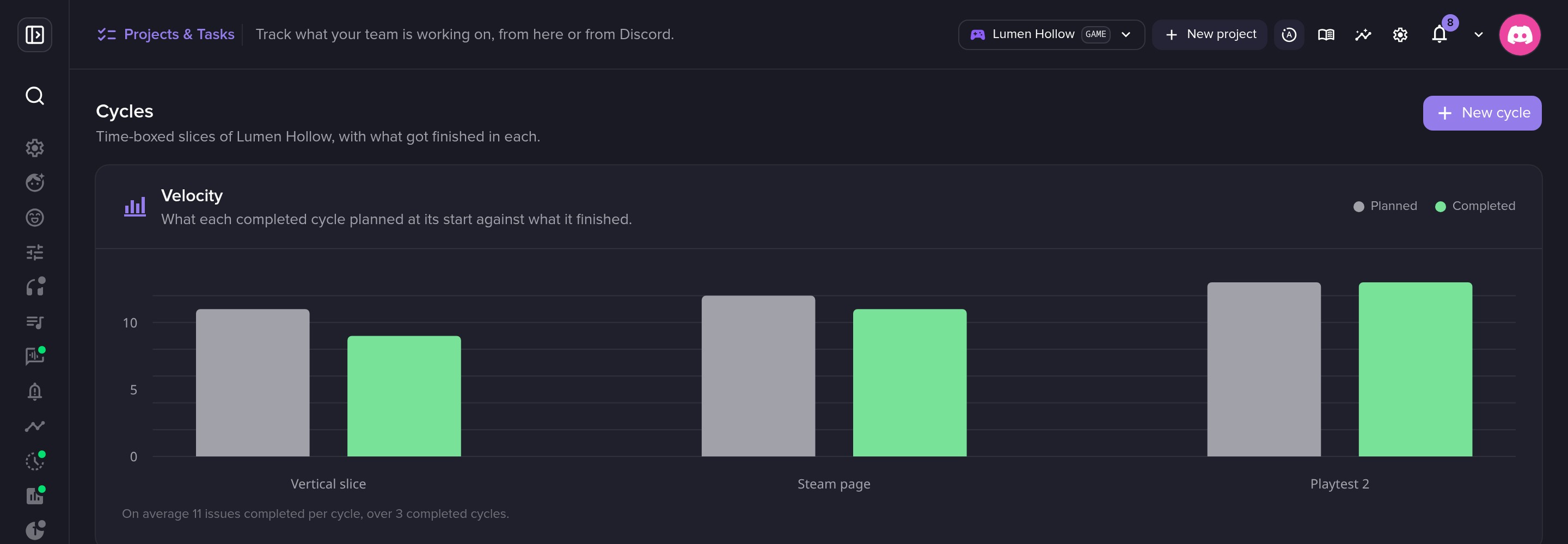 Velocity across cycles.
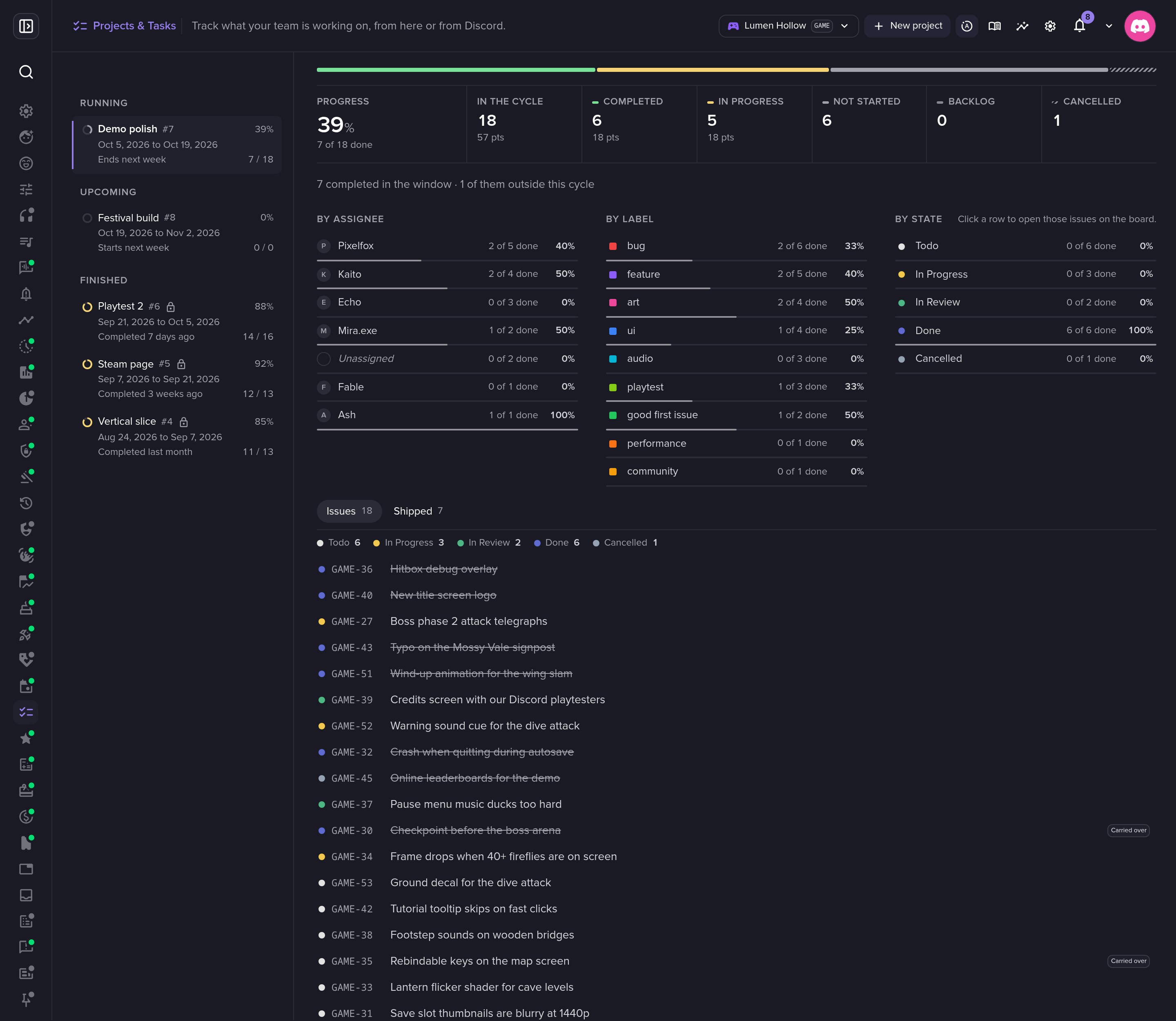 A cycle's issues, with carry-overs marked.
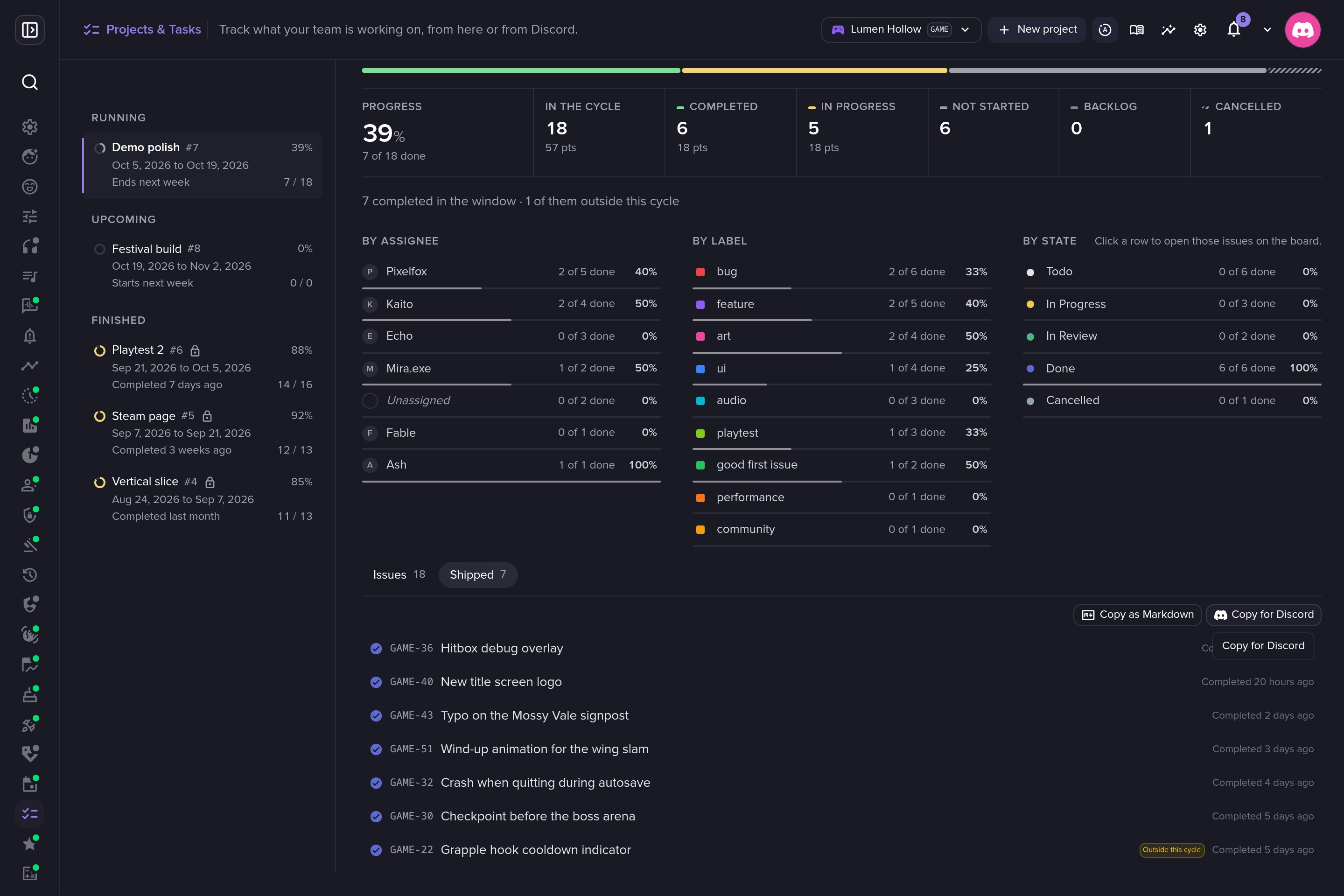 What shipped, ready to copy into Discord as patch notes.
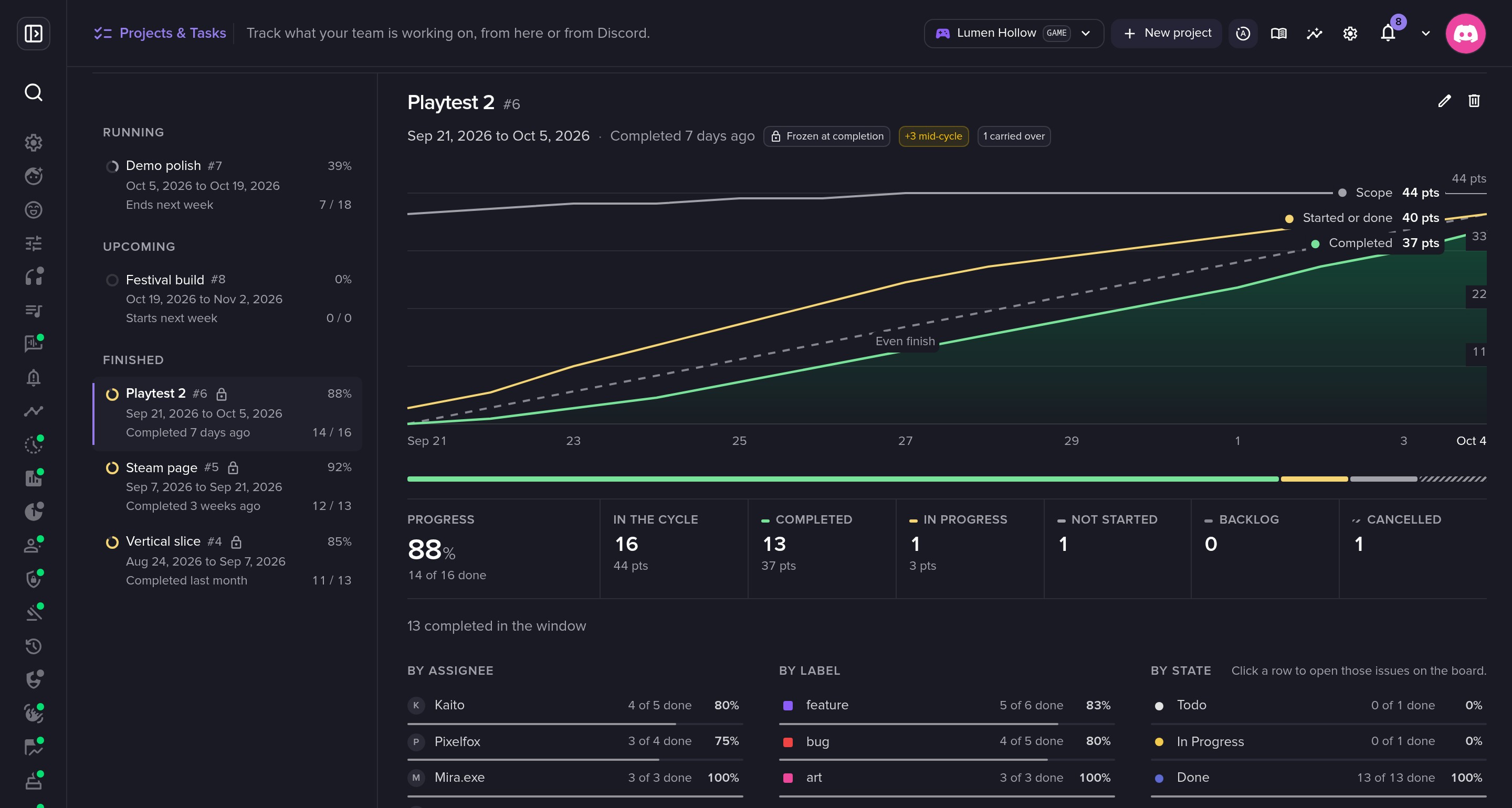 A finished cycle keeps its numbers.
Insights
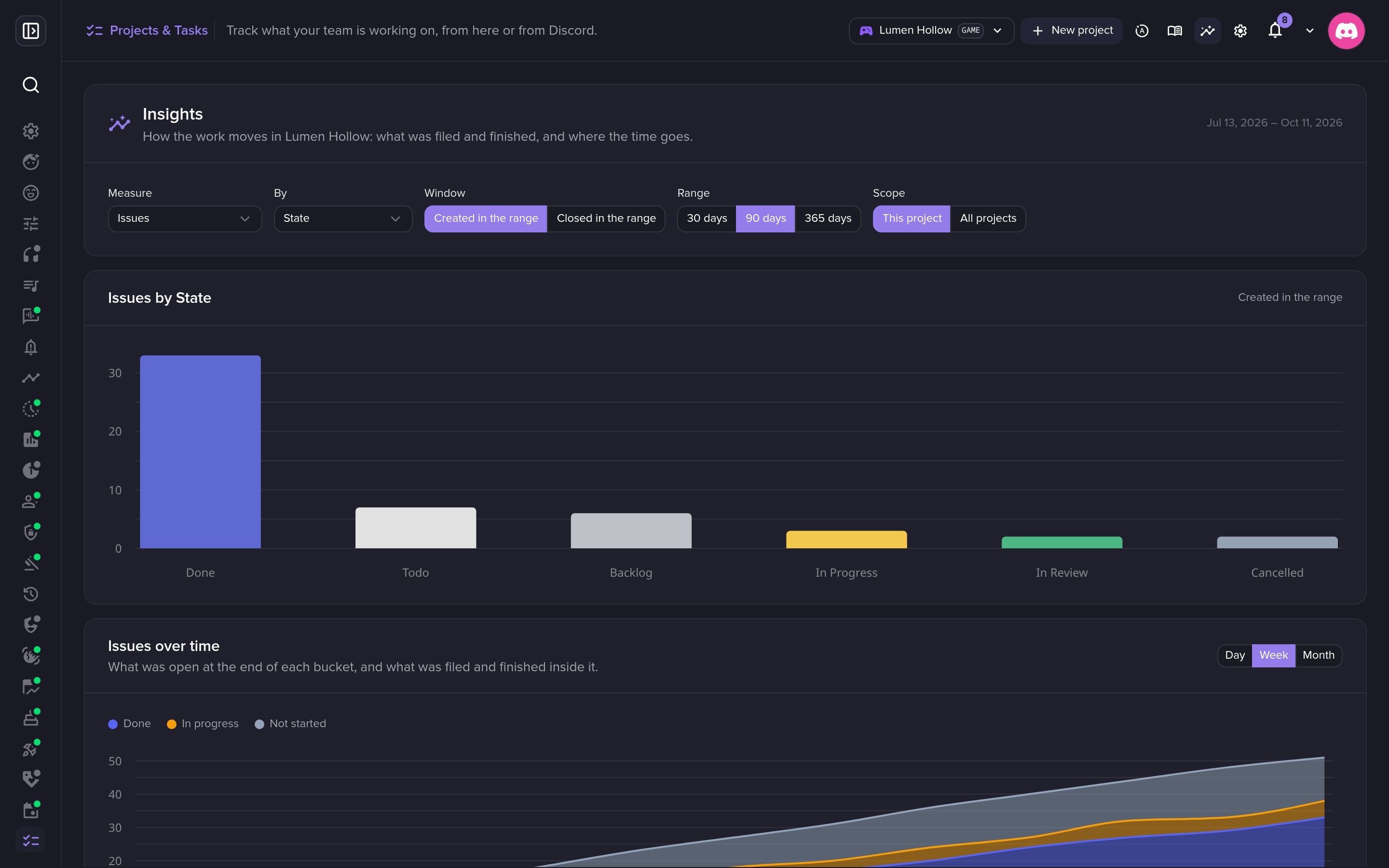 Insights: slice your issues by any field.
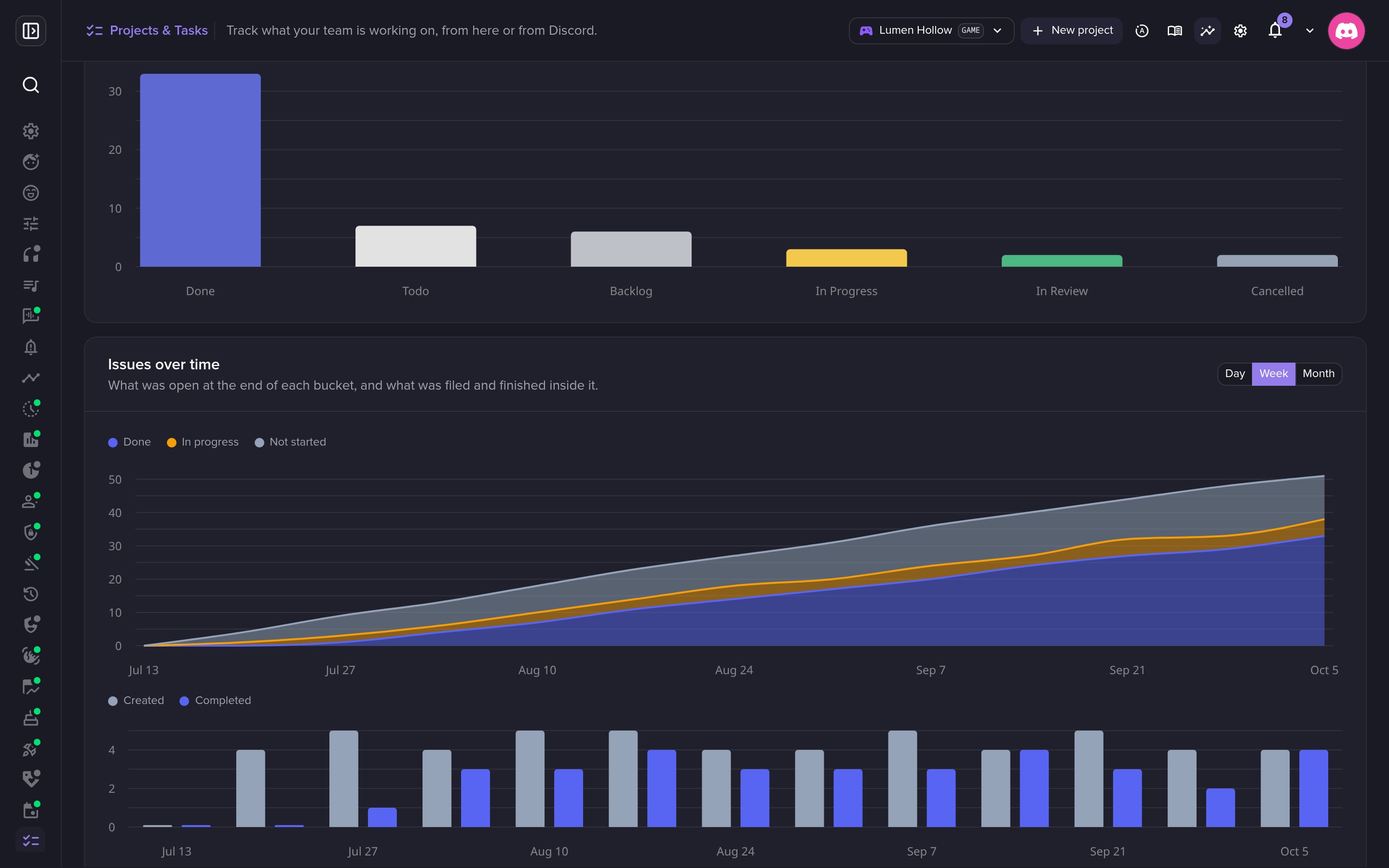 Created and completed, week by week.
Docs
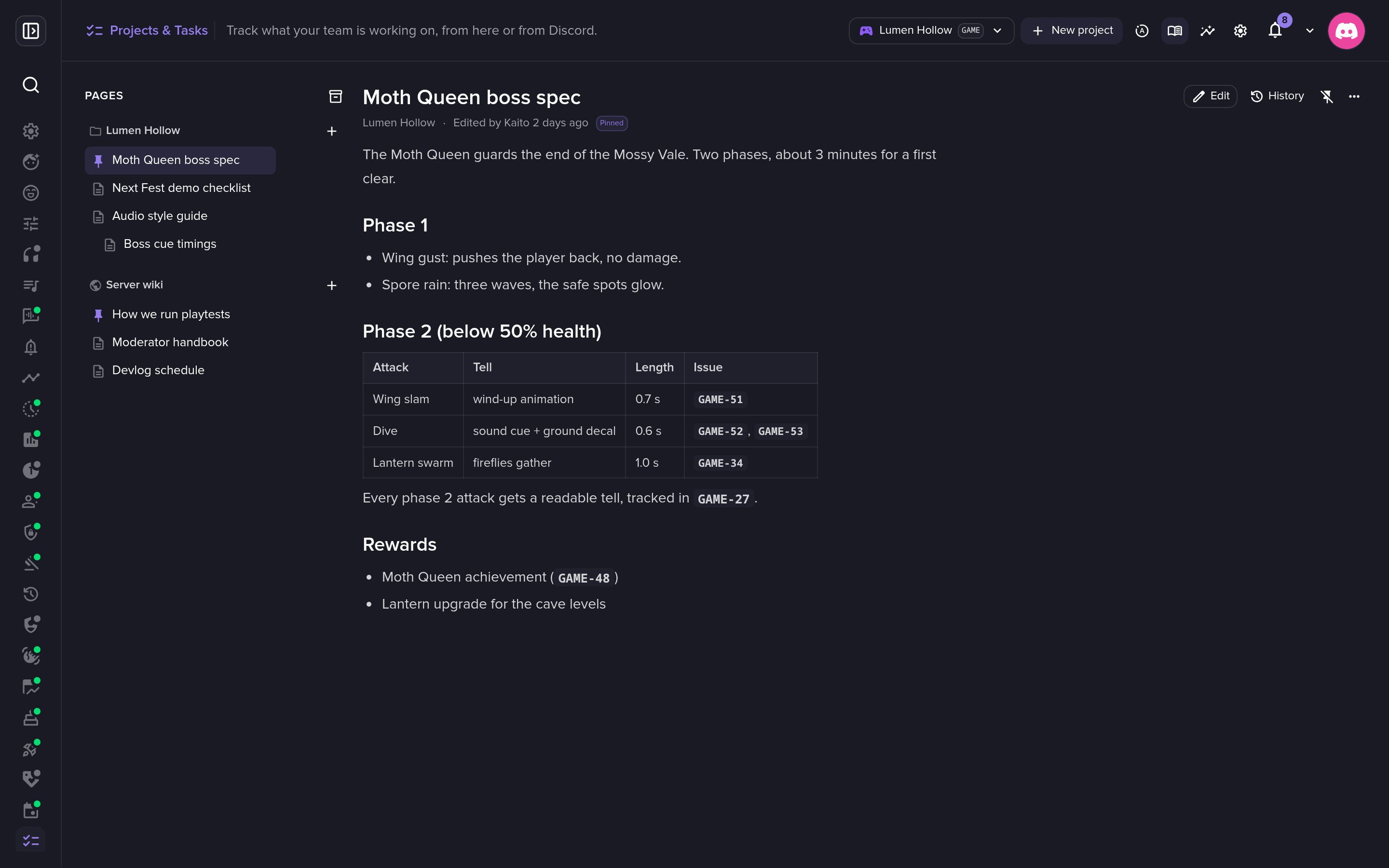 Doc pages next to your issues, linked both ways.
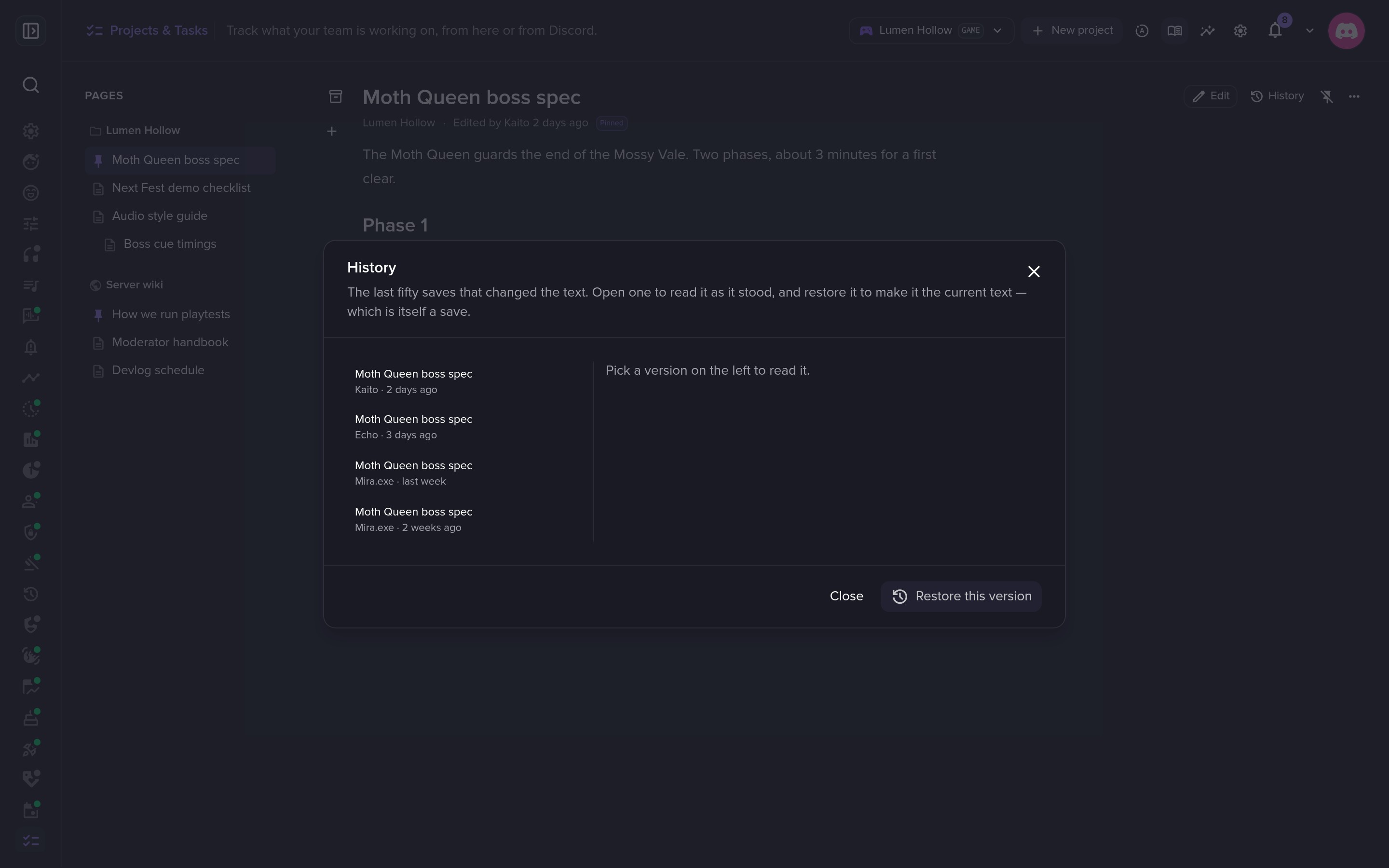 Every page keeps its history.
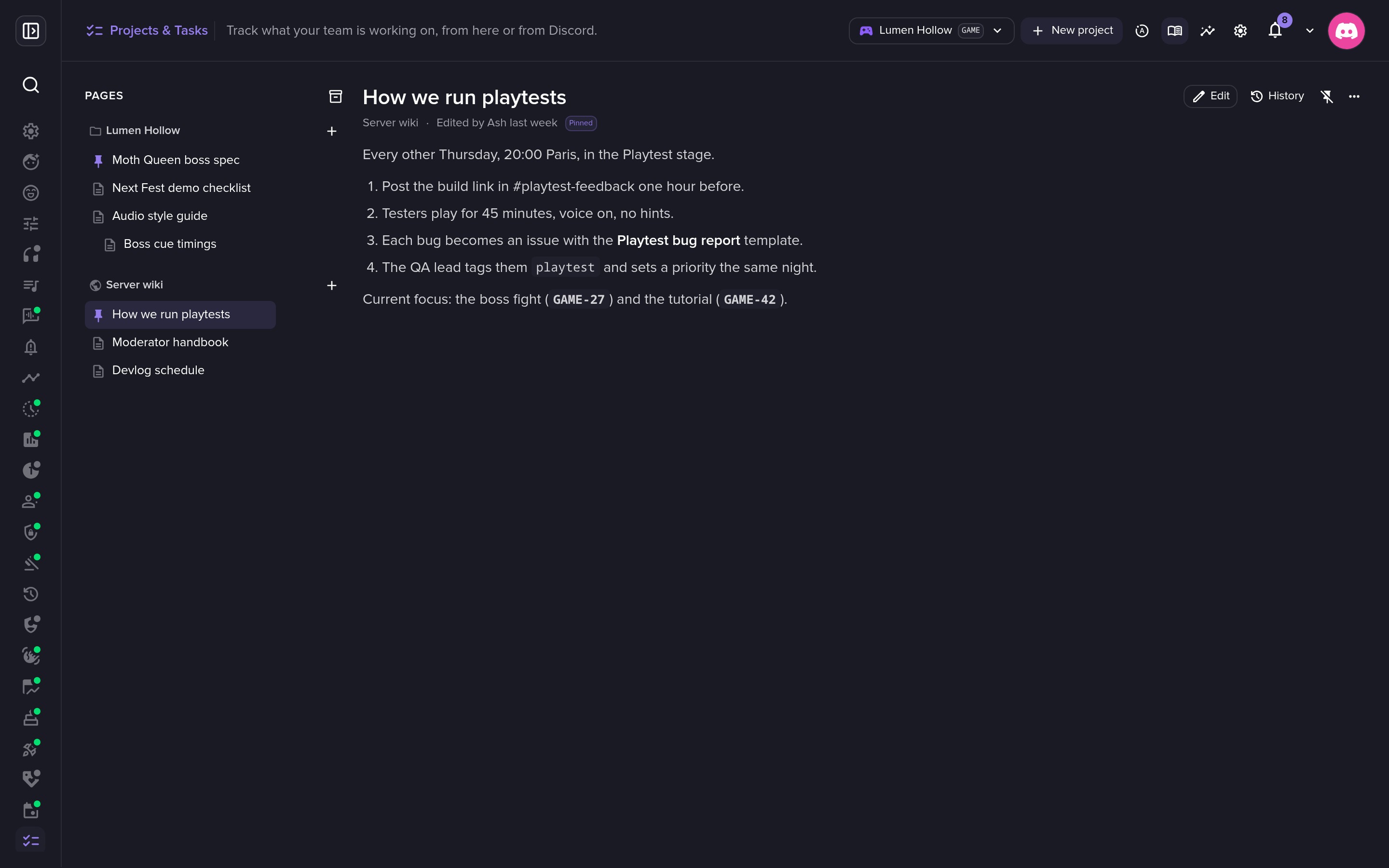 A wiki for the whole server.
Settings
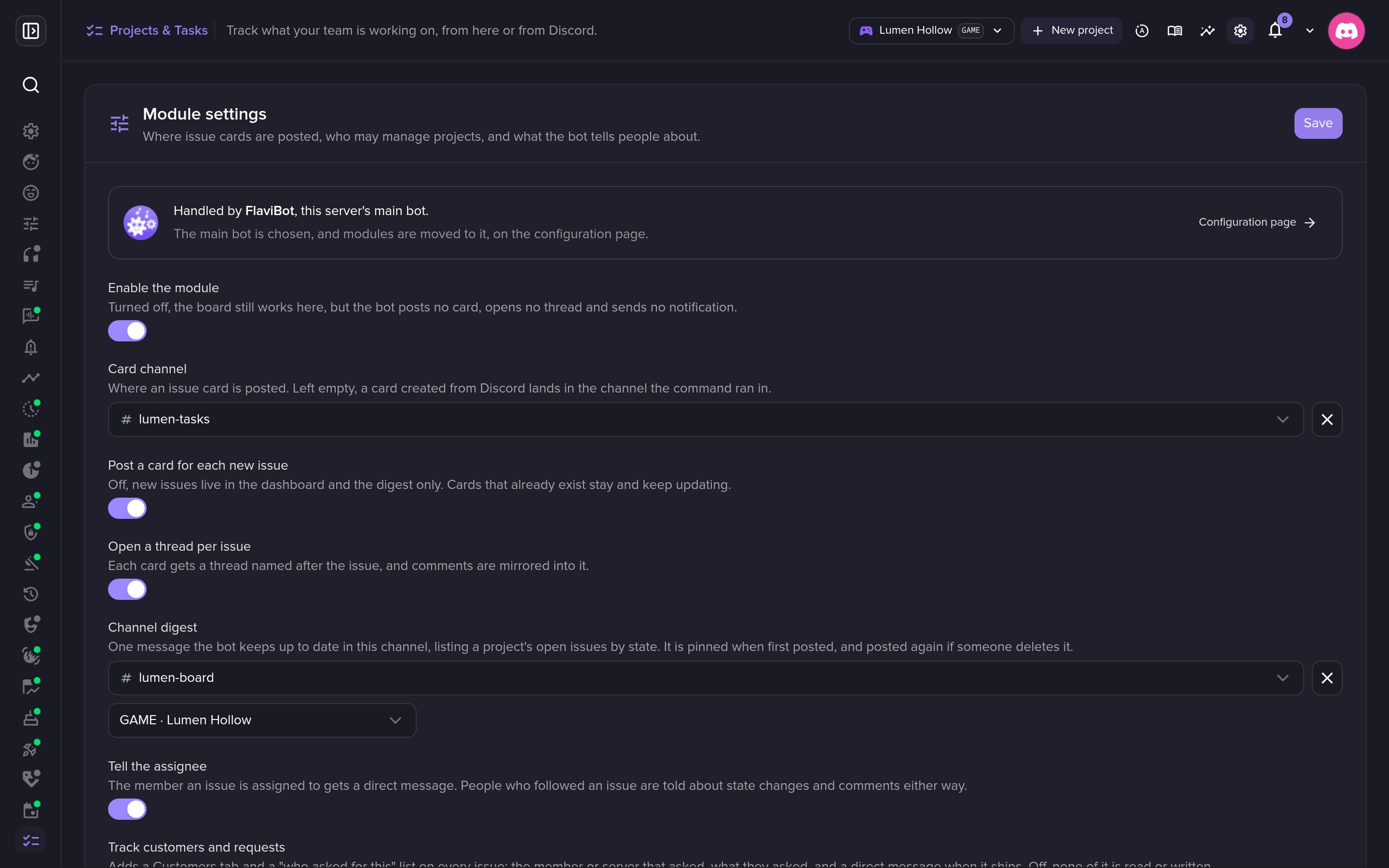 Cards, threads and digests in your channels.
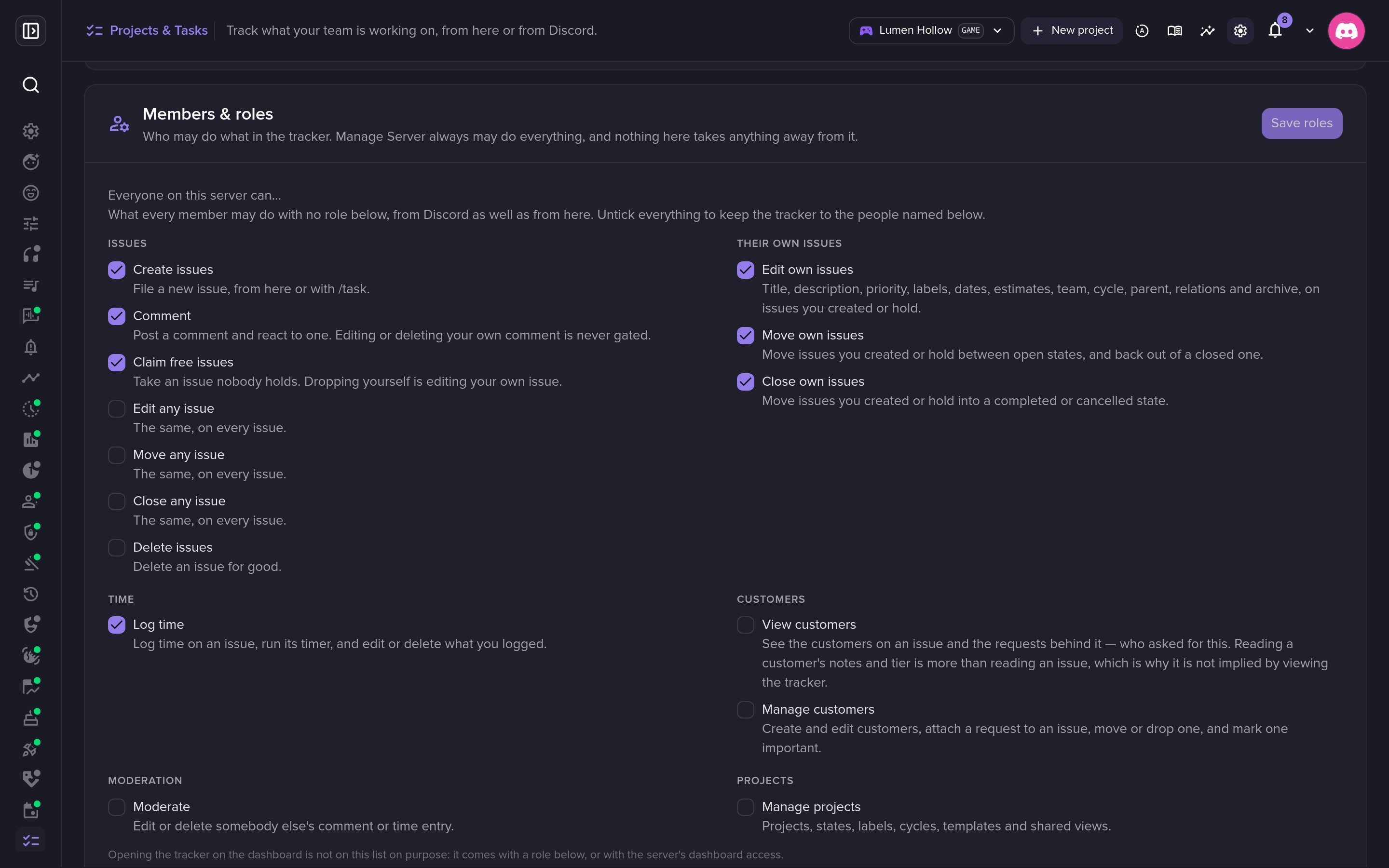 What every member may do, out of the box.
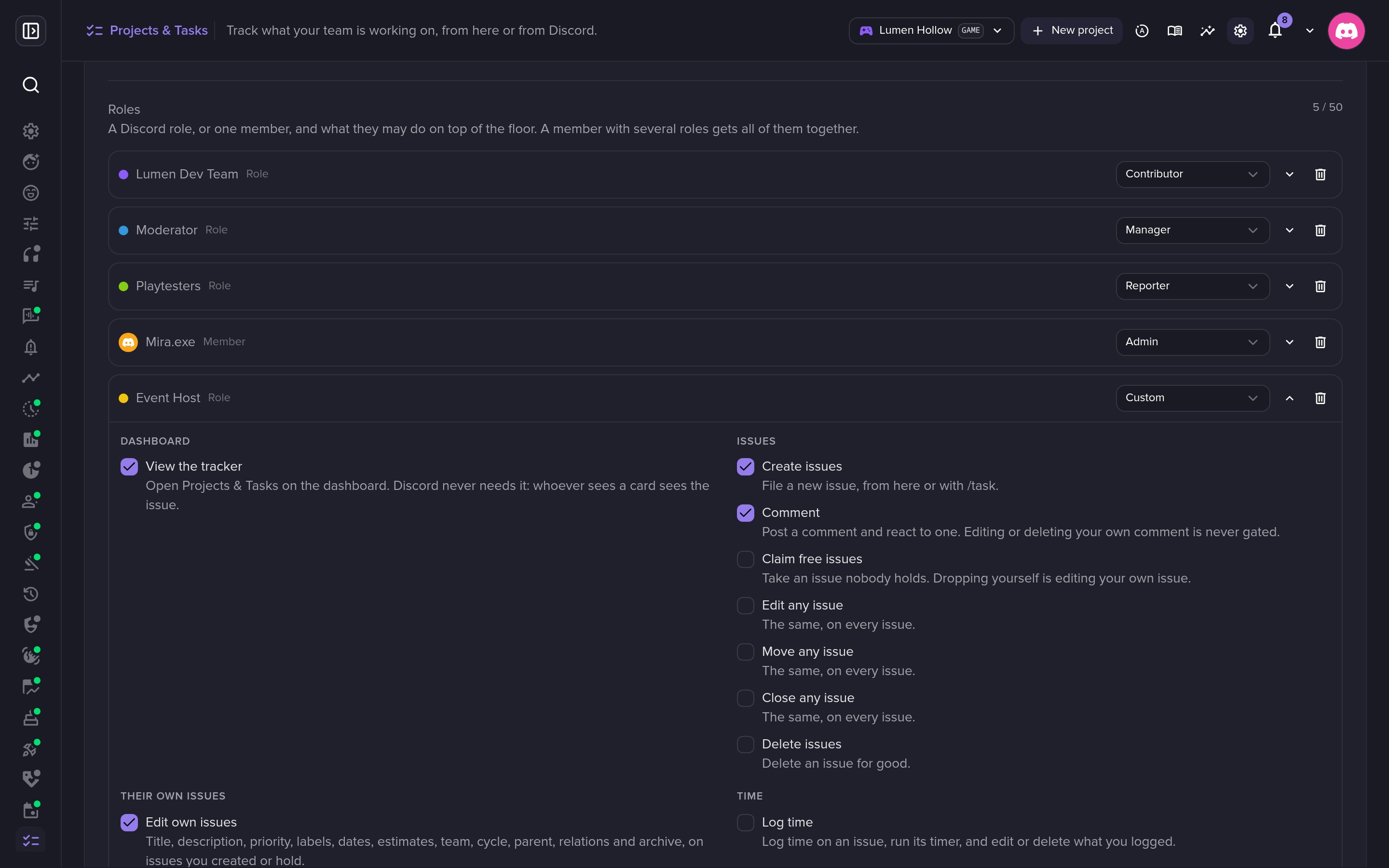 Presets for roles and members: Reporter, Contributor, Manager, Admin.
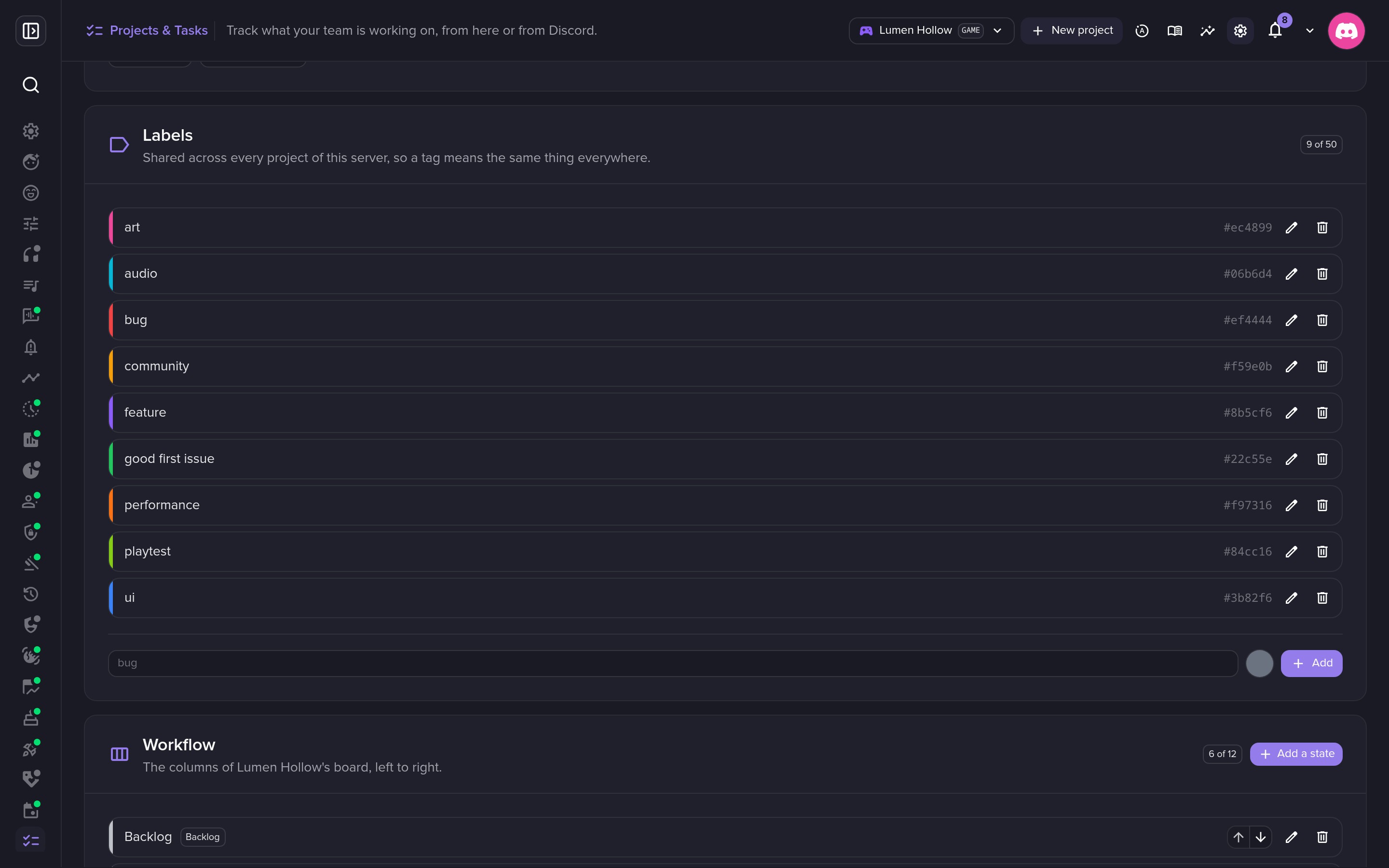 Labels shared across projects.
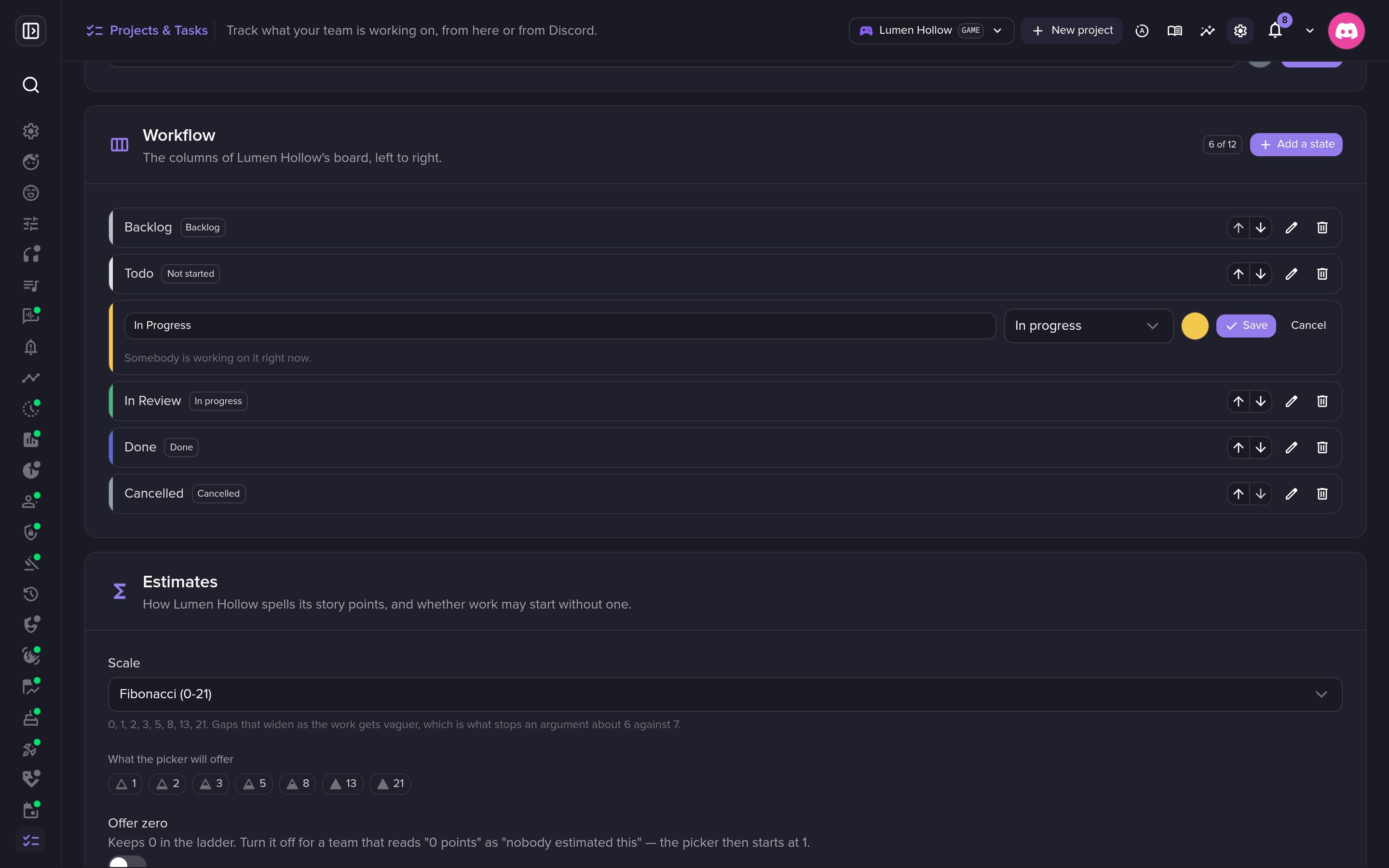 Your own workflow, column by column.
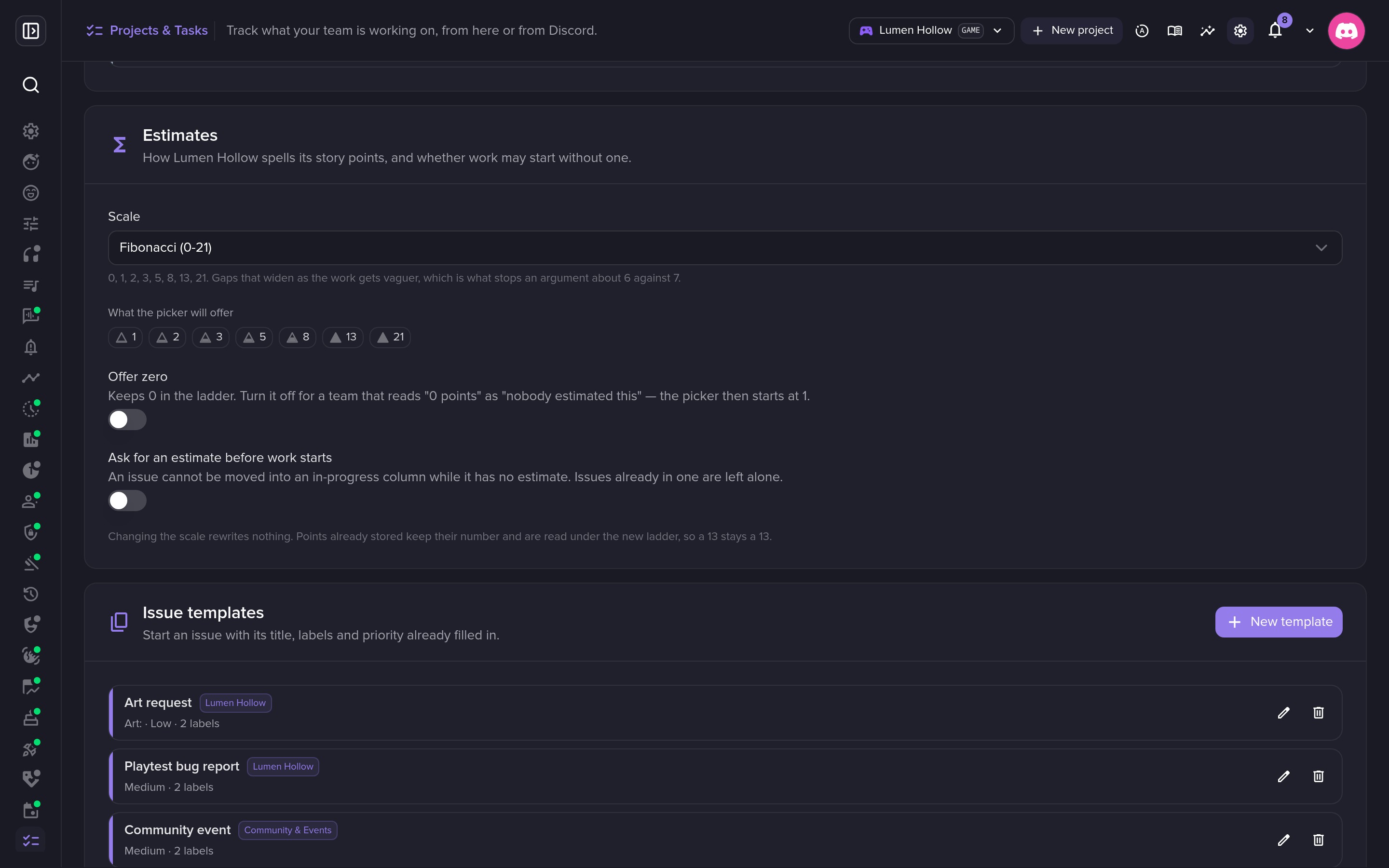 Estimates in points, on your scale.
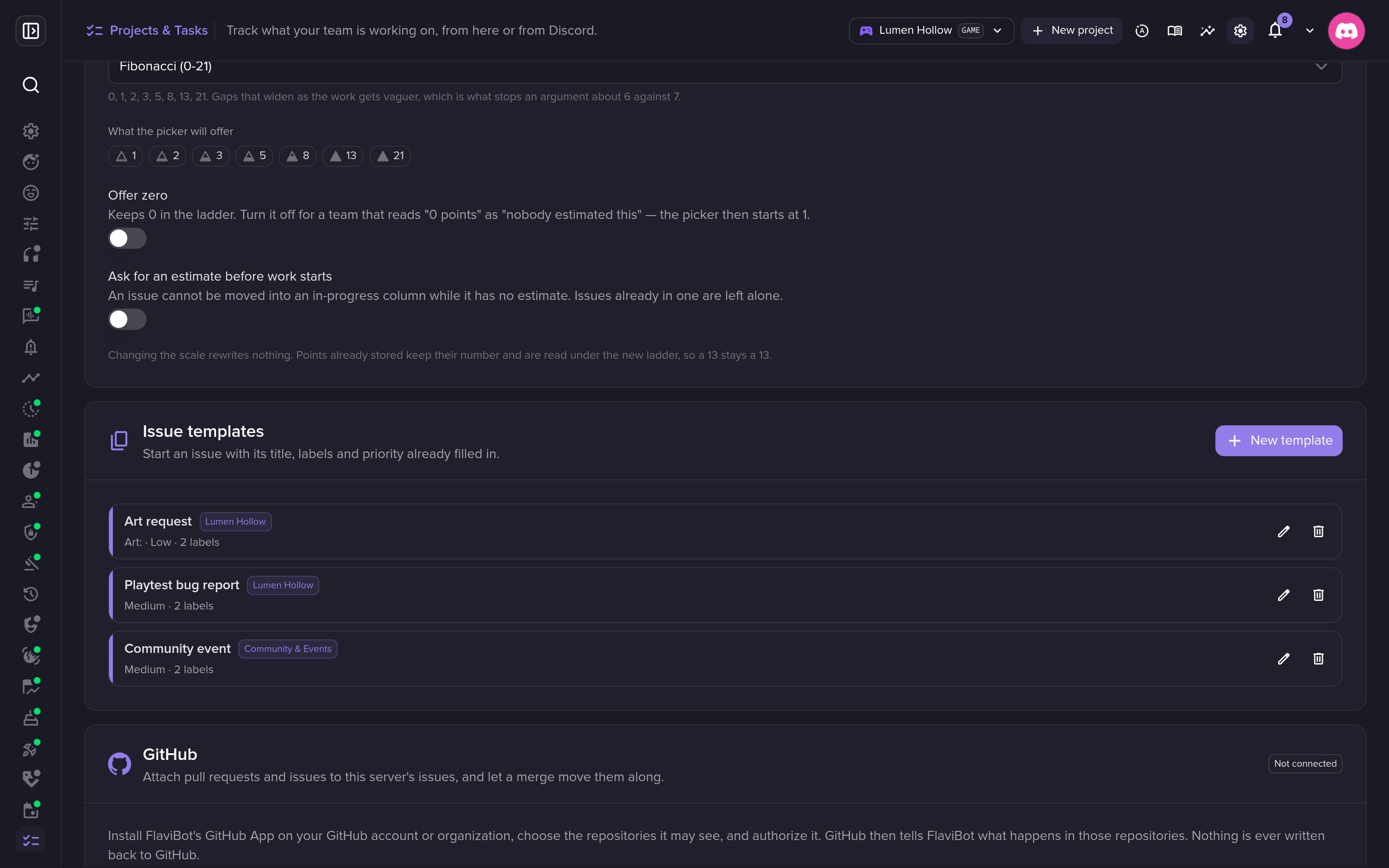 Templates for the requests you get every week.
💎 Free and Premium
Every feature works on every plan. Premium raises the capacity:
| Free | Silver | Gold | Platinum | |
|---|---|---|---|---|
| Active projects | 1 | 10 | 25 | Unlimited |
| Issues per project | 100 | 2,000 | 10,000 | Unlimited |
| Linked GitHub repositories | 1 | 5 | 15 | Unlimited |
Archiving a finished project frees its slot and keeps its issues readable.
All FlaviBot Week long, Lifetime Premium costs one payment of the yearly price and lasts as long as FlaviBot runs. Get Lifetime Premium before the week ends.
Comments (0)
Login to like and comment
No comments yet