
FlaviBot Week: Events gives your server a real calendar
Your server has plans. Lots of them.
Raid night on Wednesday. Game night on Friday. A mod sync every other Monday and a Halloween movie marathon to close the month. Most servers keep all of that in a pinned message and somebody's memory.
For day two of FlaviBot Week, we're revealing Events: a full calendar for your community, with sign-ups that live right inside Discord.
Events is live on every server today, free plan included.
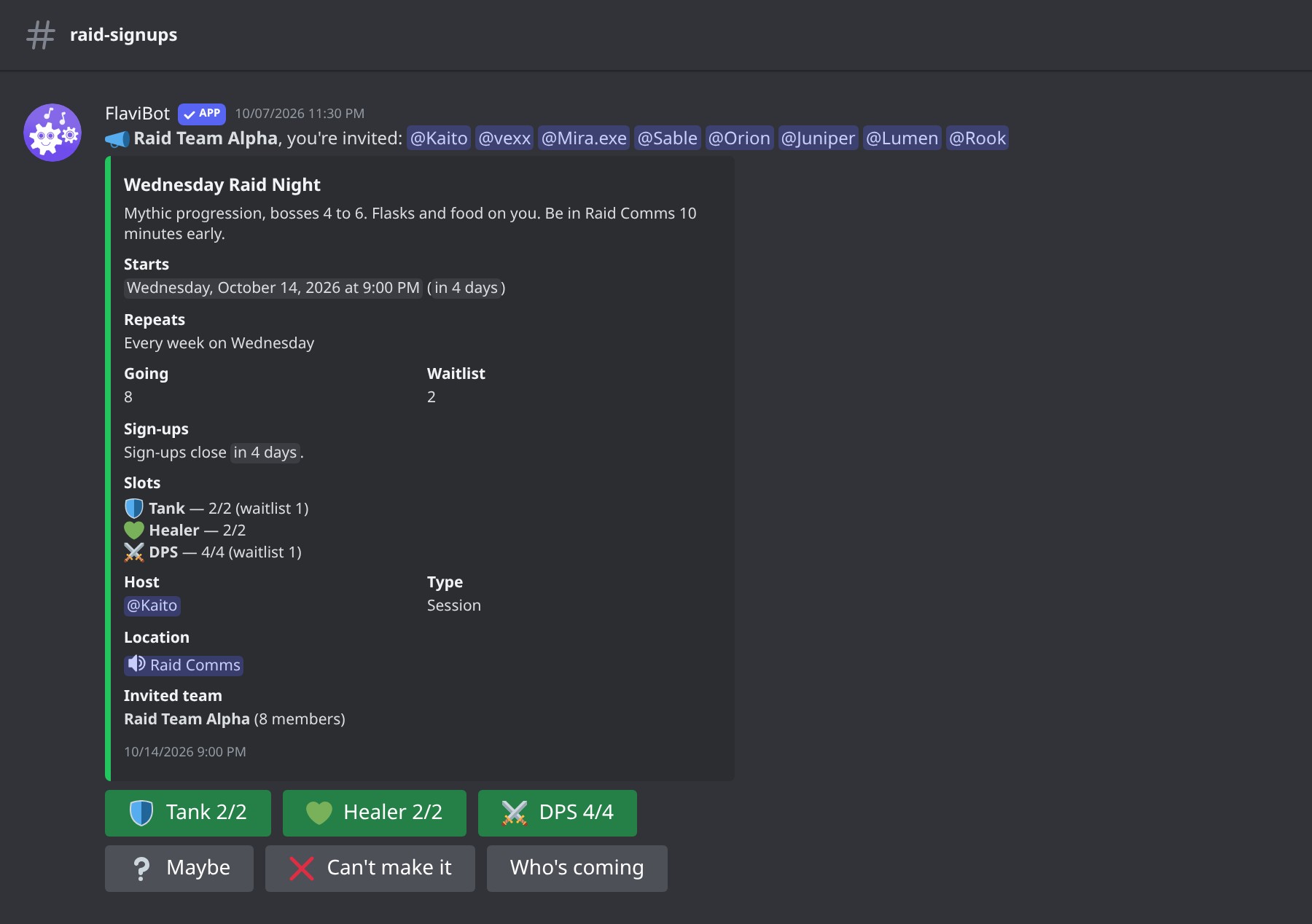
📋 An RSVP panel that does the counting
Create an event on the dashboard or with /event create, and FlaviBot posts a panel with Going, Maybe, Can't make it and Who's coming. The start time shows in each reader's own timezone.
- Capacity and waitlist. Extra sign-ups join a waitlist, in order. When a seat frees up, the first person waiting moves in and gets a DM.
- Sign-up slots. Split the seats into up to ten named slots, like "Tank 2/5", each with its own capacity and waitlist.
- Participant role. Everyone who says Going gets a role, taken back when they change their mind or the event ends.
- Sign-up window and required role. Open sign-ups a week early, close them the night before, or keep an event for one role.
⏰ Reminders people actually get
Members who said Going, and the ones on the waitlist, get a DM one day and one hour before the start. Change that for the server, or give one event up to ten reminders of its own.
Members can add their own too: after pressing Going, Remind me offers 10 minutes up to 2 days before. When the event begins, FlaviBot can post "Raid Night is starting now", pinging a role or the members who are going.
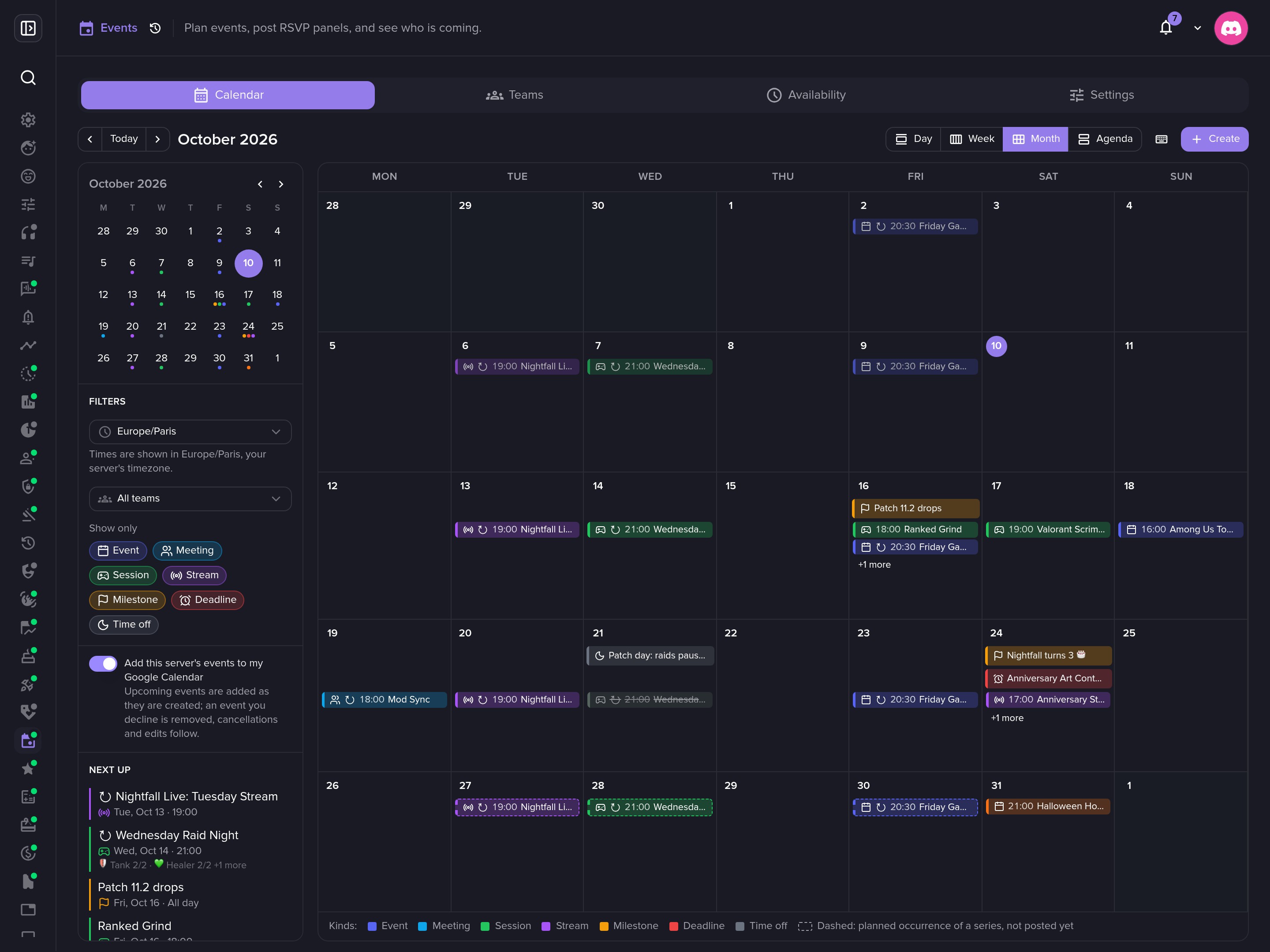
🗓️ A calendar built for planning
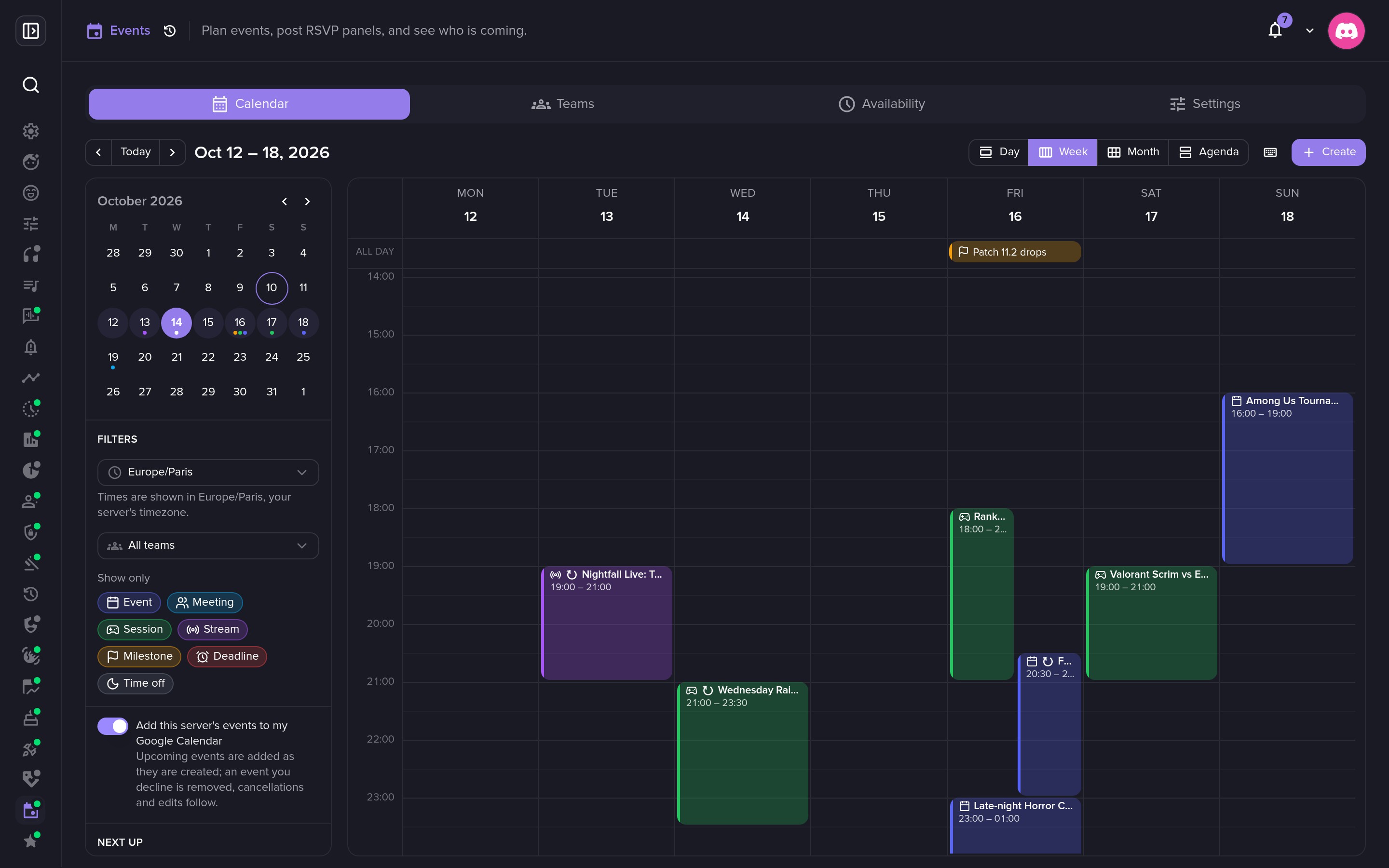
Switch between Day, Week, Month and Agenda, or press D, W, M, A. Press N to create. Every event has a kind with its own colour (Event, Meeting, Session, Stream, Milestone, Deadline, Off), and you can filter by kind or by team.
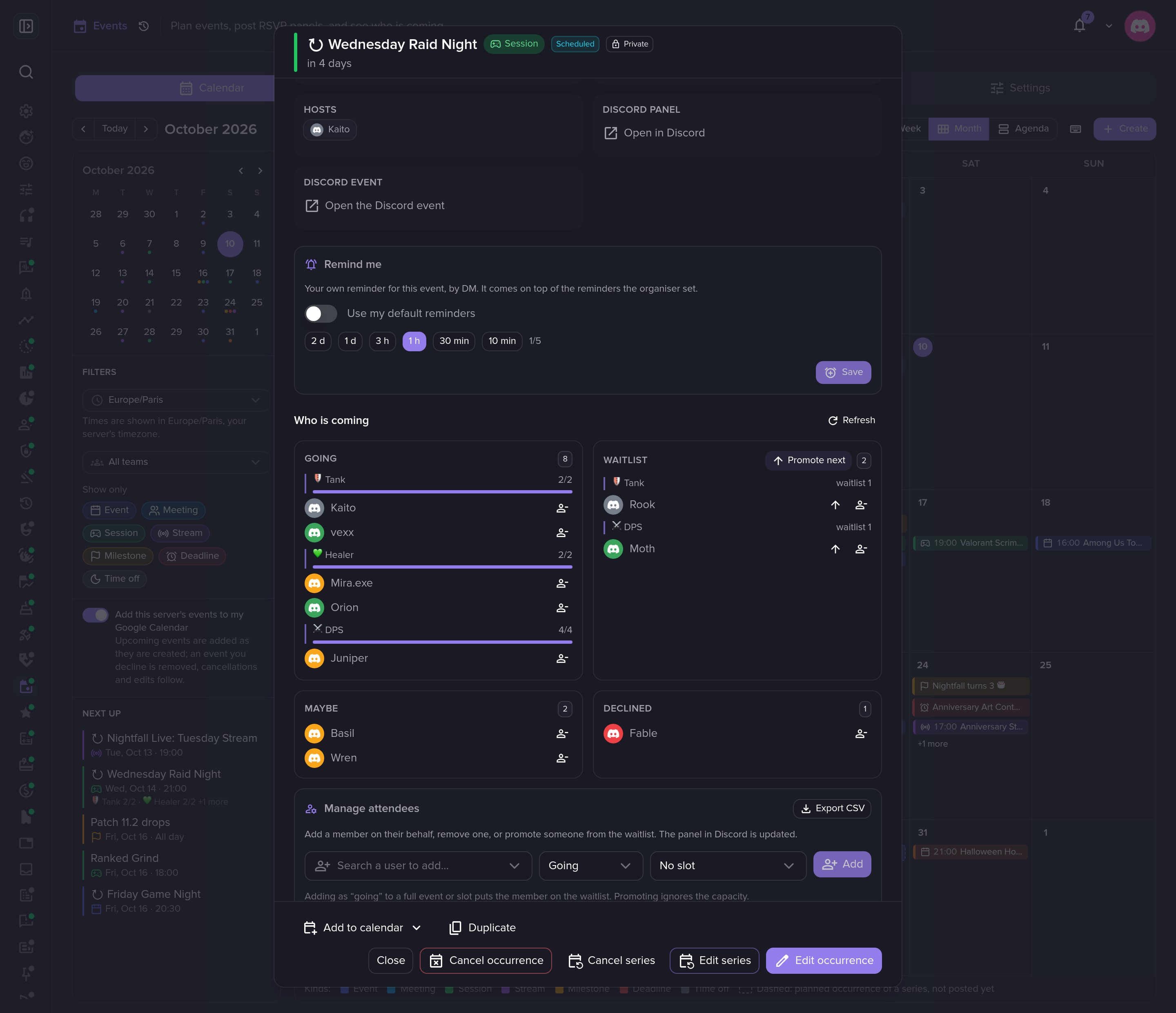
Plans change. Drag an event to another hour or day, or drag its bottom edge to change its length. Open an event to see who is coming, grouped by slot. Add or remove someone, promote from the waitlist, export the list as CSV, or duplicate it.
🔁 Recurring events, done right
Create the weekly raid once. Repeat it daily, weekly, monthly or yearly, or build a custom rule like "every two weeks on Monday and Wednesday" or "the last Friday of every month".
Each occurrence is a real event with its own panel and sign-ups, so this week's answers never mix with next week's. Up to five upcoming dates can be open at once, and later ones show on the calendar, dashed, so the whole season is visible. A 21:00 raid stays at 21:00 when the clocks change. Edit one date or the whole series, and skip a week without touching the rest.
👥 Teams and finding a time
Group members into teams: the raid group, the mod squad, the stream crew. Open a team's clock to see every member's local time. Invite a team to an event and its members are mentioned on the panel and get a DM.
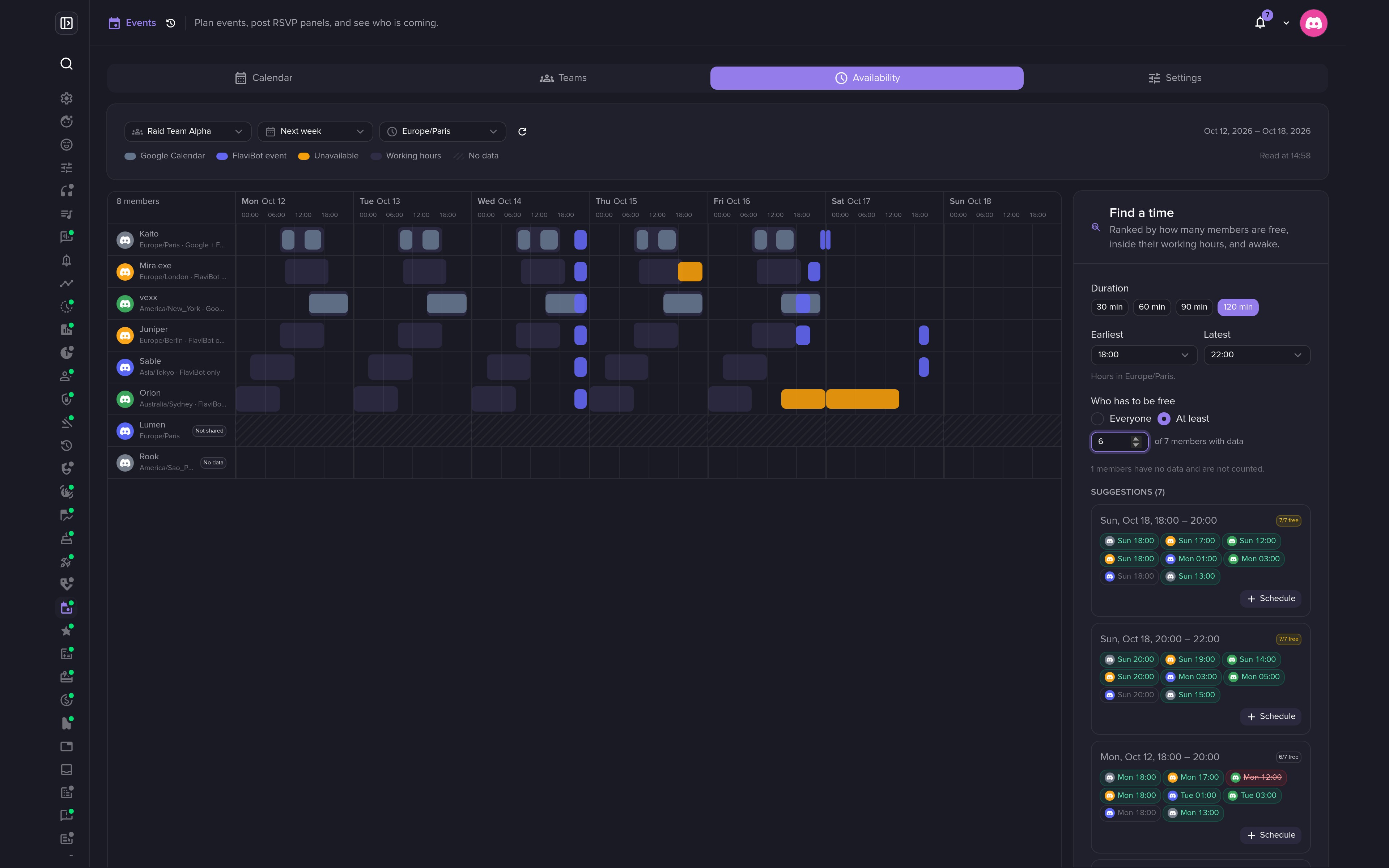
The Availability tab lays each member's week side by side: working hours, FlaviBot events they are going to, time blocked out by hand, and Google Calendar busy time for members who connected it. Find a time ranks the free slots, shows each member's local time, and opens the create form in one click.
📲 On every calendar, and on the web
- Discord Events tab. Mirror an event with a voice channel, a stage or a location as a native Discord scheduled event.
- Add to calendar. Google Calendar, Outlook or an
.icsfile, no account needed. Calendar apps can also subscribe to the server's feed, or to your own feed of everything you said Going to. - Google Calendar. Members who connect Google can have their RSVPs, or every event of a server, written into their calendar. Availability reads busy times only.
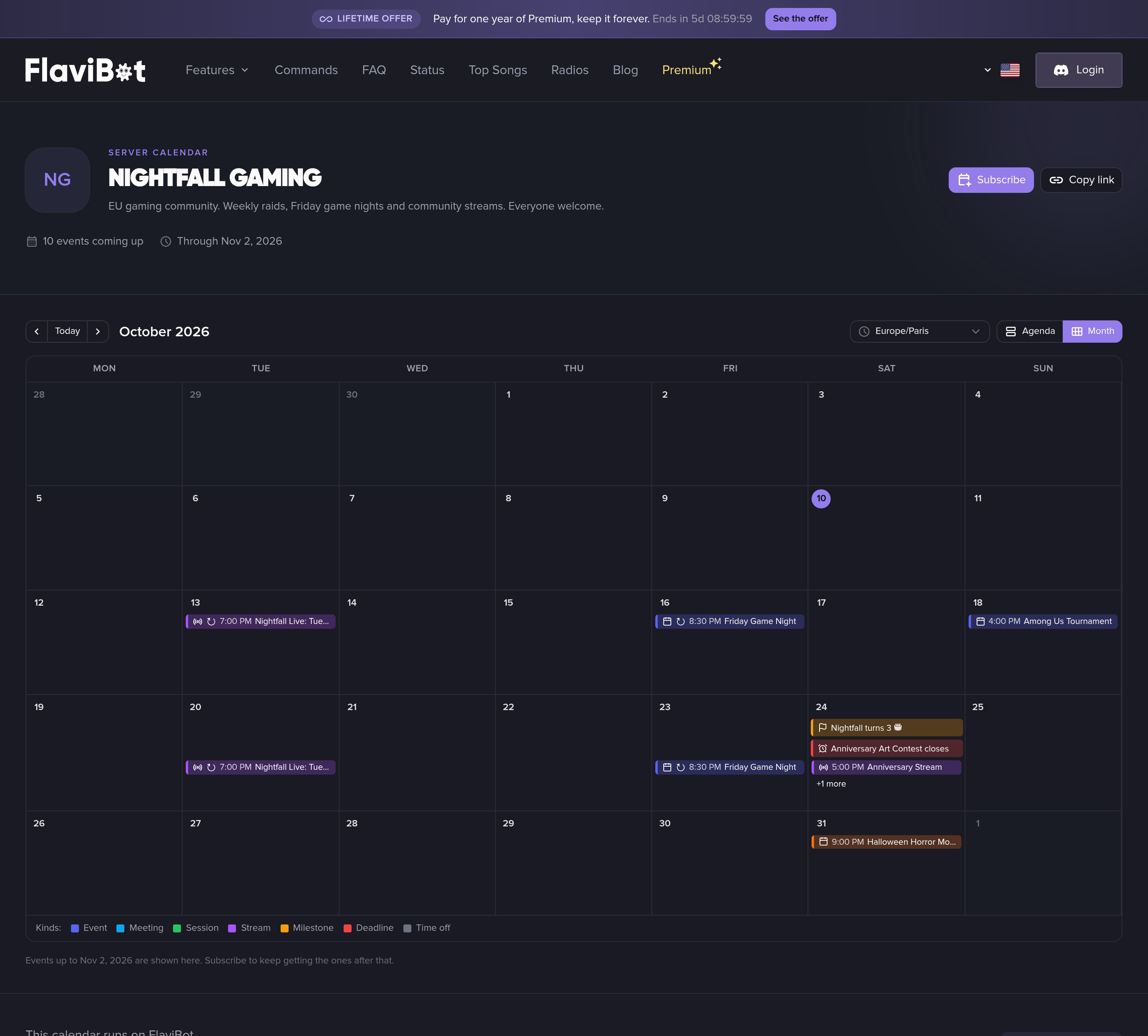
- Public calendar. Publish the events you choose at
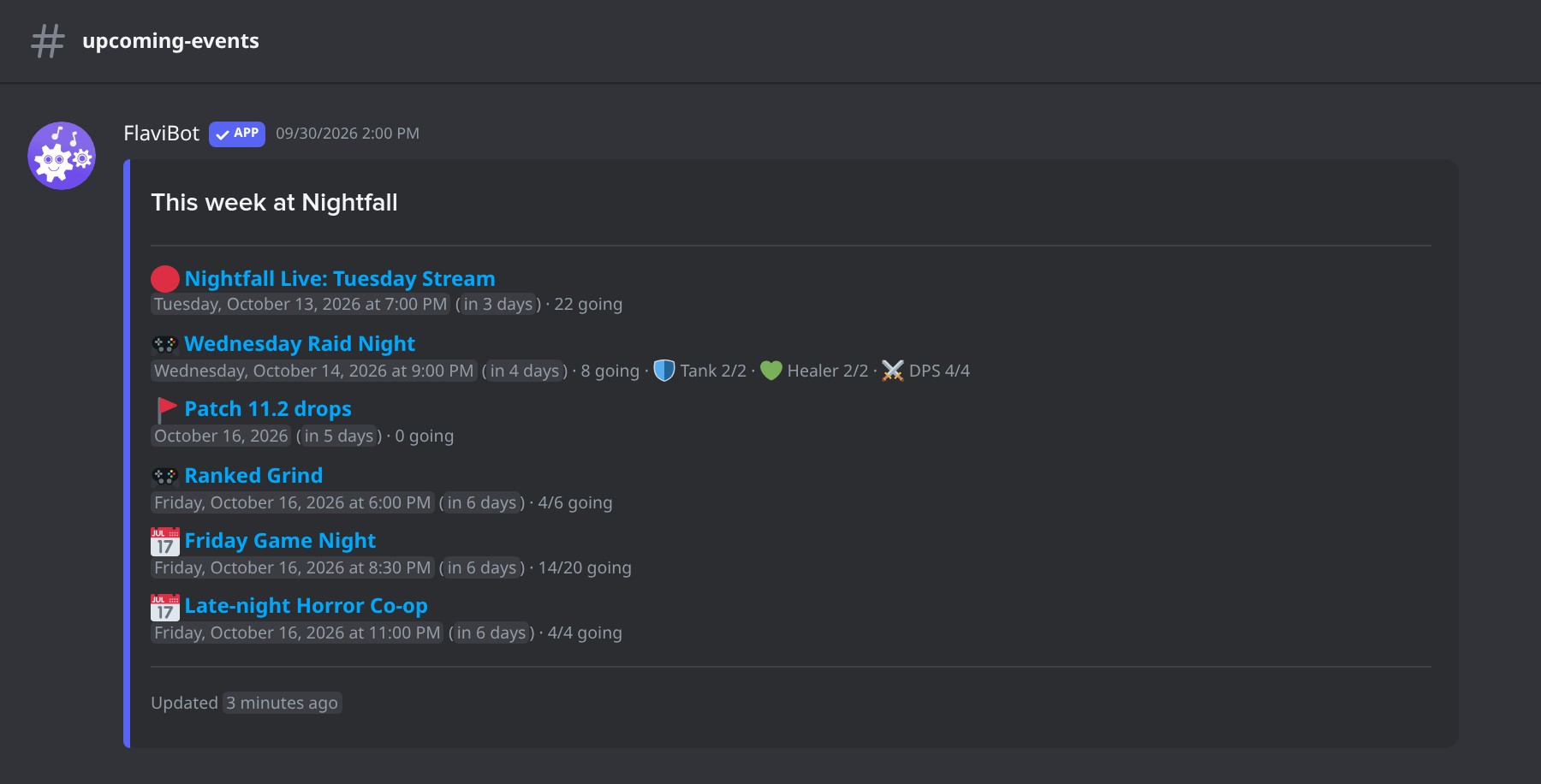
flavibot.xyz/calendar/<server ID>, readable by anyone without a Discord account, in their own timezone. - Channel boards. An "upcoming events" message that FlaviBot keeps current on every change and every 15 minutes.
Get started
- Open your server's dashboard and go to Management > Events (
flavibot.xyz/dashboard/<server ID>/events). - In Settings, pick a default channel, your reminder times and a manager role.
- Press Create, or run this in Discord:
/event create title:Raid Night date:2026-10-14 21:00 repeat:weekly capacity:8
- Build your teams in the Teams tab, and switch on the Public calendar in Settings when you want a page to share.
Other commands: /event list, /event info, /event rsvp, /event edit and /event cancel. By default only members with Manage Events see /event; widen it in Server Settings > Integrations. Members just use the panel buttons.
💬 In Discord
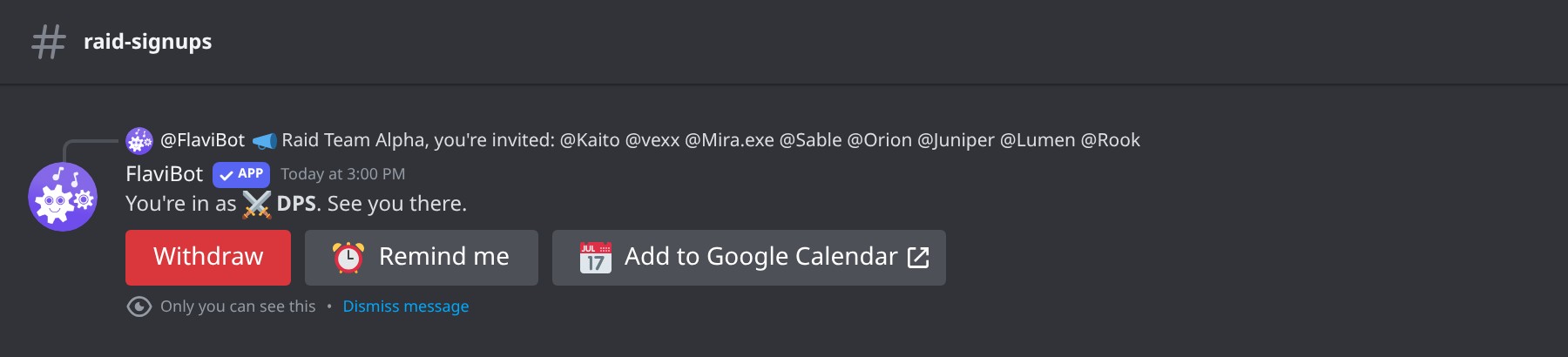 Signing up answers privately, with your slot.
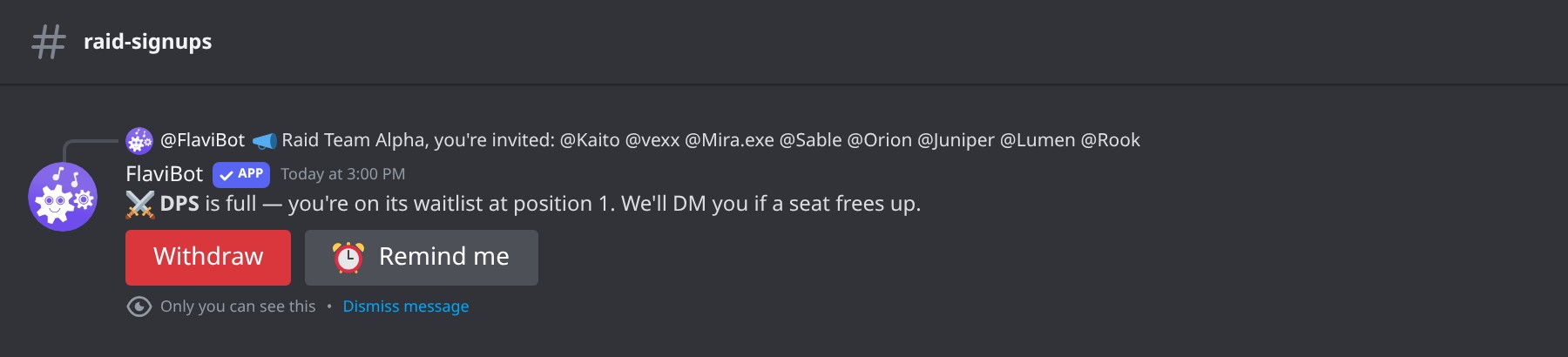 A full slot puts you on its waitlist, and FlaviBot tells you your place in line.
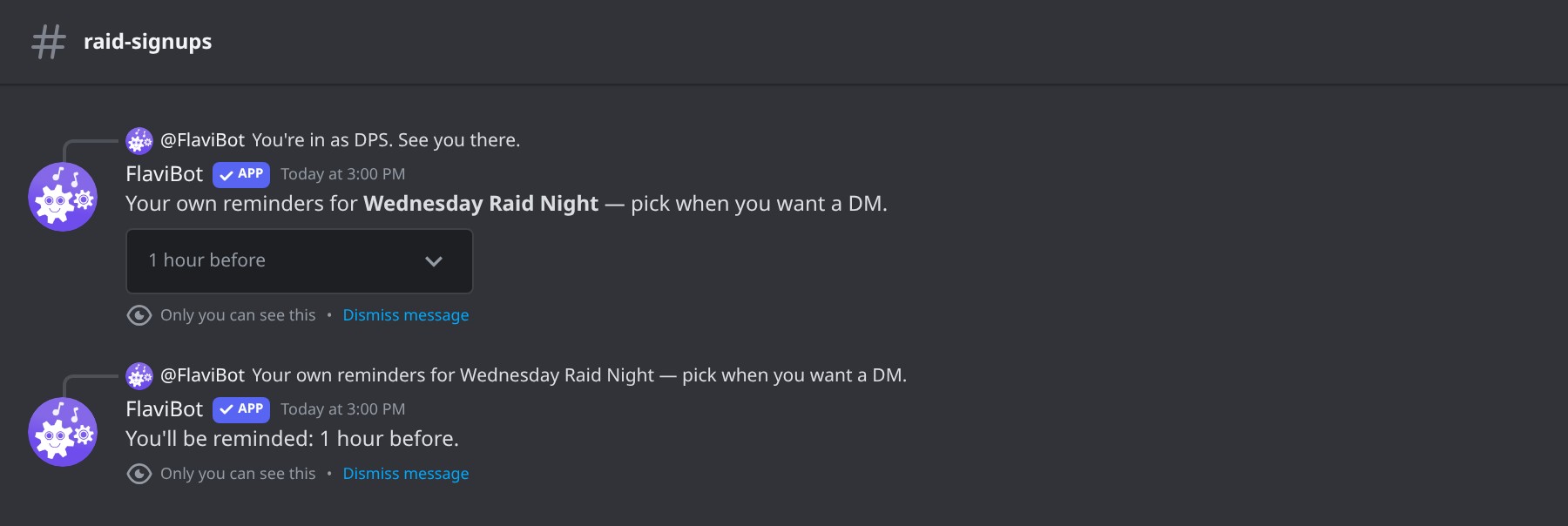 Pick your own reminder.
 The reminder, by DM.
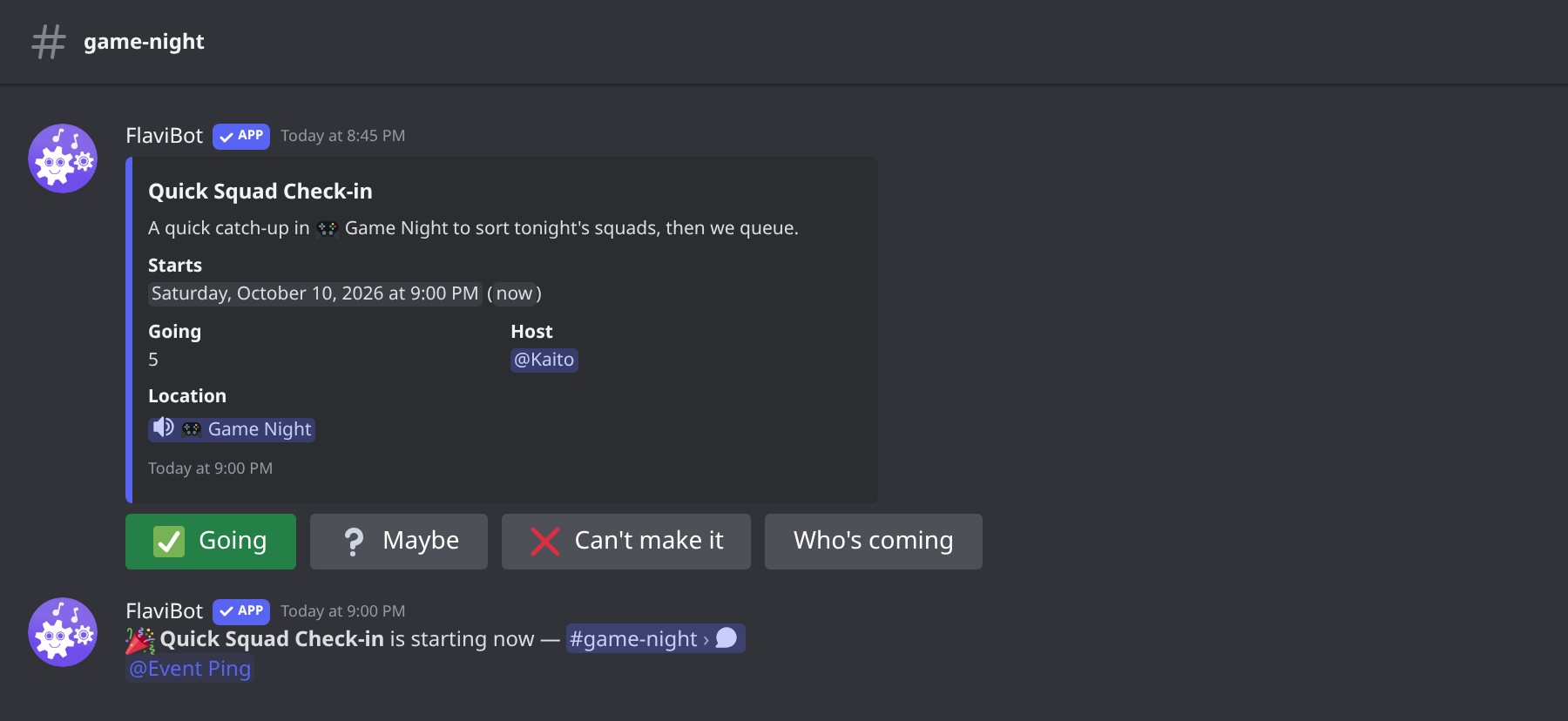 Announced in the channel when it starts.
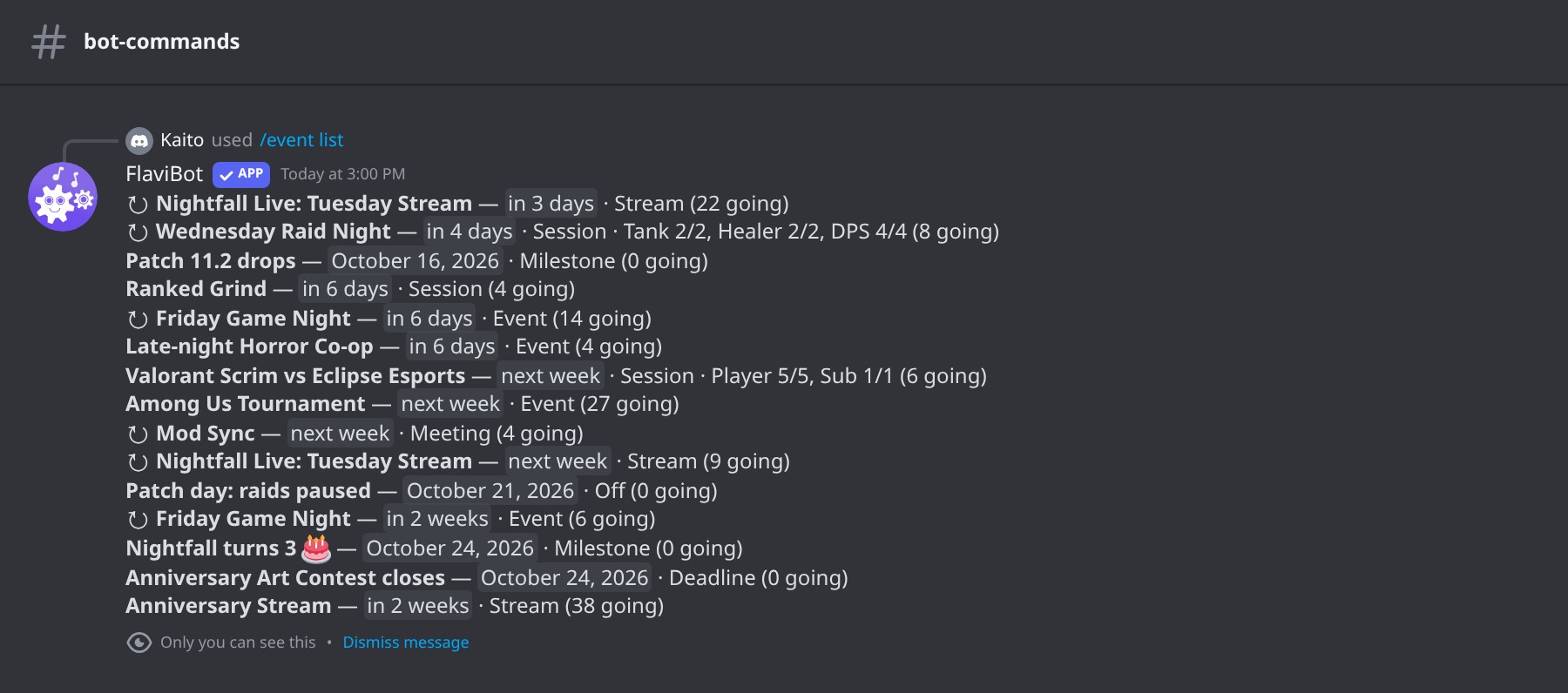 /event list: everything coming up.
📸 A closer look
Calendar views
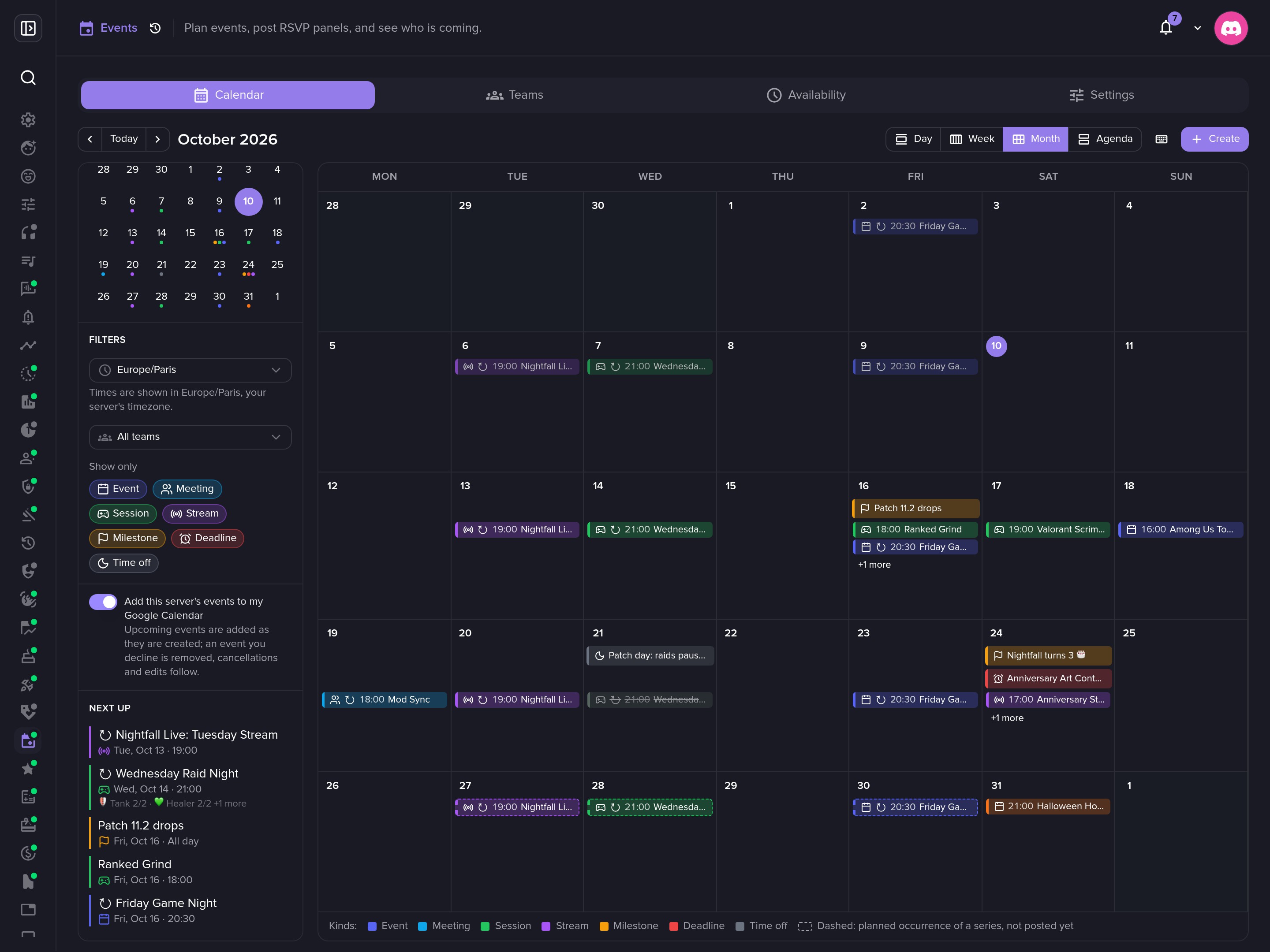 Next up: what is coming, with the slot counts of each raid.
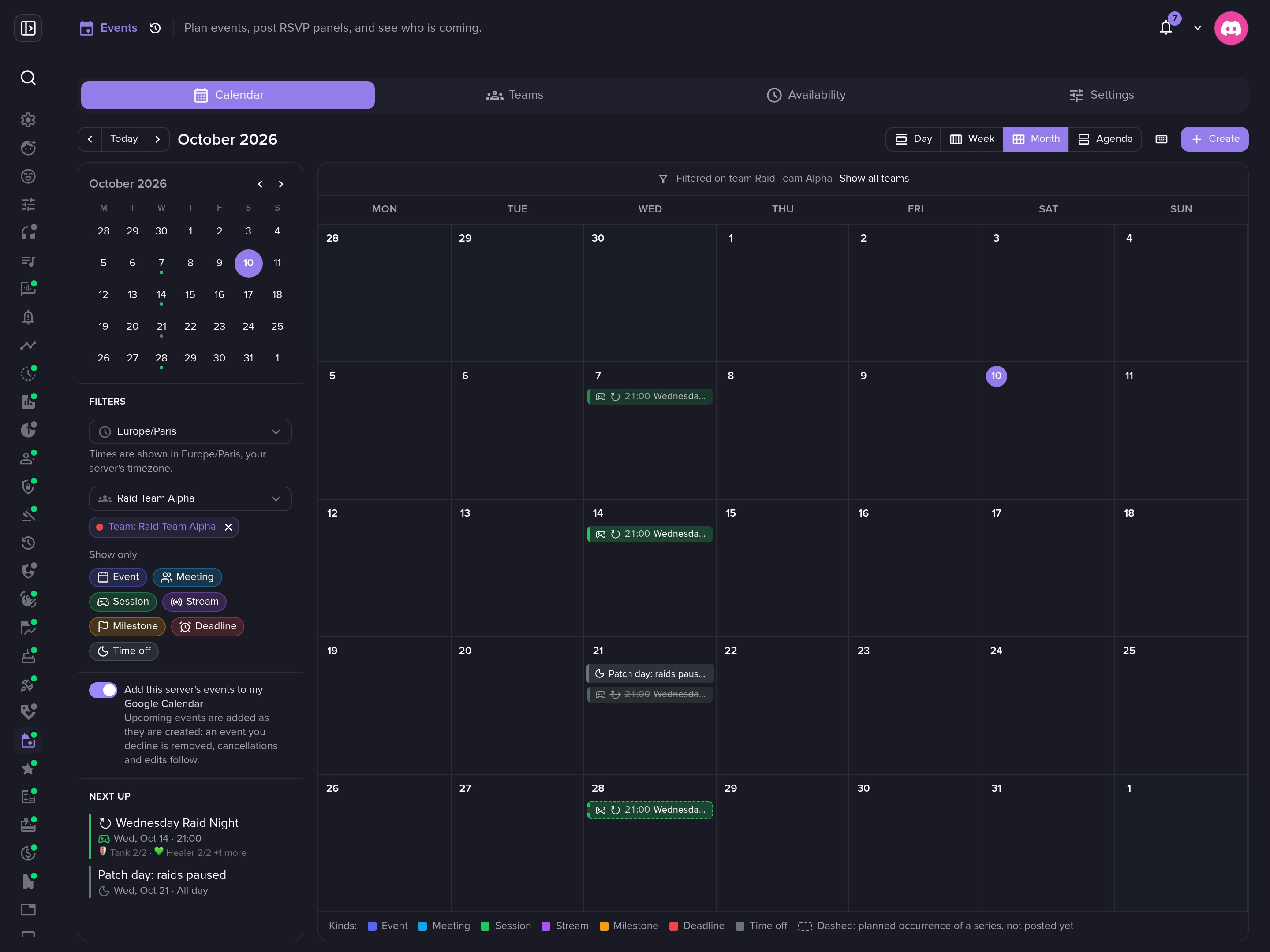 Filter the calendar on one team.
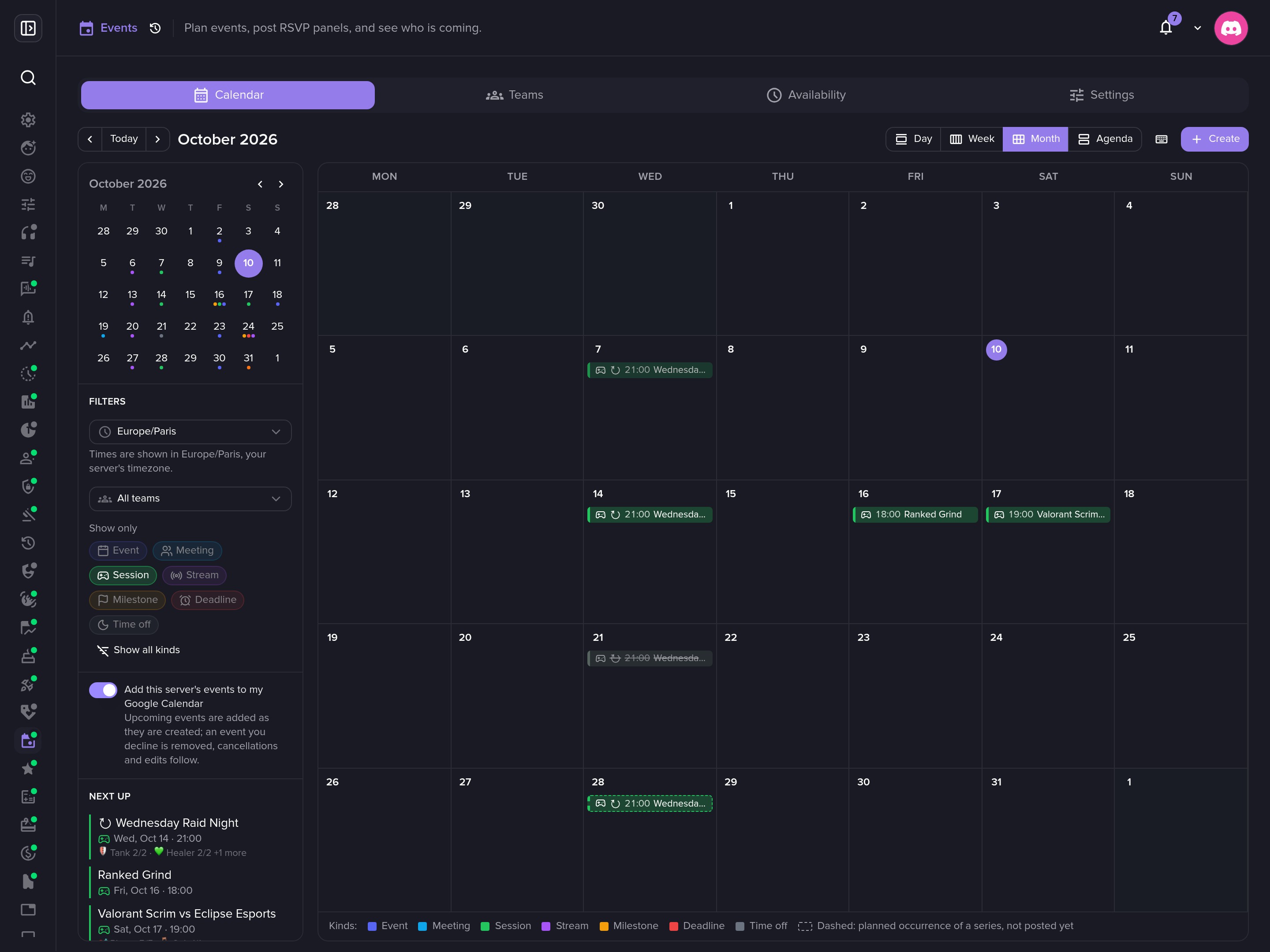 Or on one kind of event.
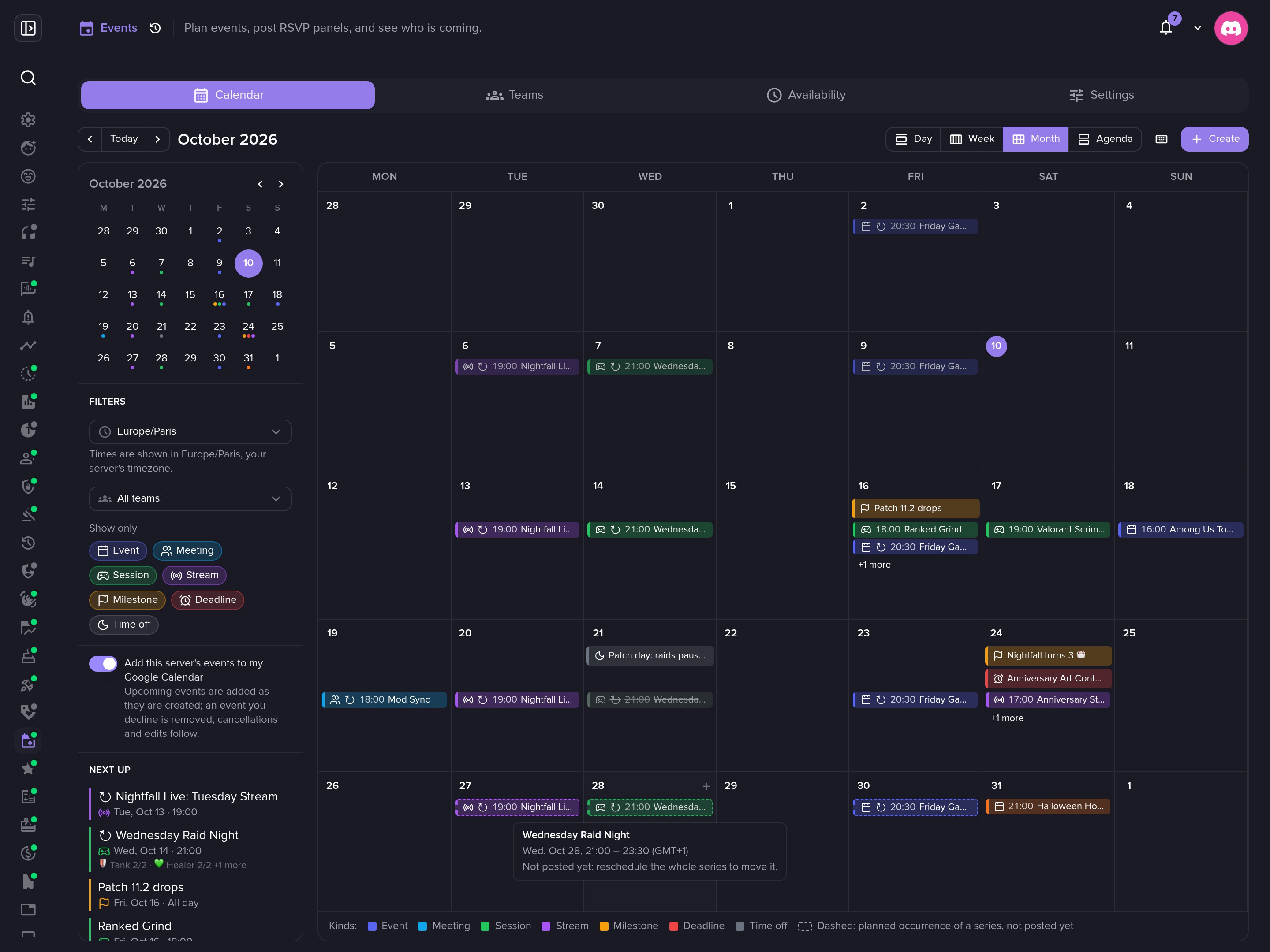 The planned dates of a series move with it.
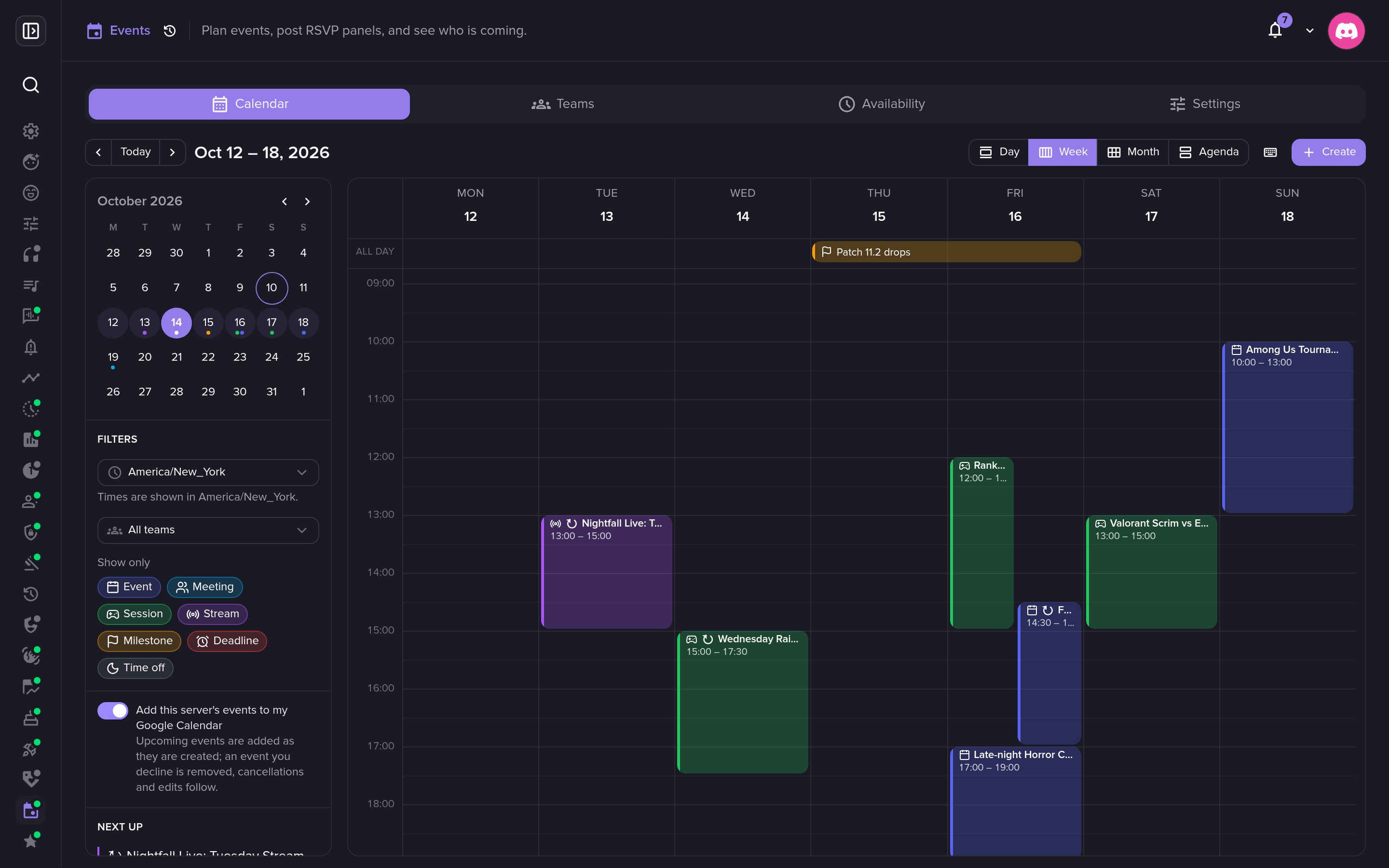 Read the calendar in any time zone.
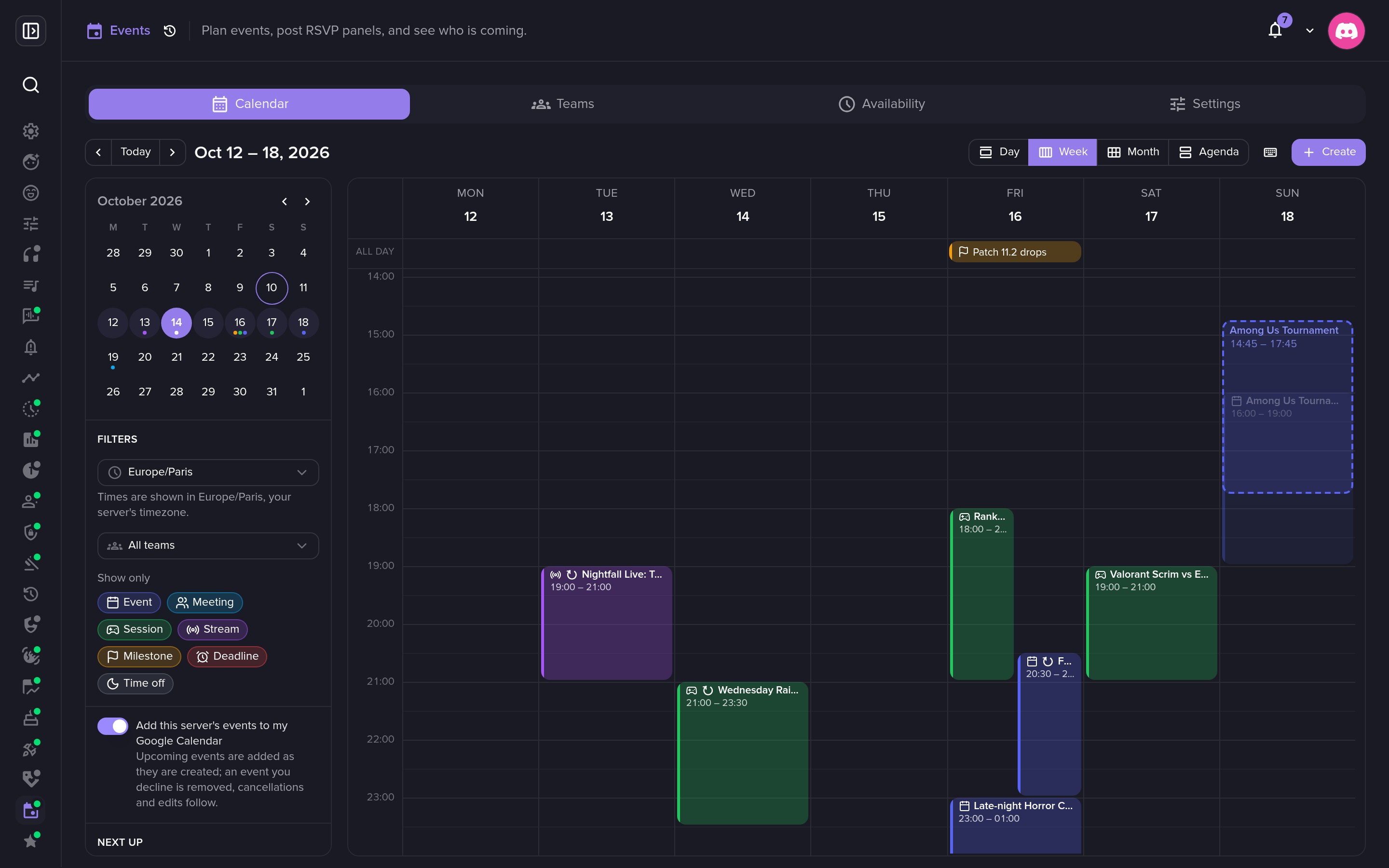 Drag an event to move it, in 15-minute steps.
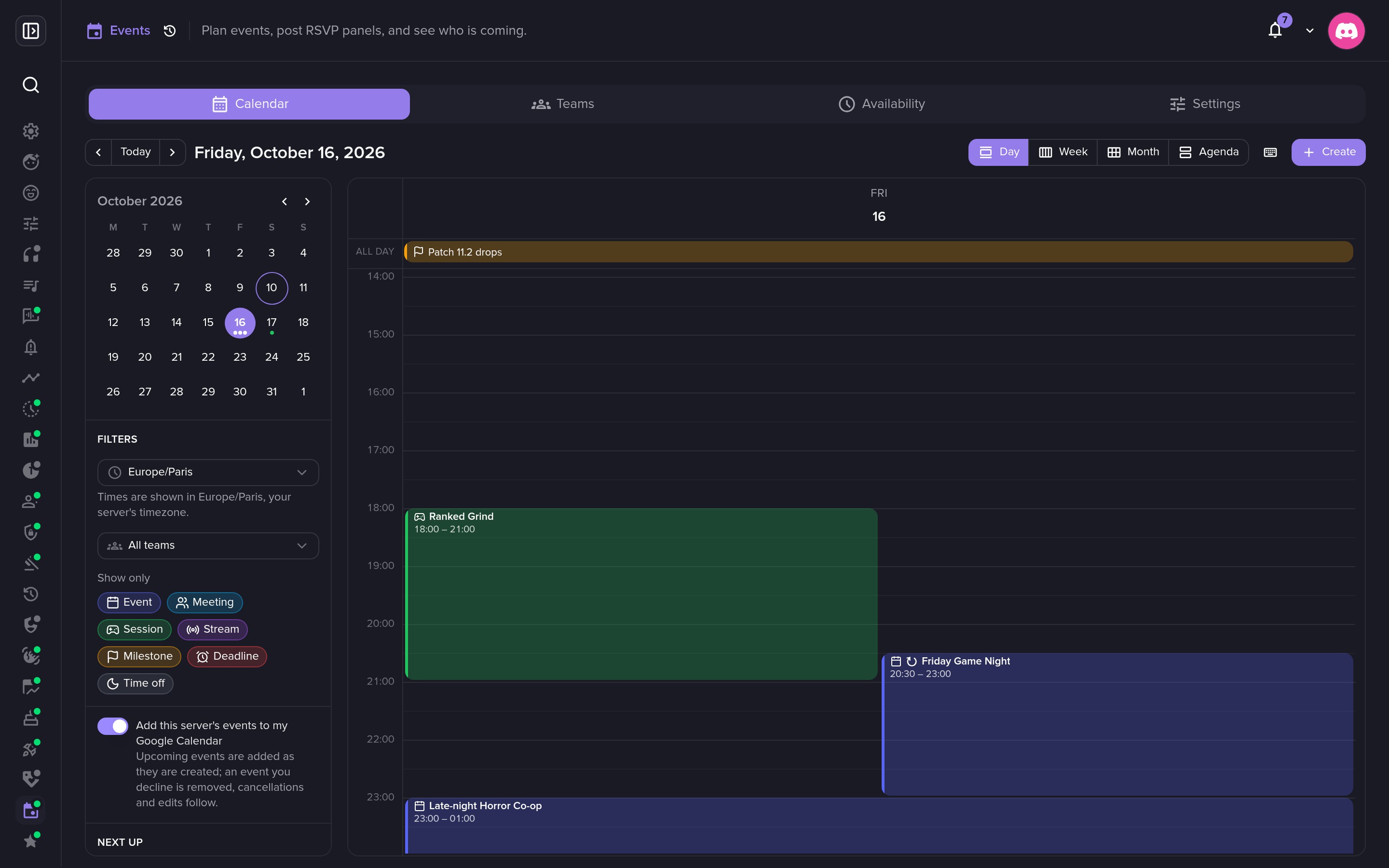 The day view, with all-day events and overlaps side by side.
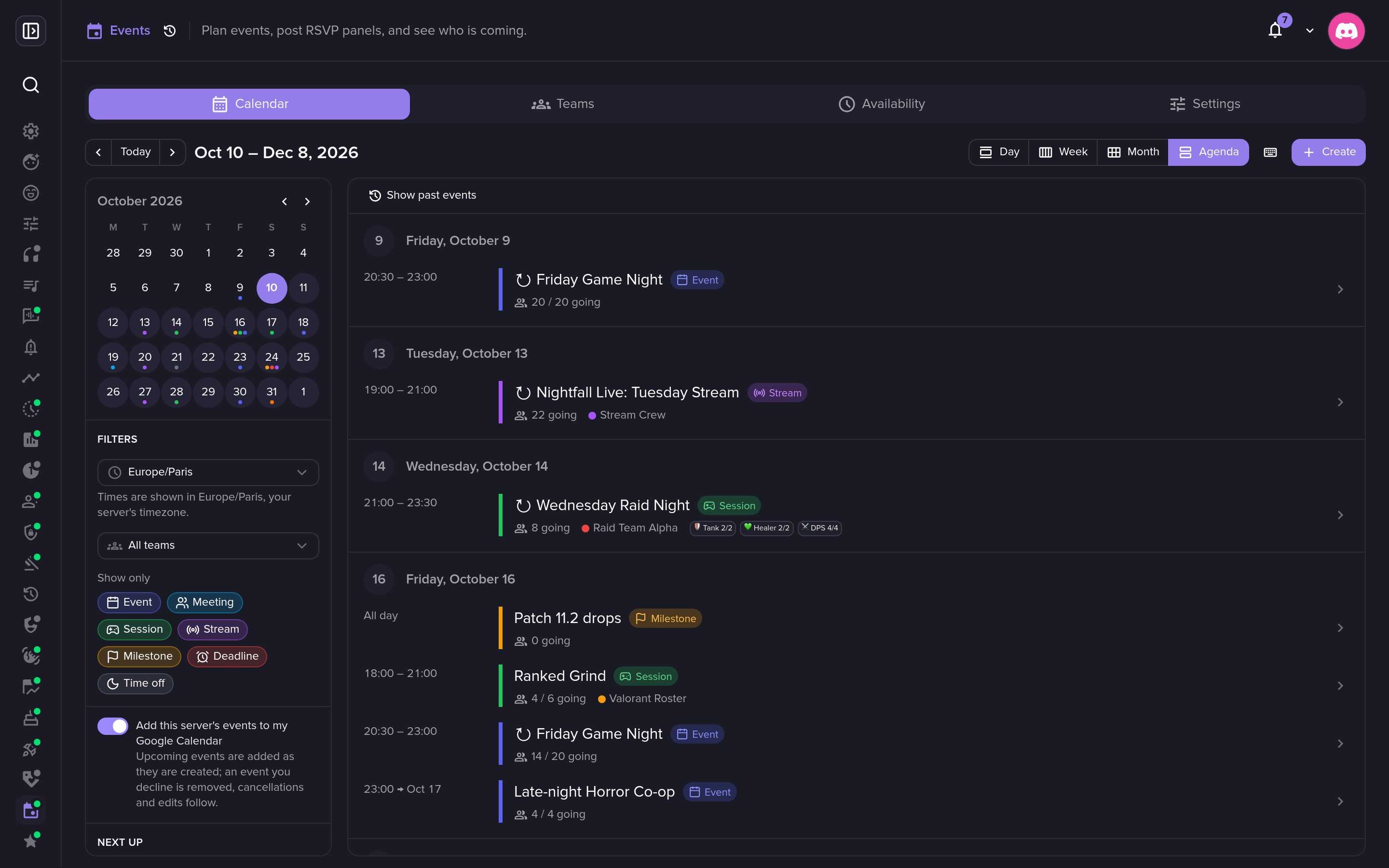 The agenda: who is coming, capacities and teams.
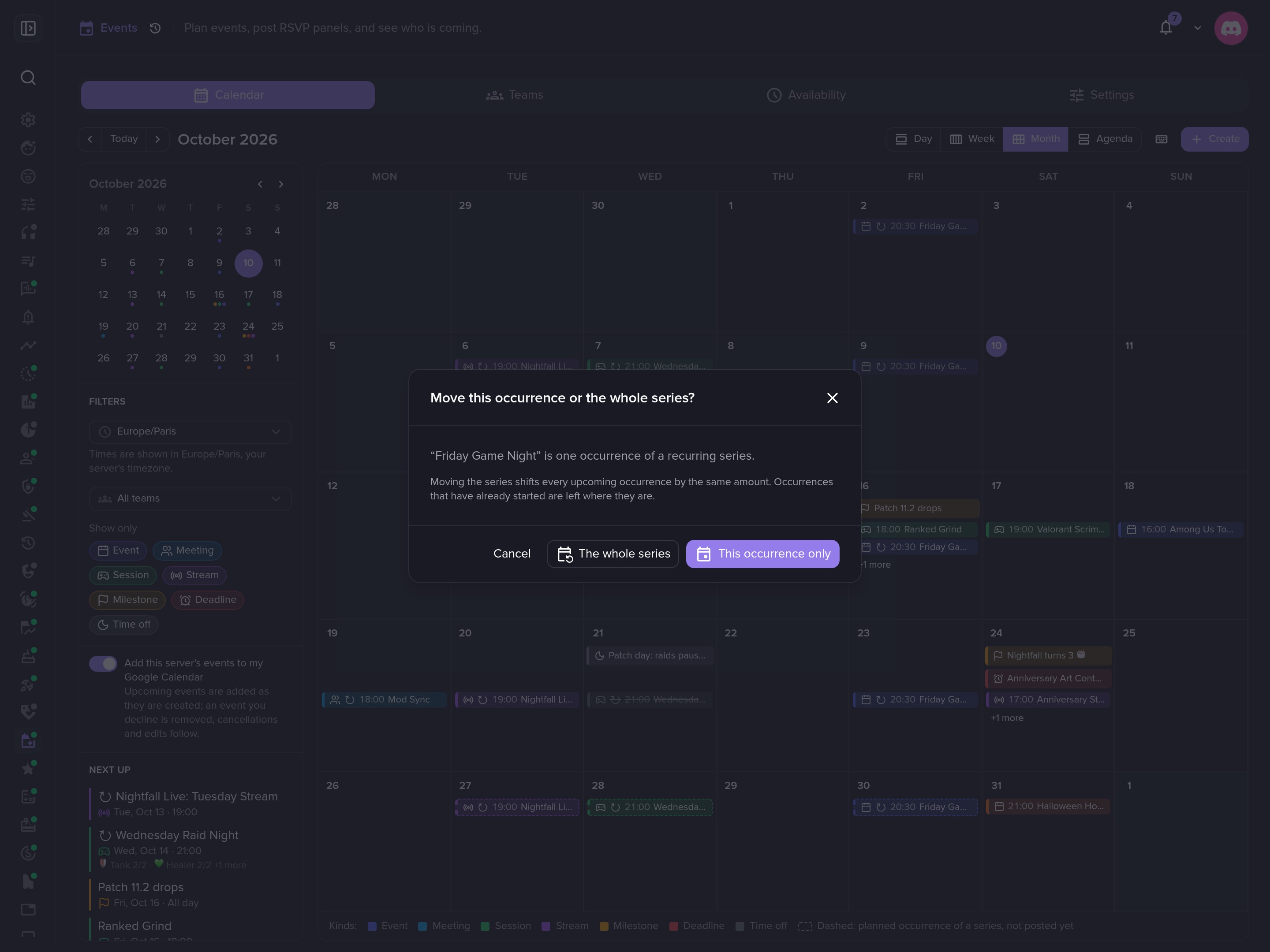 Moving a recurring event? Choose this date or the whole series.
Every event in detail
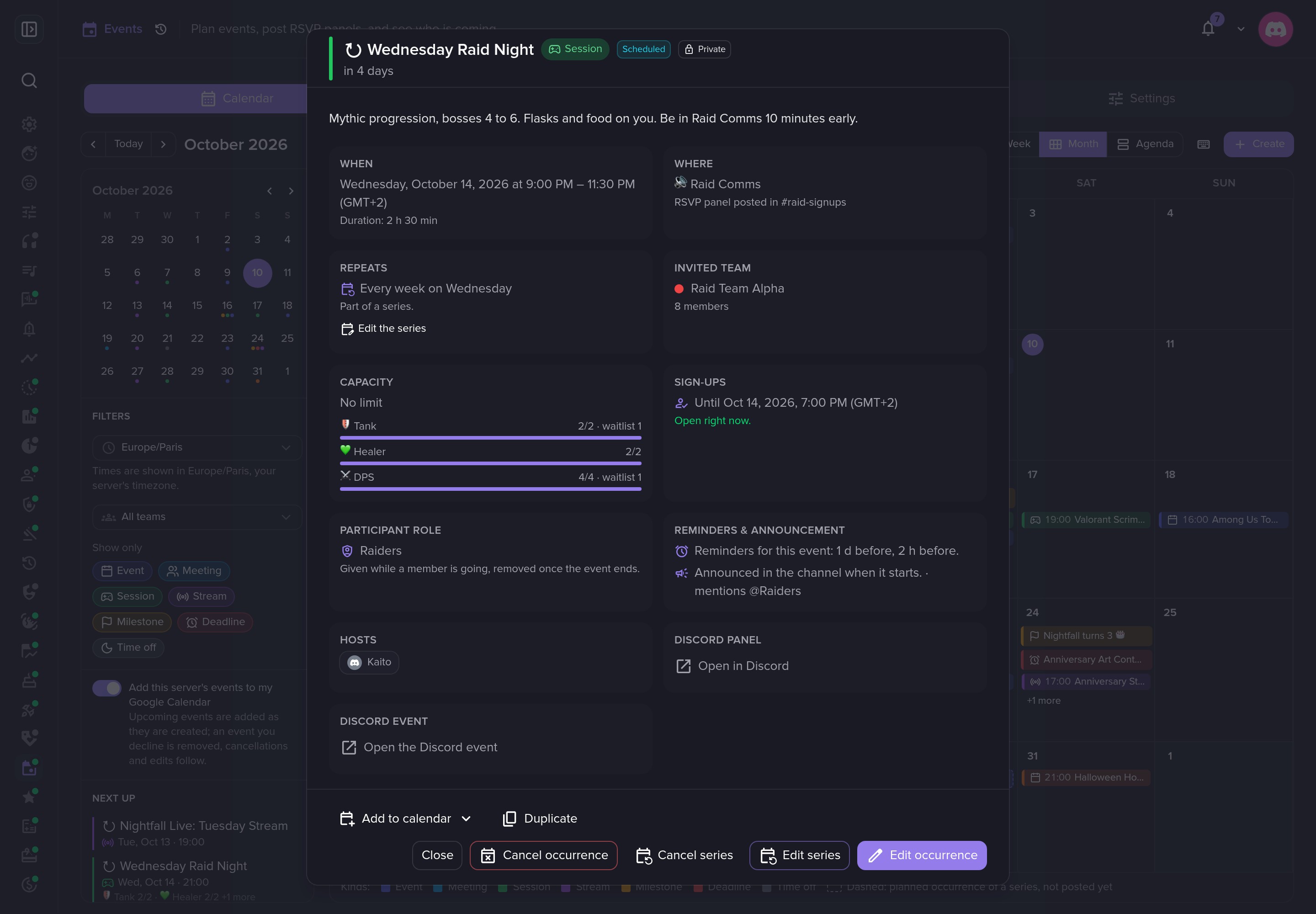 Everything about an event in one panel.
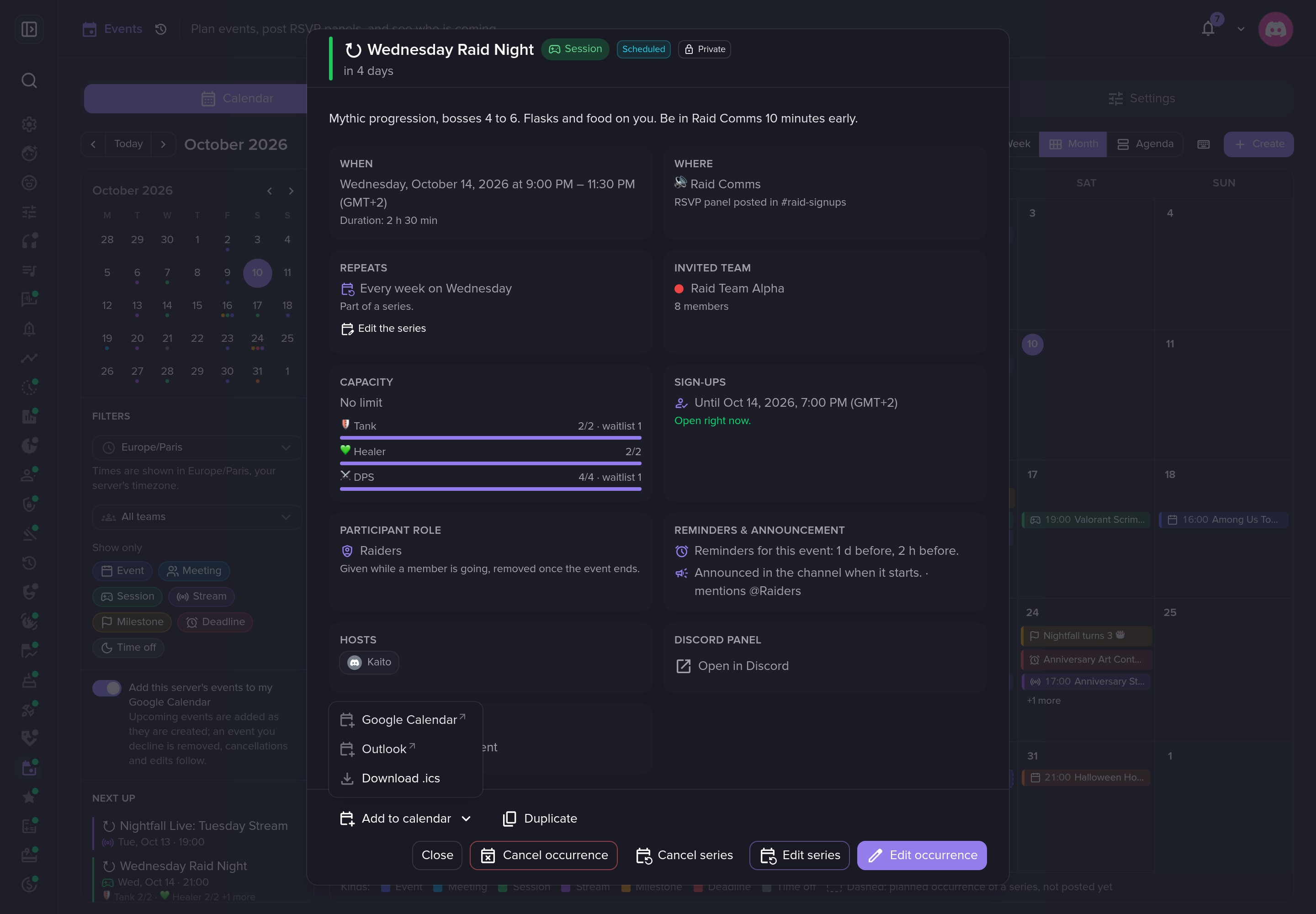 Add any event to Google Calendar, Outlook or any calendar app.
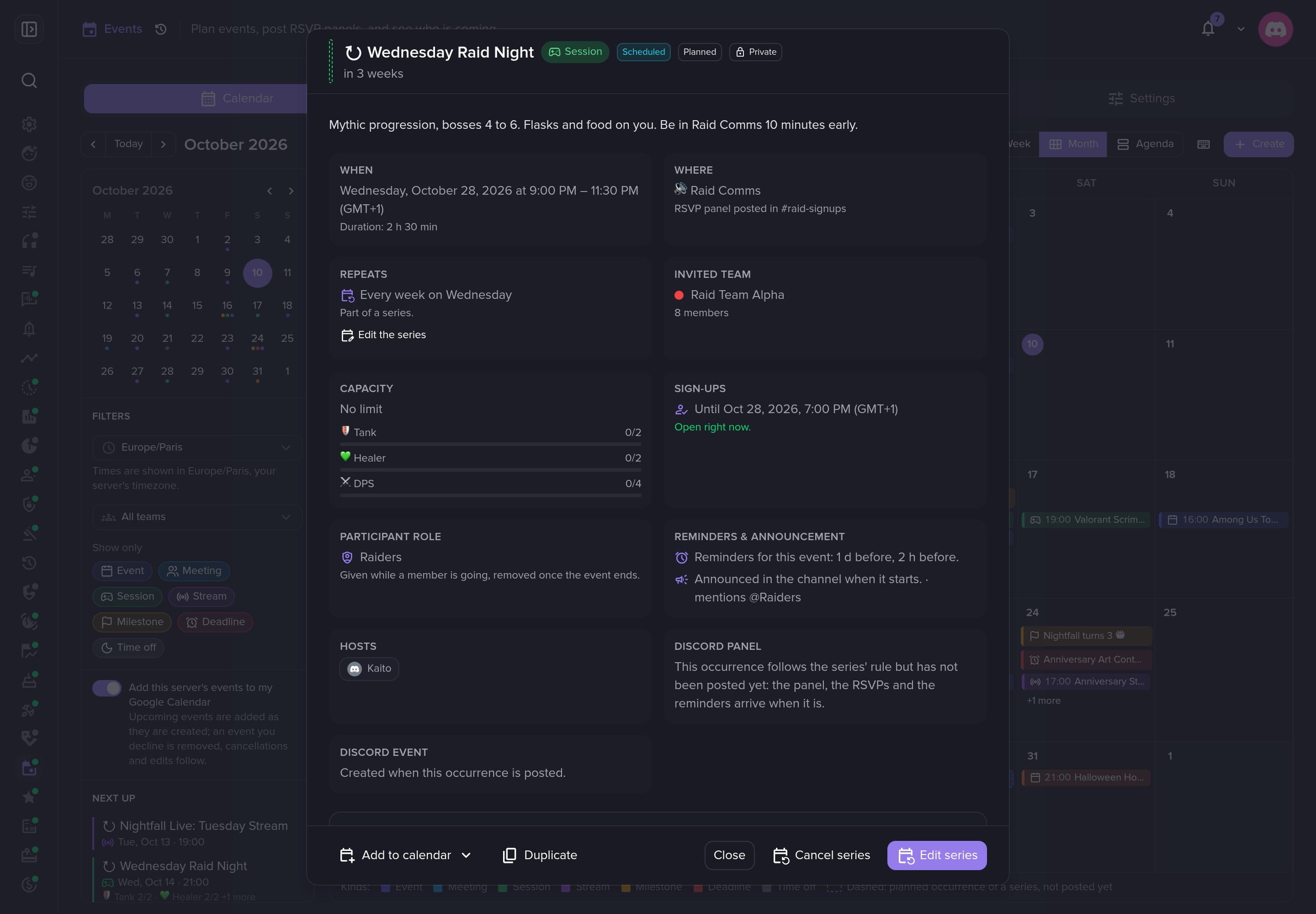 Recurring events keep their local time when the clocks change.
Creating and editing
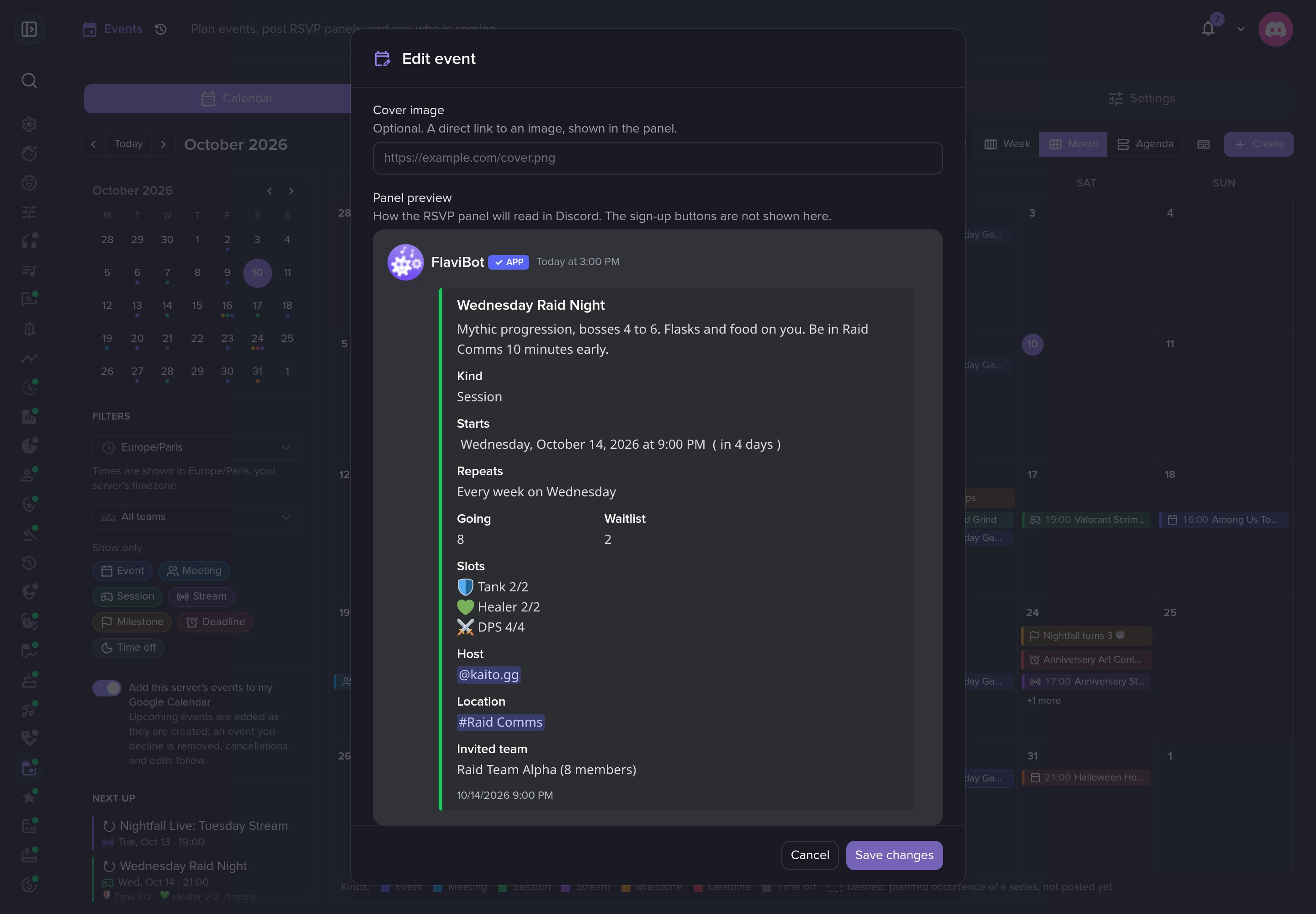 The RSVP panel, previewed before it is posted.
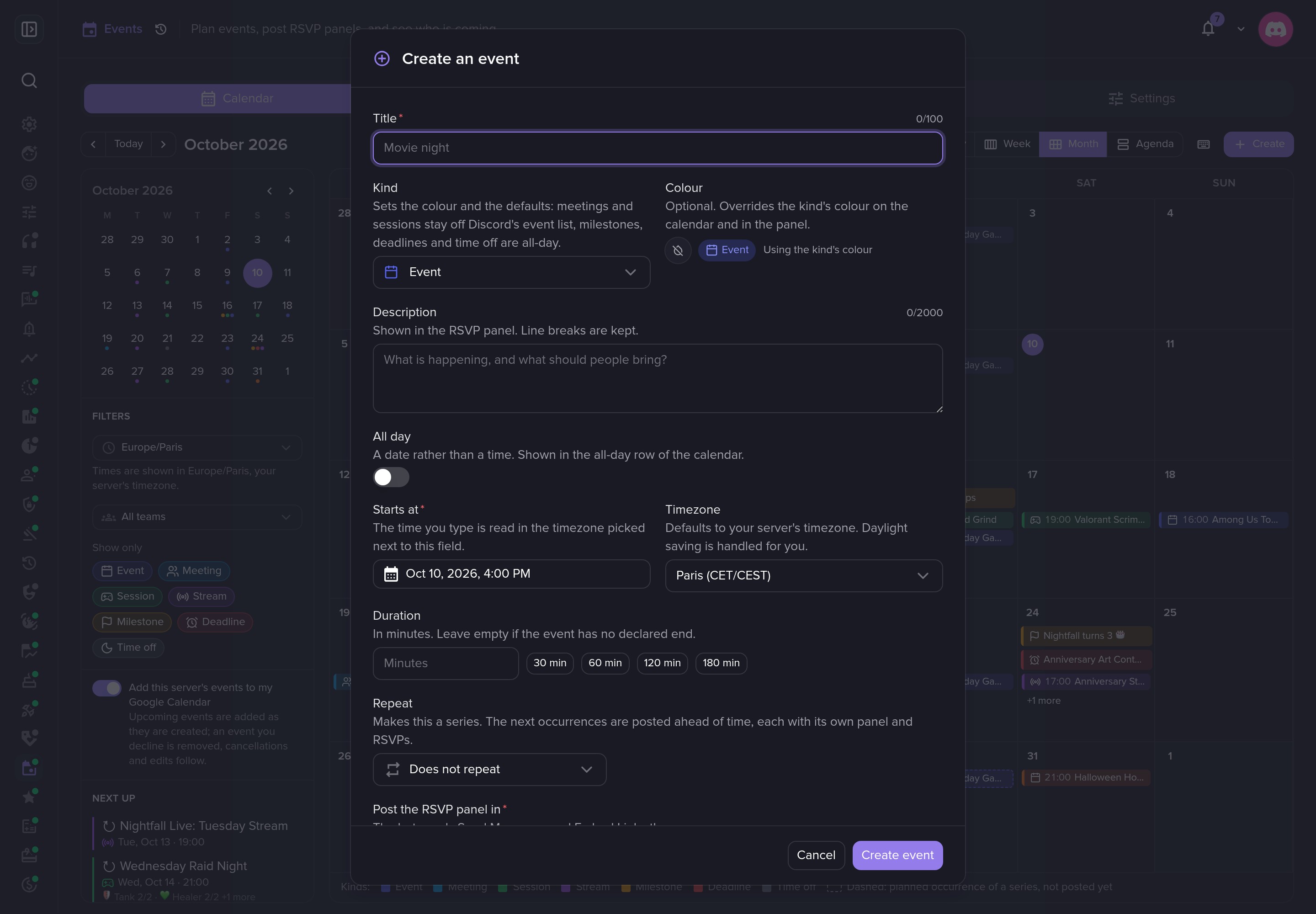 Create an event in seconds.
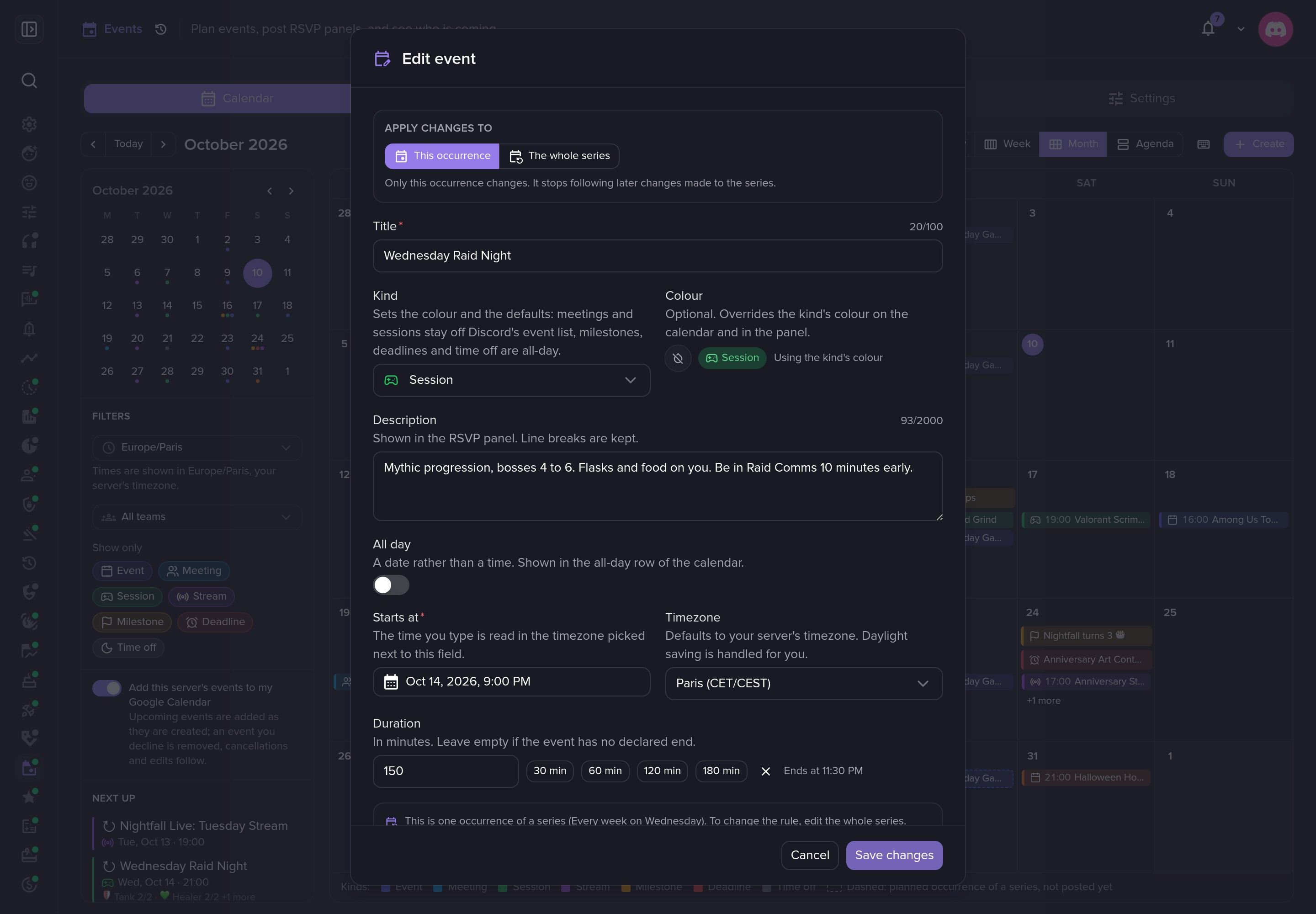 Edit one date or the whole series.
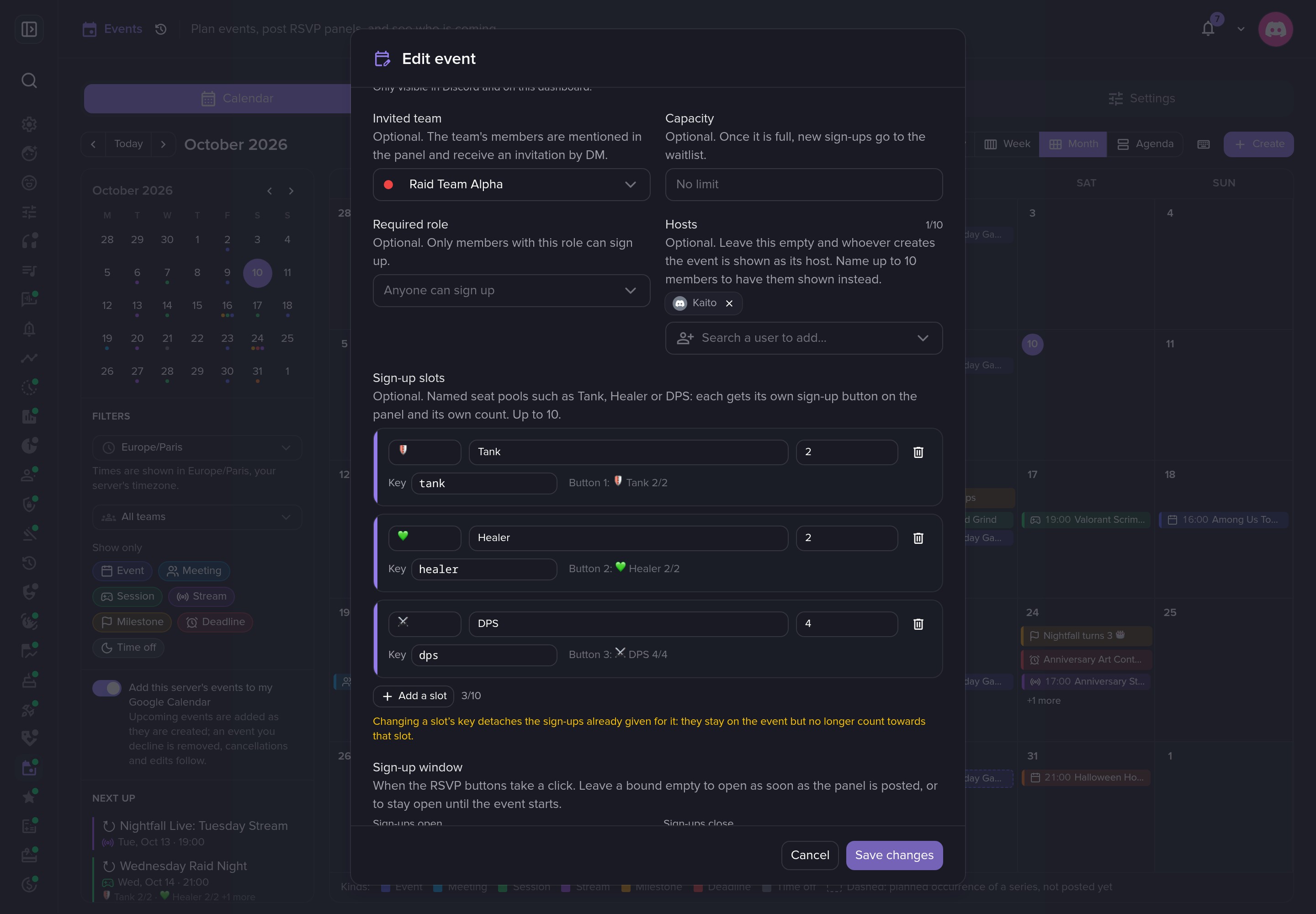 Sign-up slots, each with its own capacity.
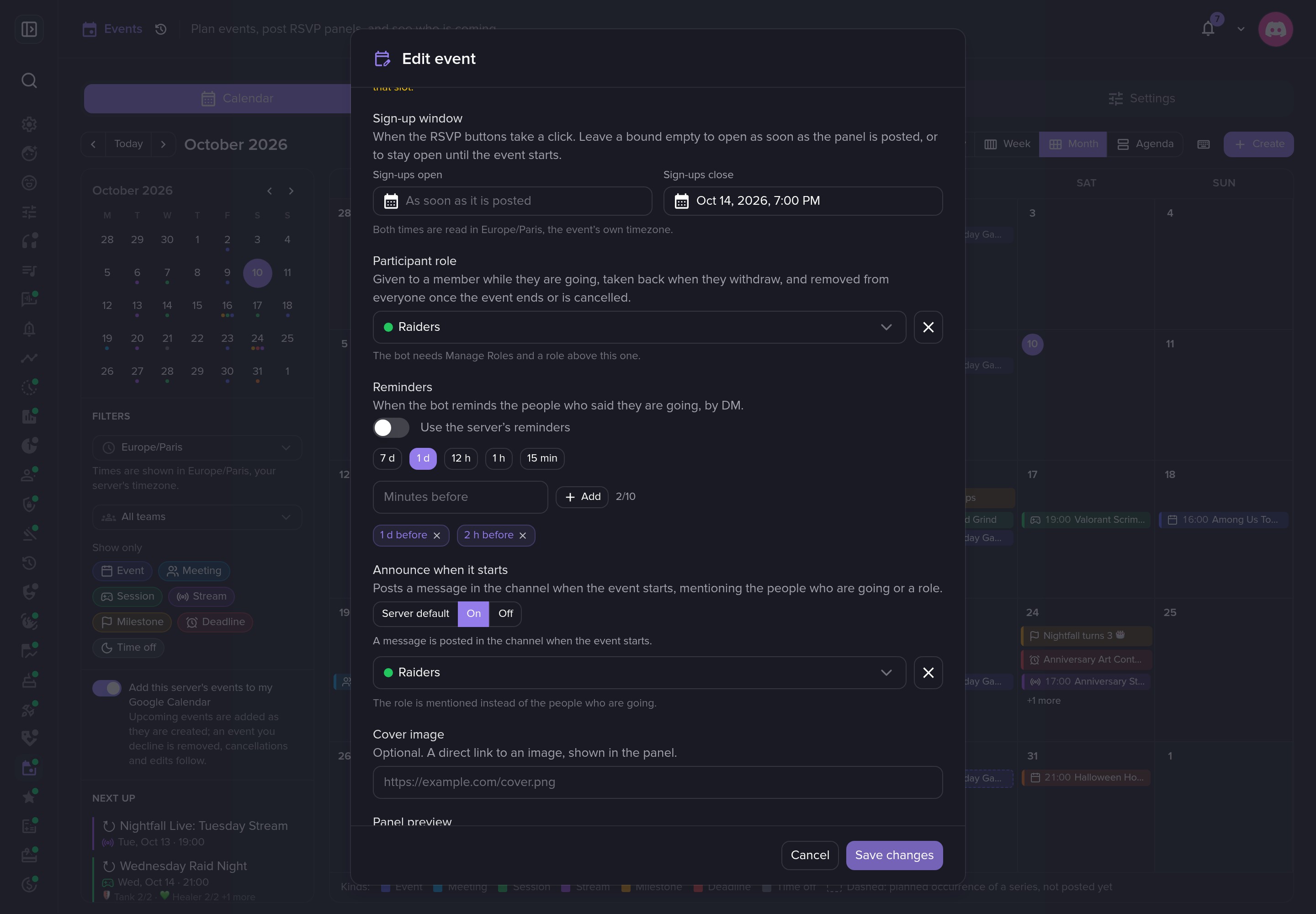 A sign-up deadline, a participant role, reminders and a start announcement.
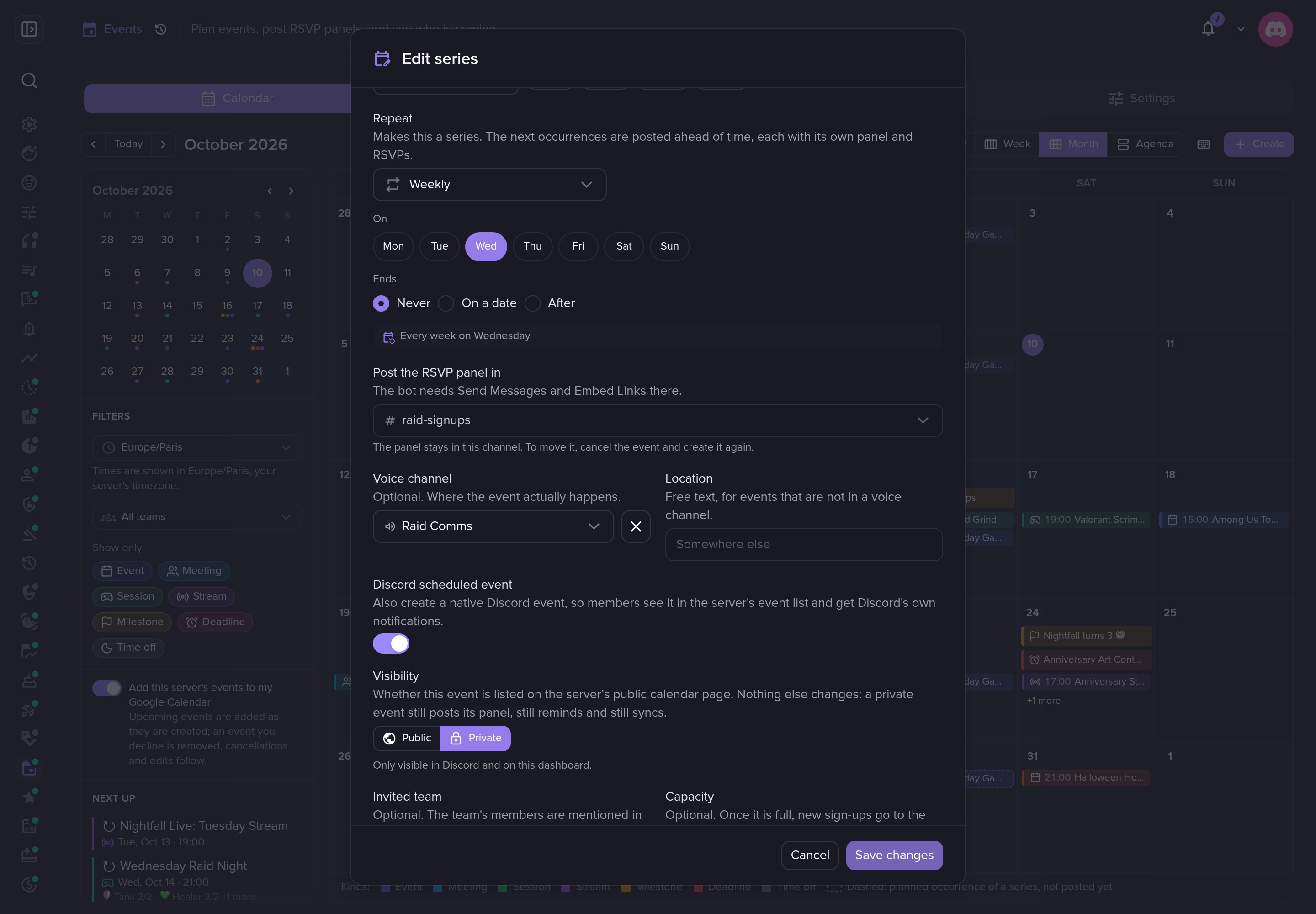 A weekly series that never ends, mirrored as a Discord scheduled event.
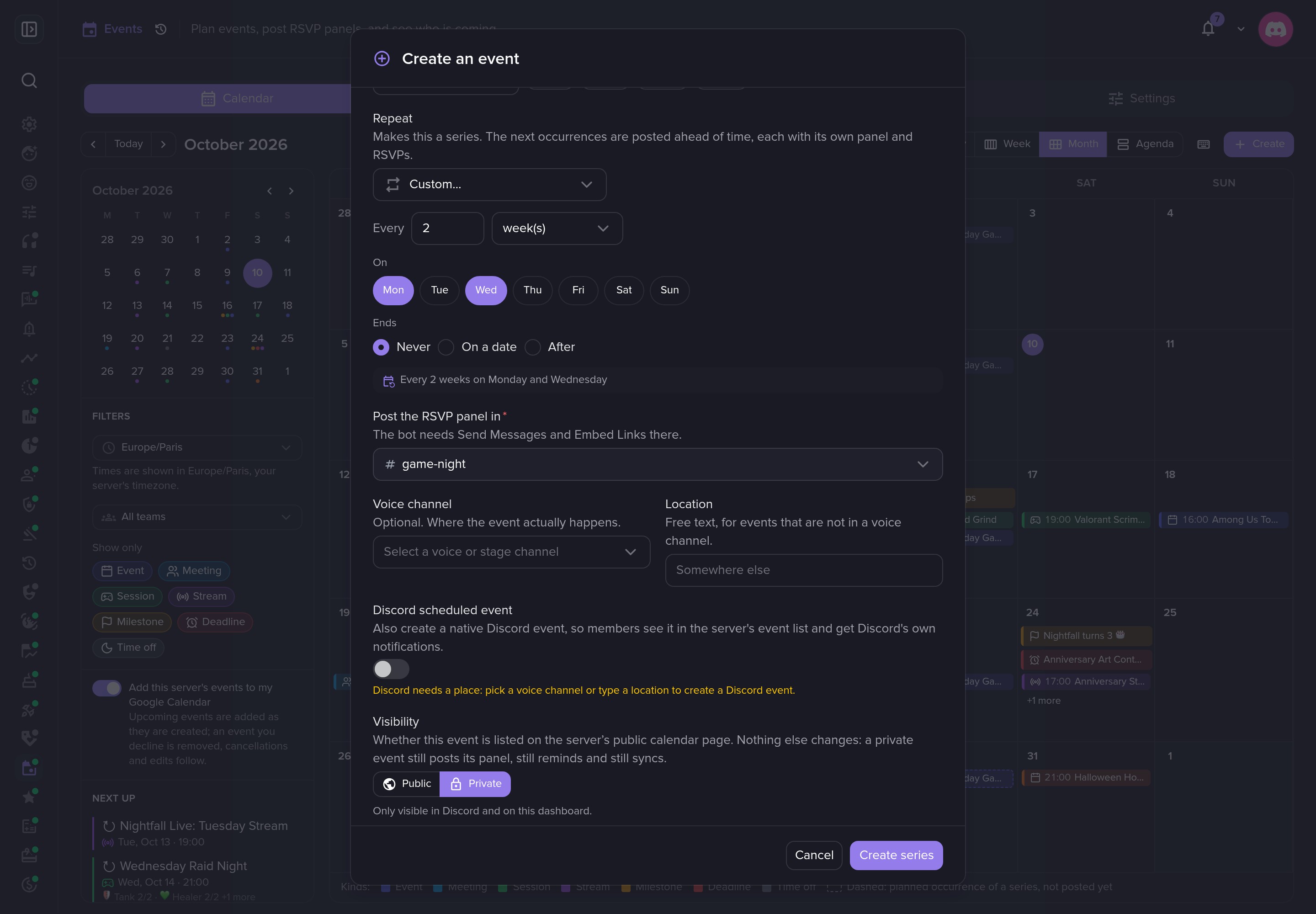 Any rhythm: every two weeks on Monday and Wednesday.
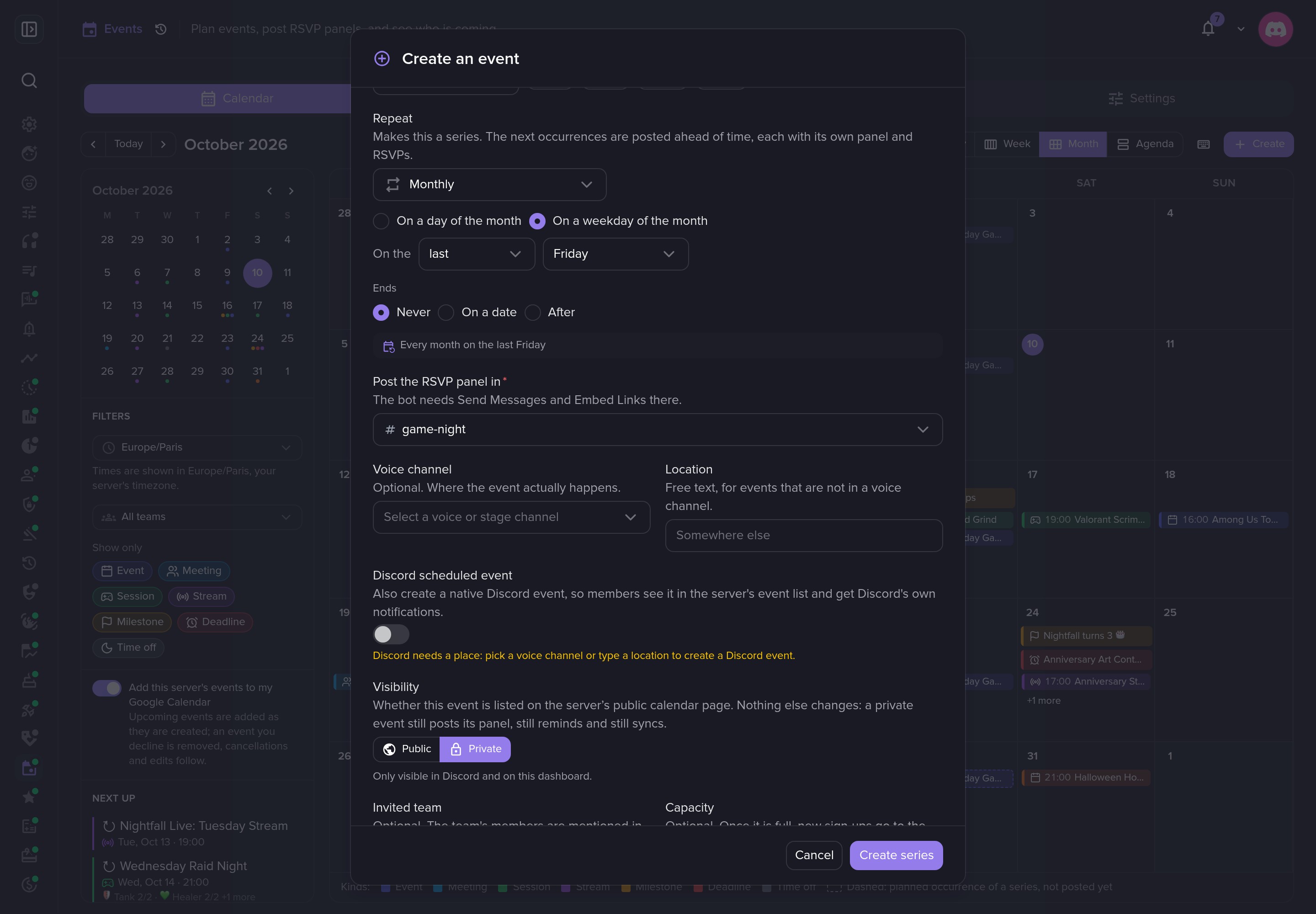 Or the last Friday of every month.
Teams
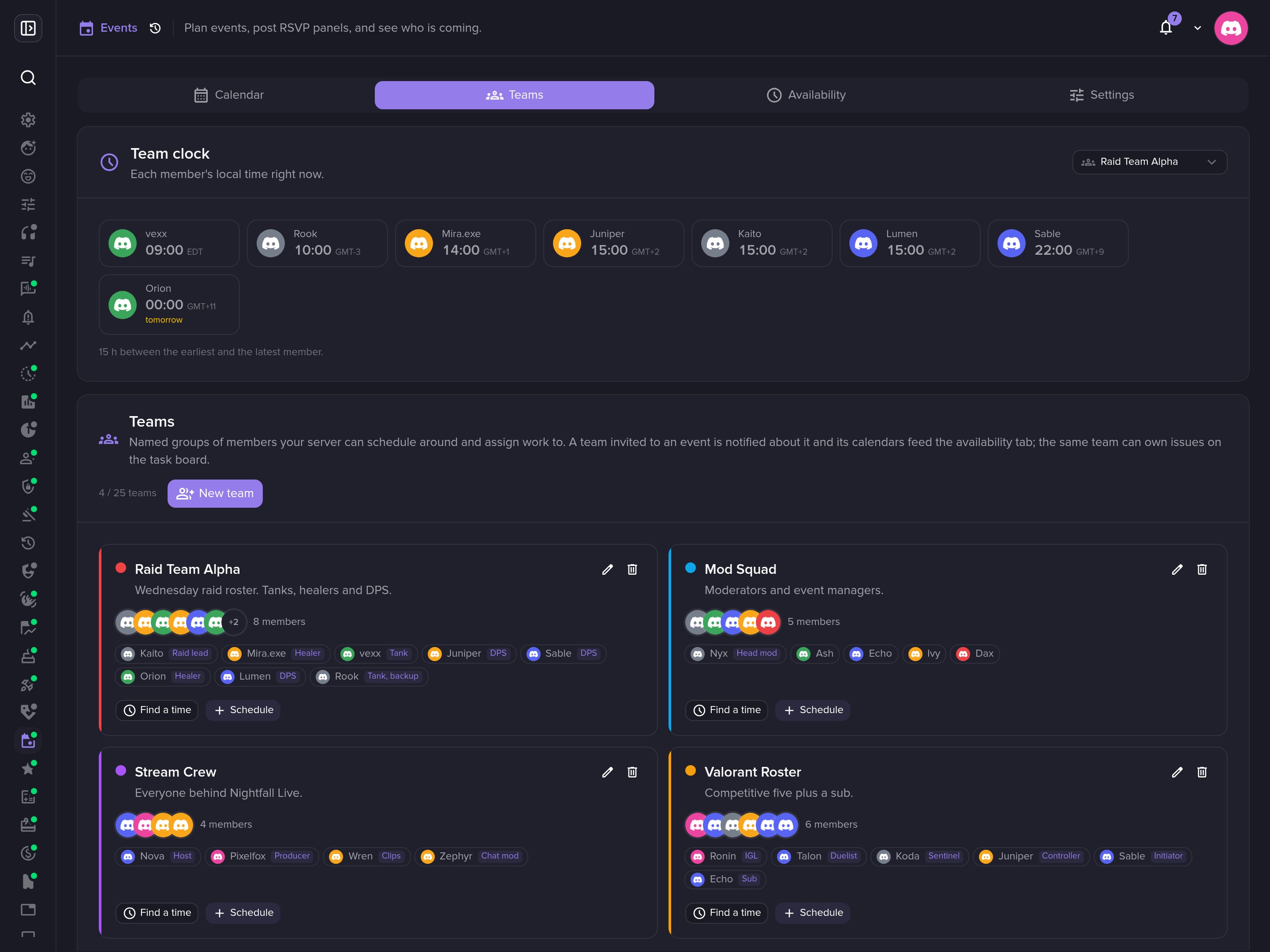 The team clock: every member's local time at a glance.
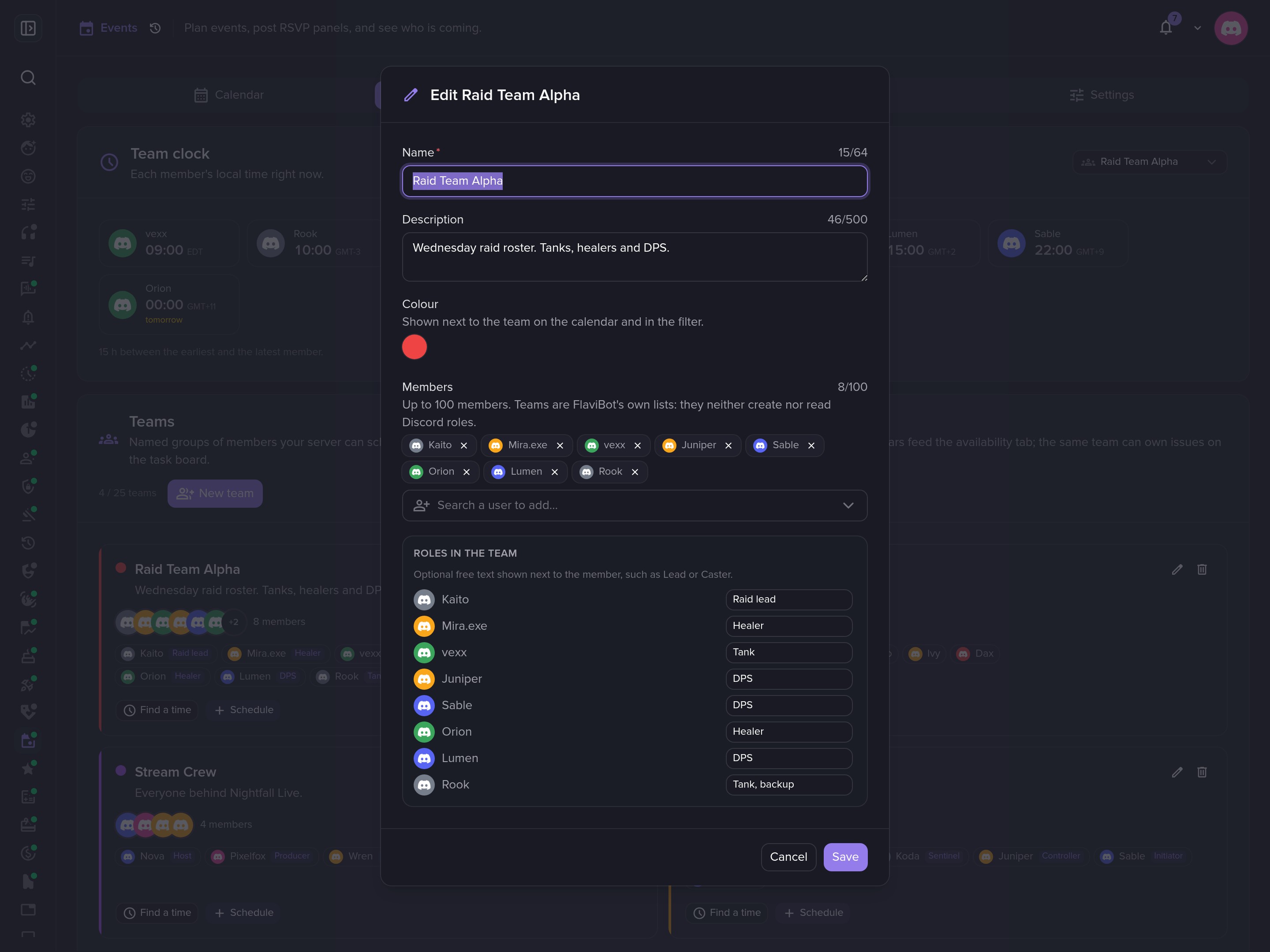 Build teams and give each member a role in it.
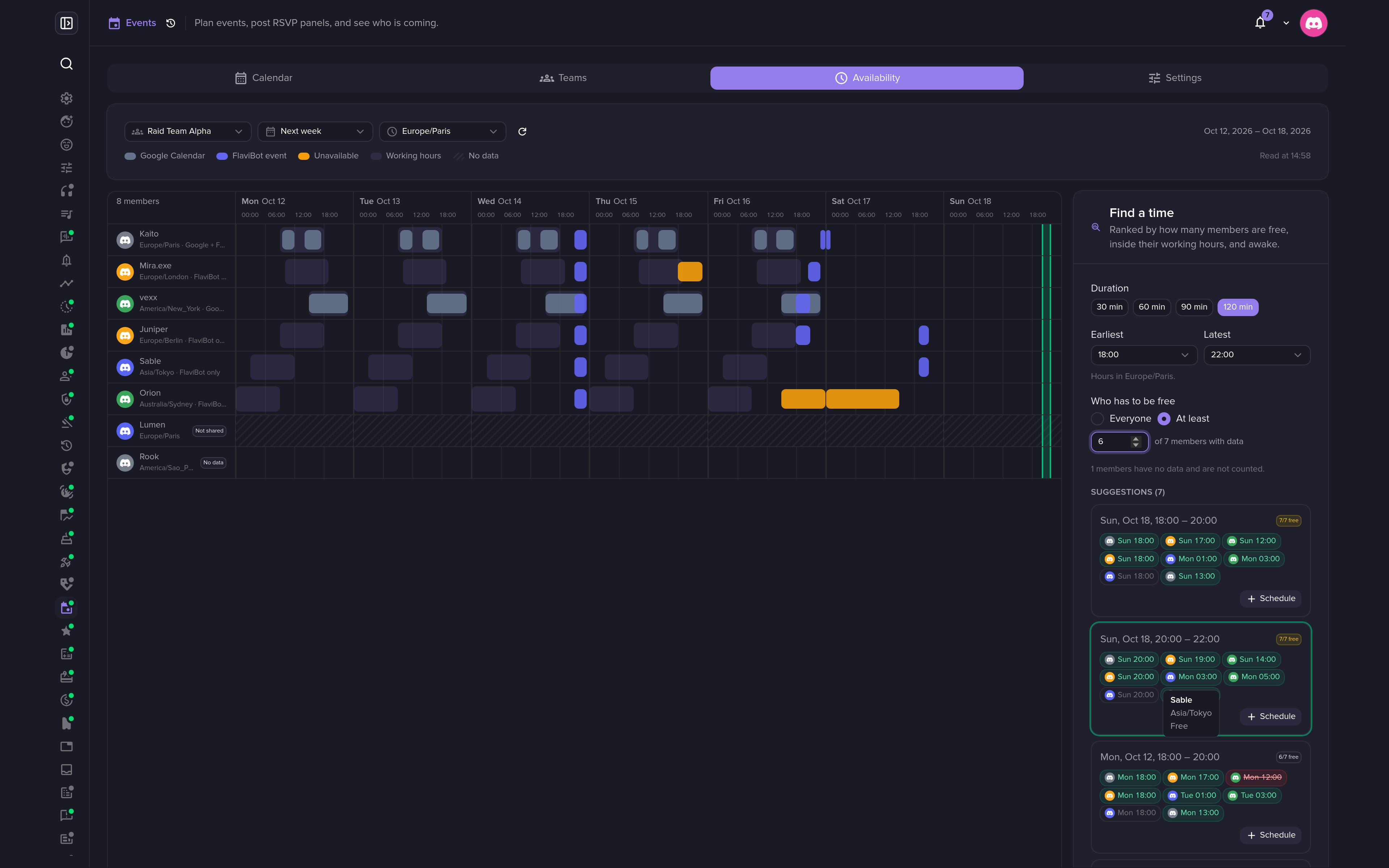 Find a time suggests slots that work for the whole team.
Settings and boards
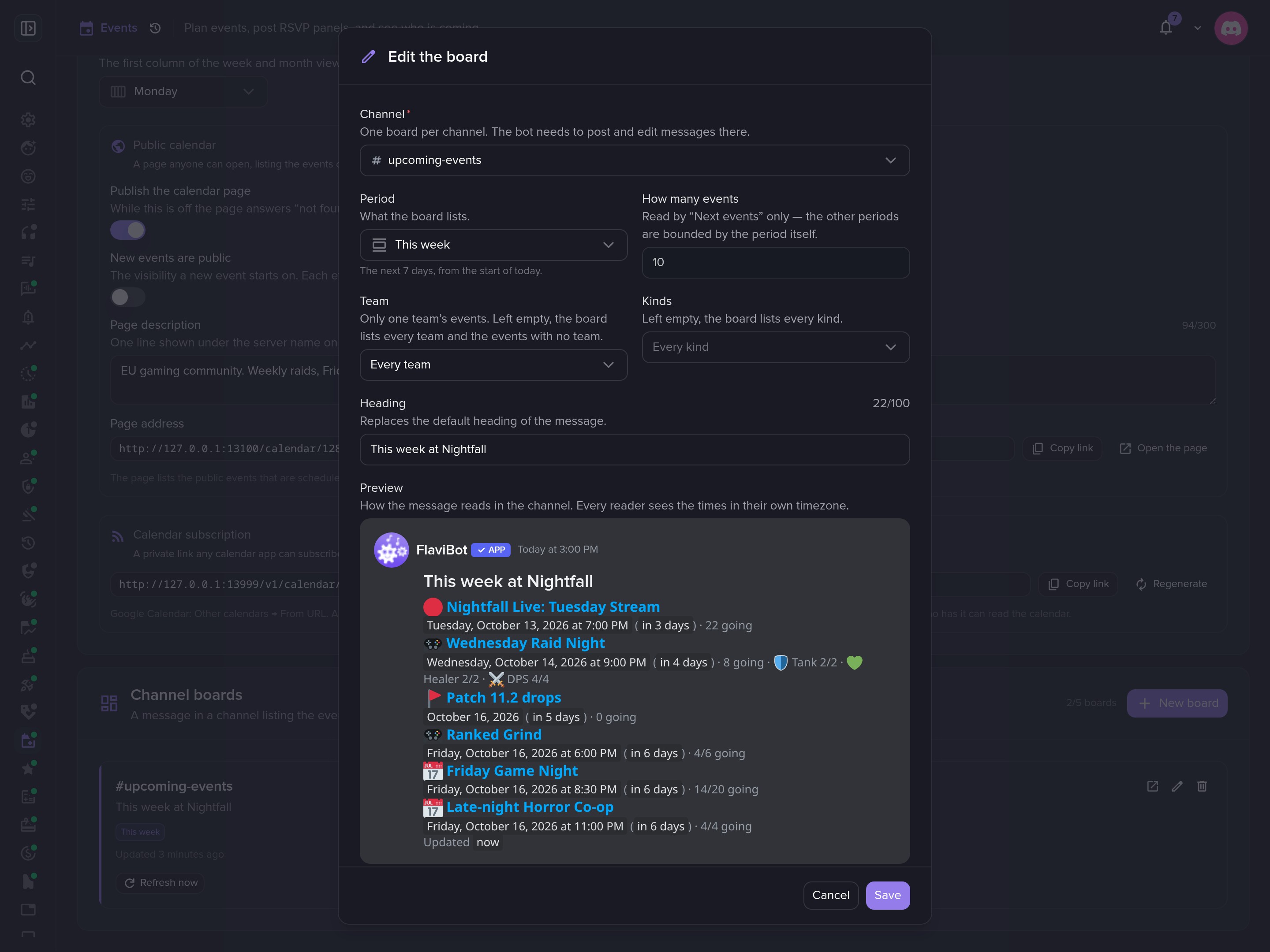 Edit a board and preview it.
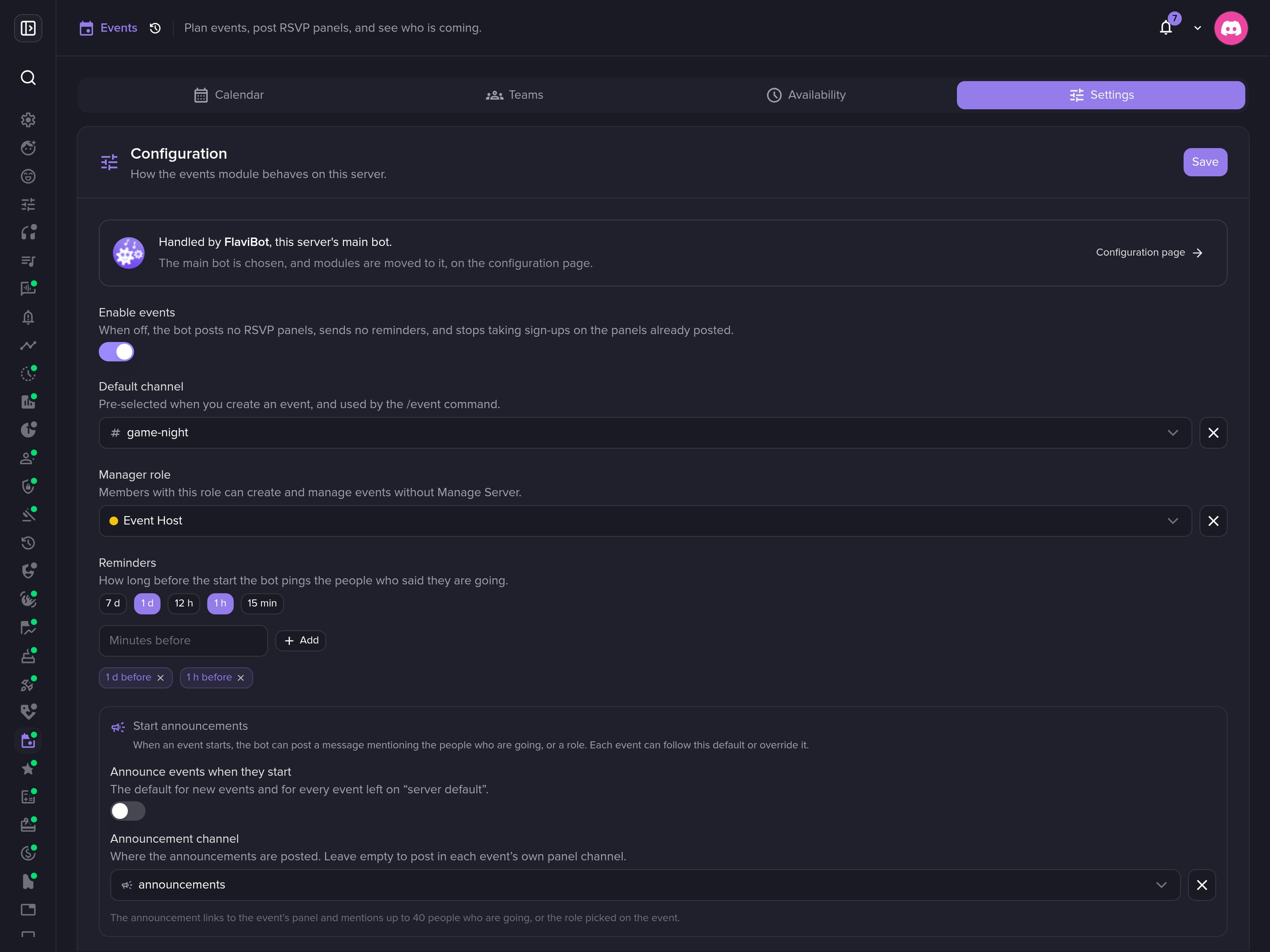 Default channel, manager role, reminders and start announcements.
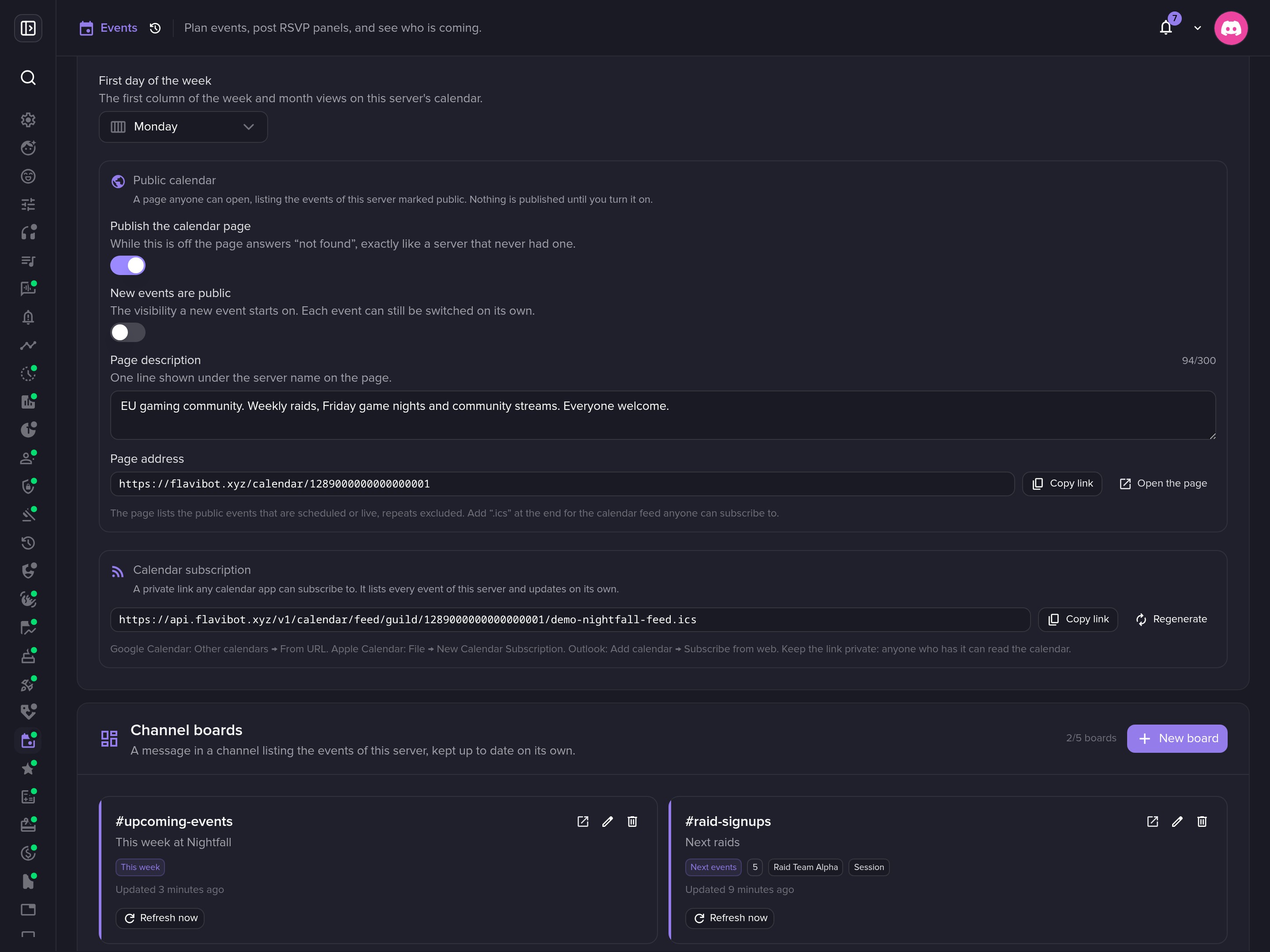 Publish a public calendar, and post boards that keep themselves up to date.
Your own calendar
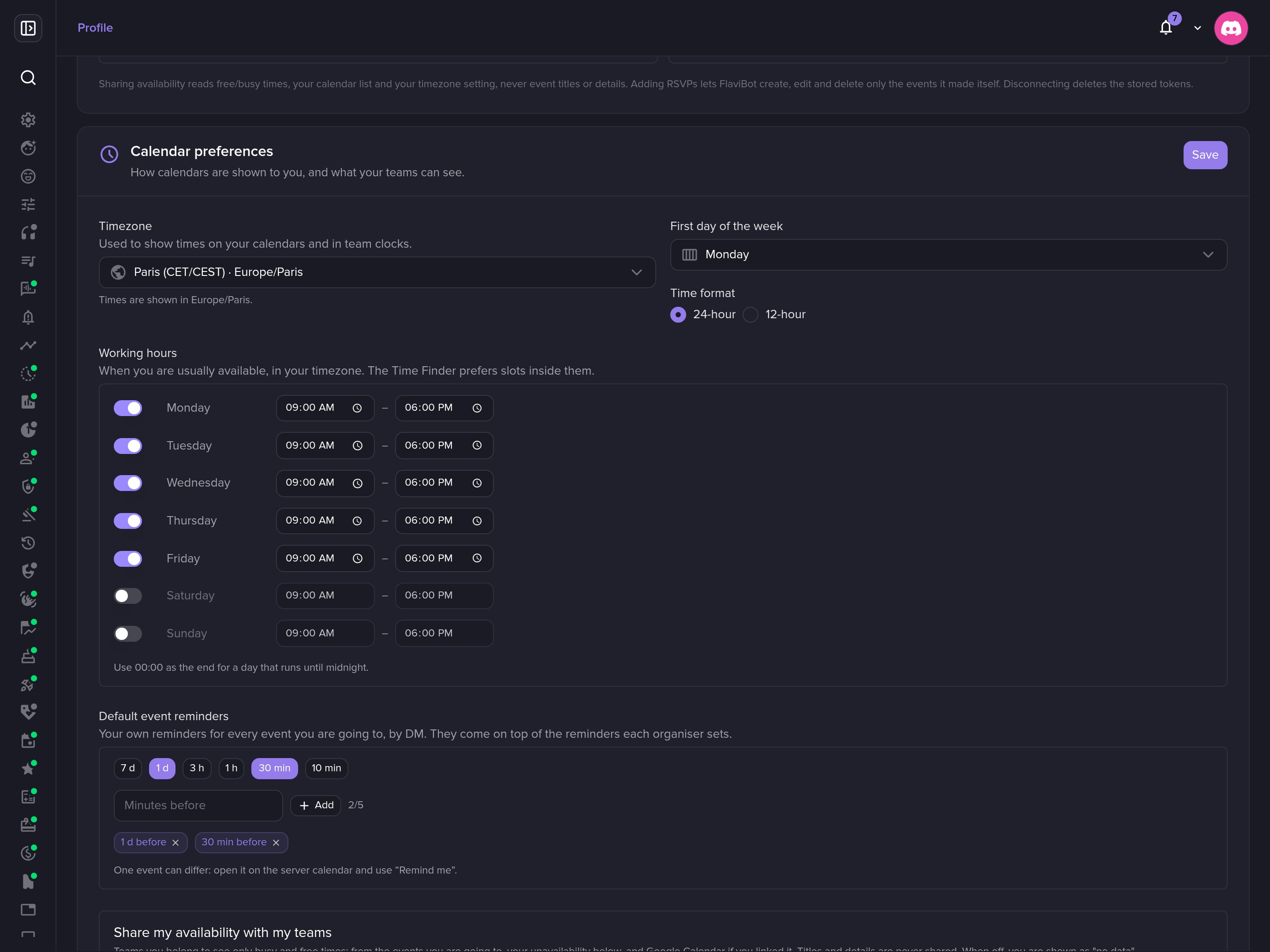 Members set their own time zone, working hours and reminders.
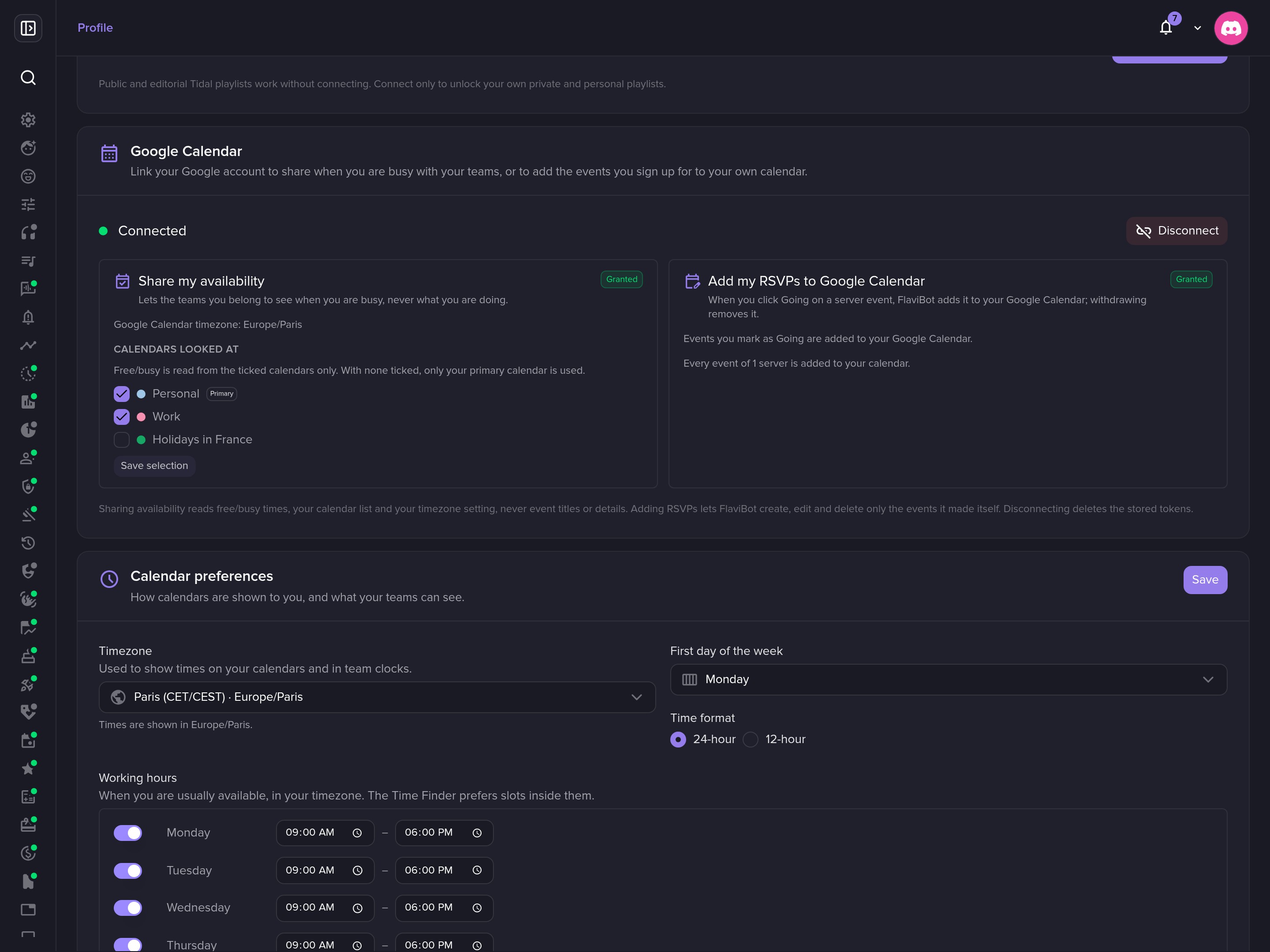 Connect Google Calendar to share availability and add your RSVPs.
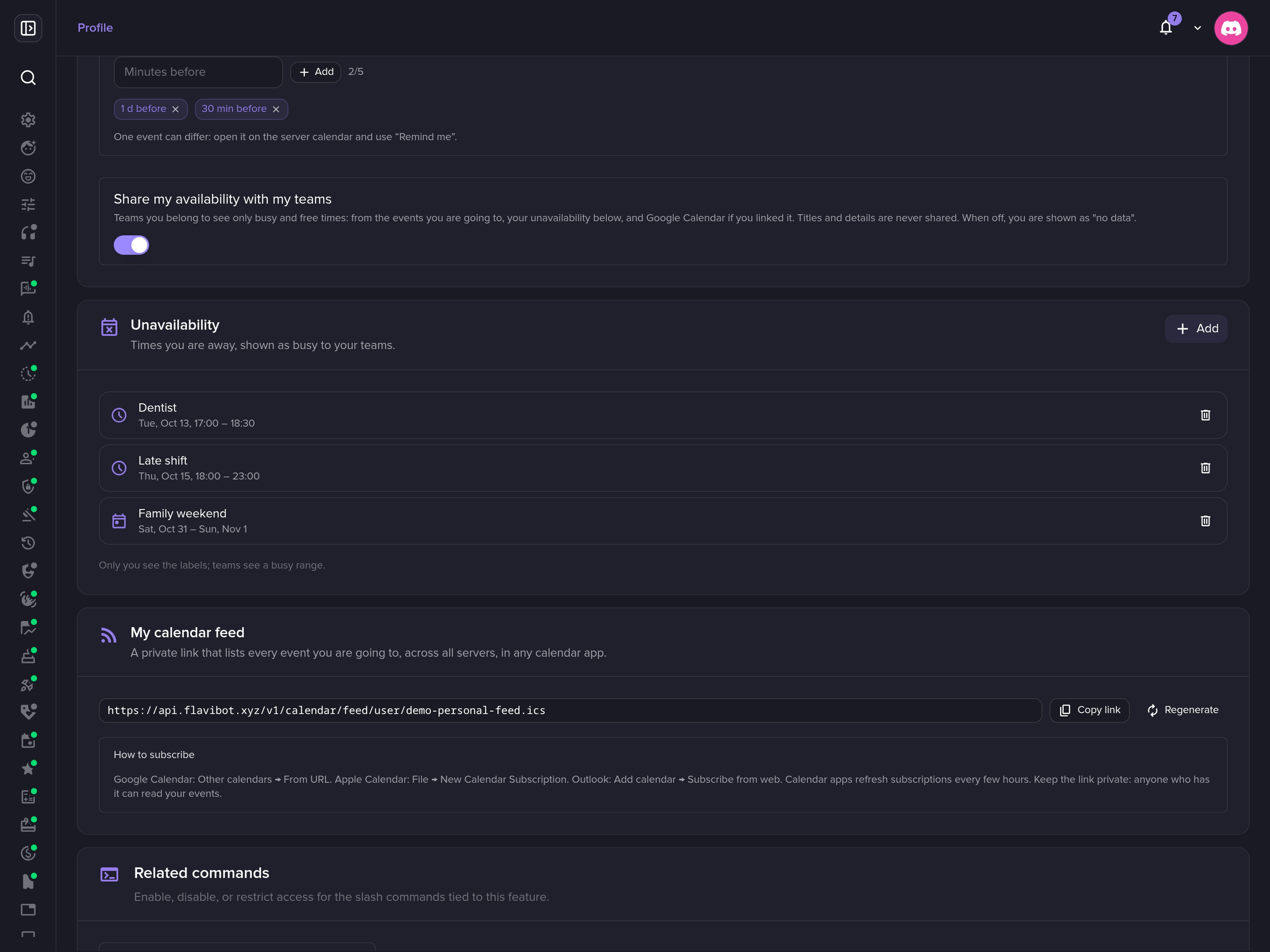 Block out time off, and subscribe to your own calendar feed.
The public page
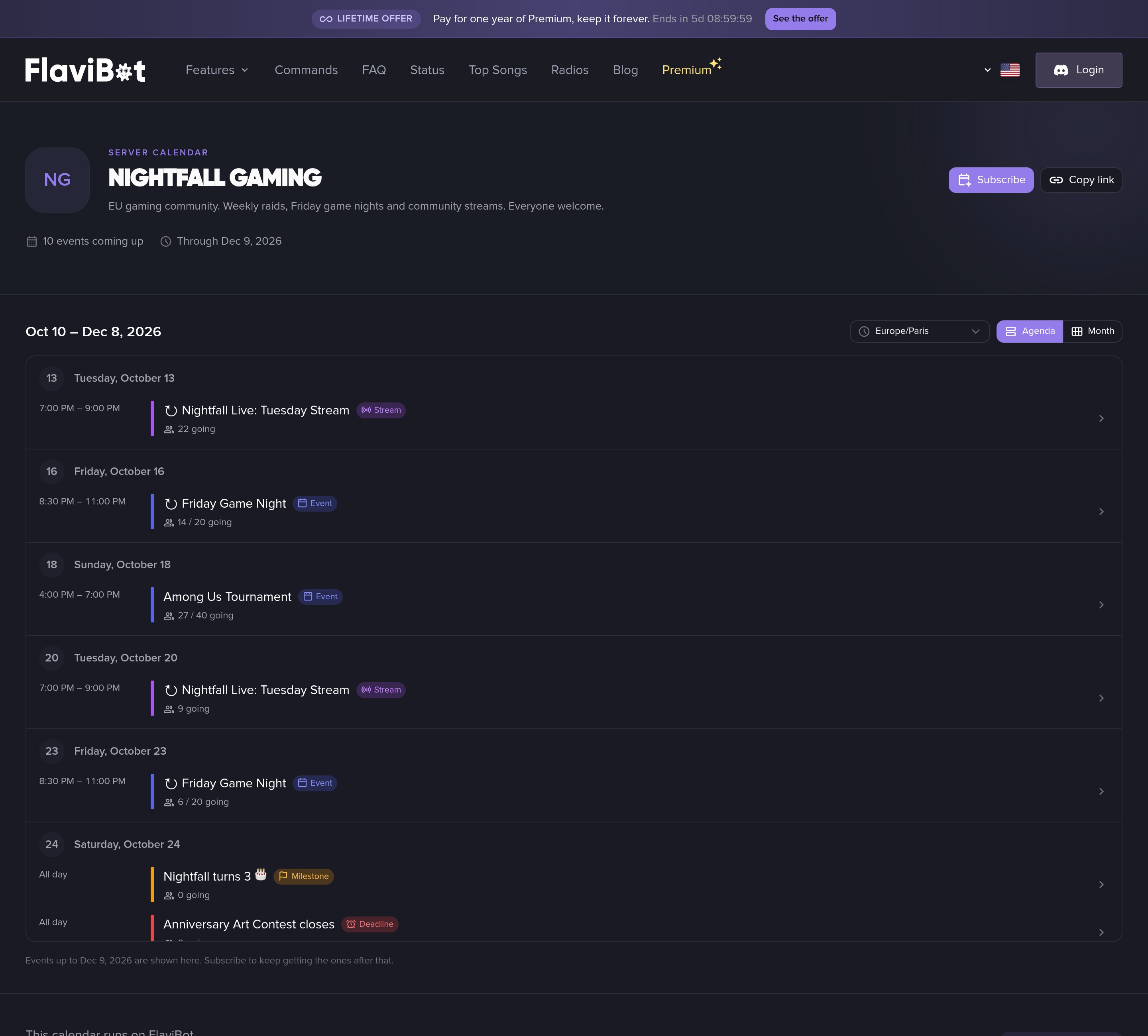 The public calendar, day by day.
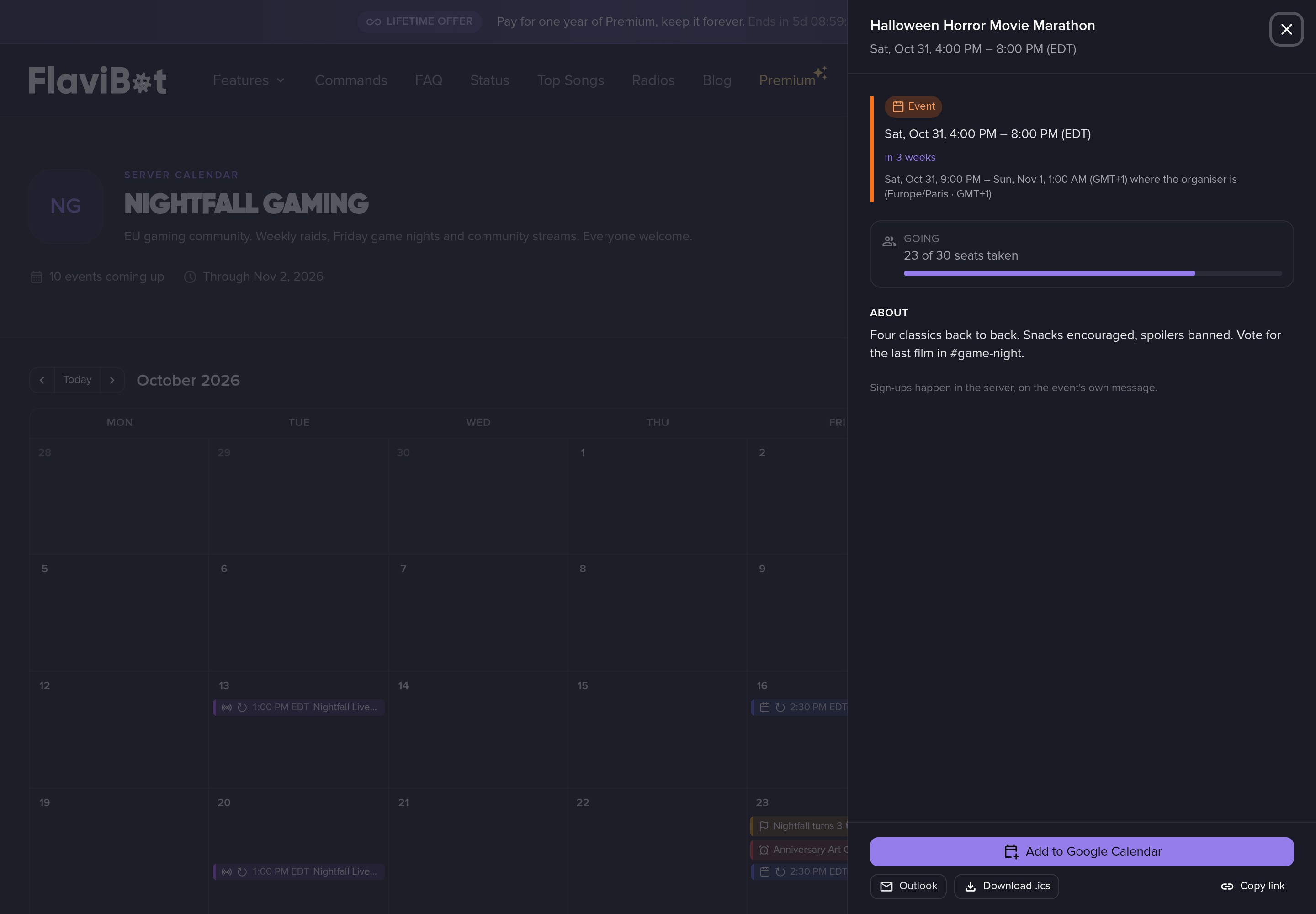 Every event has a link to share, shown in the visitor's time zone.
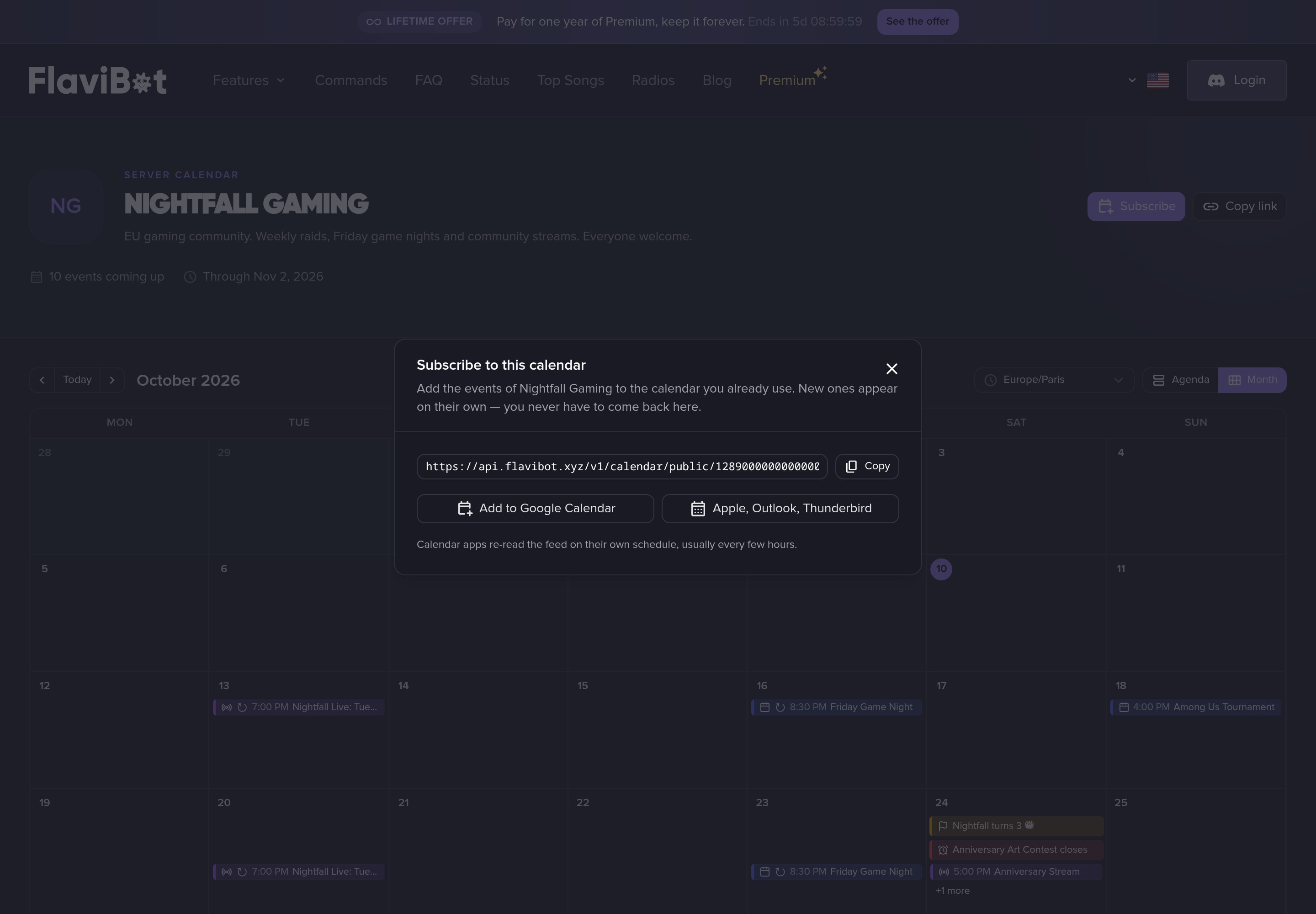 Anyone can subscribe to the server's calendar.
💎 Free and Premium
Every Events feature is on the free plan. Your plan sets how many events can be scheduled or live at once:
| Plan | Active events |
|---|---|
| Free | 3 |
| Silver | 15 |
| Gold | 50 |
| Platinum | Unlimited |
Ended and cancelled events free their place, and a series counts each date open for sign-ups.
Your community has a full calendar ahead. During FlaviBot Week, Premium is yours for life for one payment of the yearly price. Get Lifetime Premium.
Comments (0)
Login to like and comment
No comments yet