Announcements and the announcement channel
By default, FlaviBot announces each track in the channel where the music was
started from. If someone runs /play in #general, the announcements land in
#general.
Sending them all to one channel
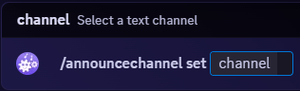
/announcechannel set channel: #music pins every music announcement to one
channel, whatever channel the commands come from.
| Command | Effect |
|---|---|
/announcechannel set channel: #music | always announce in that channel |
/announcechannel reset | back to the default behaviour |
/announcechannel move channel: #other | move the current session only |
All three need Manage Server. set and reset require a vote or Premium,
because they change a saved setting. move is free: it only redirects the
session that is playing right now and forgets it afterwards.
The same setting lives on the dashboard, under Music settings, as
Announcement channel. Leaving it empty is the same as reset.
Choosing what gets announced
The Announcements card on the dashboard has one switch per message type.
| Setting | What it controls |
|---|---|
| Now Playing Announcements | post a message when a track starts |
| Delete Announce Song | delete that message once the track ends |
| Announce Queue End | say something when the queue runs out |
| Stage Announce | show the current track in the voice channel status |
| Silent Announce Message | post without pinging anyone's notifications |
| TTS Track Announcements | also announce tracks played through /tts |
Delete Announce Song is the one to turn on if a busy queue is burying your chat: each announcement disappears when its track finishes, so at most one is on screen.
Silent Announce Message is the gentler option: the messages stay, they just stop lighting up the channel for everyone.
If you would rather have no announcements in a normal channel at all, set up a controller channel: the panel there replaces them.
Where announcements go when nothing is set
The bot remembers the channel that started the session. /stop followed by
/play in a different channel is therefore a quick way to move the
announcements without touching any setting.
